

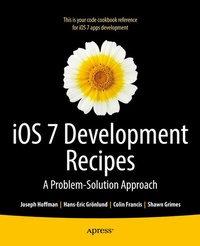
iOS 7 Development Recipes
Problem-Solution Approach
Published on 21. January 2014
XXVII, 816 pages
978-1-4302-5960-2 (ISBN)
Description

iOS 7 Development Recipes: A Problem-Solution Approach is your code reference and guide to developing solutions on the iPad, iPhone, and other iOS 7 SDK devices and platforms. This book provides in-depth code samples and discussions for scenarios that developers face every day. You'll find numerous examples of real-world cases that will enable you to build fully functional applications quickly and efficiently. The recipes included in this book are wide in scope and have been geared toward the professional developer. You'll find clear and concise code samples accompanying each recipe, and you will be presented with cutting-edge solutions that bring forth the best that the iOS 7 SDK has to offer. The recipes include:Working with Auto Layout to build flexible user interfaces that adapt to different screen sizes Building applications that incorporate multimedia Building location-aware apps Understanding best practices for application design and development You'll find this book to be an indispensable reference for all your iOS development.
More details
Other editions
Additional editions
Hans-Eric Grnlund | Joseph Hoffman | Shawn Grimes
iOS 7 Development Recipes
Problem-Solution Approach
Book
11/2013
APress
€36.33
Shipment within 15-20 days
Persons
Hans-Eric Gr nlund is an active iOS and other app/applications software developer who took his first coding steps on his Sord M5 home computer back in 1985, playing with Basic and Assembler, and of course the fantastic game Guttang Gottong. He received his first programming job 1990 and have stayed in the business ever since, as a developer and a manager of software projects. Creating software and writing about it is both work and hobby for him. For more about him, visit http://www.hans-eric.com/.
Content
- Intro
- Contents at a Glance
- Contents
- About the Authors
- About the Technical Reviewer
- Acknowledgments
- Introduction
- Chapter 1: Application Recipes
- Recipe 1-1: Setting Up a Single View Application
- An Alternate Way
- Recipe 1-2: Linking a Framework
- Recipe 1-3: Adding a User Interface Control View
- Recipe 1-4: Creating an Outlet
- Recipe 1-5: Creating an Action
- Recipe 1-6: Creating a Class
- Recipe 1-7: Adding an Info.plist Property
- Recipe 1-8: Adding a Resource File
- Using the Asset Catalog
- Recipe 1-9: Handling Errors
- Setting Up a Framework for Error Handling
- Notifying the User
- Implementing Recovery Options
- Recipe 1-10: Handling Exceptions
- A Strategy for Handling Exceptions
- Setting Up a Test Application
- Intercepting Uncaught Exceptions
- Reporting Errors
- Adding the Button
- Emailing the Report
- A Final Touch
- Recipe 1-11: Adding a Lite Version
- Adding a Build Target
- Coding for a Specific Version
- Recipe 1-12: Adding Launch Images
- Designing Launch Images
- Launch Image Files
- Summary
- Chapter 2: Storyboard Recipes
- So, What's in a Story (board)?
- Scenes
- Segues
- Recipe 2-1: Implementing a Navigation Controller
- Adding a New Scene to the Storyboard
- Recipe 2-2: Implementing a UITableViewController
- Adding a Detail View
- Setting Up a Custom View Controller
- Using Cell Prototypes
- Recipe 2-3: Implementing a UITabBarController
- Summary
- Chapter 3: Layout Recipes
- Recipe 3-1: Using Auto Layout
- Auto Layout Constraints
- Adding Constraints Using the Control-Click and Drag Method
- Adding Constraints Using the Auto Layout Issue-Resolving Menu
- Adding Constraints Using the Pin Menu
- Constraint Priorities
- Adding a Trailing Button
- Disabling Auto Layout
- Using the Preview Tool
- Recipe 3-2: Programming Auto Layout
- Setting Up the Application
- Visual Format Language
- Adding Image Views
- Defining the Image Views' Constraints
- Recipe 3-3: Debugging Auto Layout Code
- Dealing with Ambiguous Layouts
- Handling Unsatisfiability
- Summary
- Chapter 4: Table and Collection View Recipes
- Recipe 4-1: Creating an Ungrouped Table
- Setting Up the Application
- Adding a Model for Countries
- Displaying Data in a Table View
- Considerations for Cached Cells and Reuse
- Configuring the Cells
- Implementing the Accessory Views
- Enhanced User Interaction
- Considerations for Cell View Customization
- Recipe 4-2: Editing a UITableView
- UITableView Row Animations
- But Wait, There's More!
- Recipe 4-3: Reordering a UITableView
- Recipe 4-4: Creating a Grouped UITableView
- Recipe 4-5: Registering a Custom Cell Class
- Creating a Custom Table View Cell Class
- Registering Your Cell Class
- Recipe 4-6: Creating a Flag Picker Collection View
- Setting Up the Application
- Creating a Data Model
- Building the Flag Picker
- Defining the Collection View Interface
- Displaying the Flag Picker
- Using Auto Layout to Center the Headers
- Summary
- Chapter 5: Location Recipes
- About Core Location
- Standard and Significant Change Services
- Recipe 5-1: Getting Basic Location Information
- Setting Up the Application
- Starting and Stopping Location Updates
- Receiving Location Updates
- Testing Location Updates
- Recipe 5-2: Significant Location Changes
- Setting Up the Application
- Enabling Background Updates
- Adding Local Notifications
- Recipe 5-3: Tracking Magnetic Bearing
- About Heading Tracking
- Setting Up the Application
- Starting and Stopping Heading Updates
- Implementing Delegate Methods
- Recipe 5-4: Tracking True Bearing
- Adding True Bearing
- Recipe 5-5: Region Monitoring
- A Thing or Two About Regions
- Welcome to Denver!
- Recipe 5-6: Implementing Geocoding
- Implementing Reverse Geocoding
- Implementing Forward Geocoding
- Best Practices
- Summary
- Chapter 6: Motion Recipes
- Recipe 6-1: Recognizing Shake Events
- Intercepting Shake Events
- Subclassing the Window
- Implementing Shake Notifications
- Testing Shake Events
- Recipe 6-2: Accessing Raw Core Motion Data
- Core Motion Sensors
- Setting Up the Project
- Accessing Sensor Data
- Pushing or Pulling
- Selecting an Update Interval
- The Nature of Raw Motion Data
- Recipe 6-3: Accessing Device Motion Data
- The Device Motion Class
- Setting Up the Application
- Accessing Device Motion Data
- Setting a Reference Frame
- Recipe 6-4: Moving a Label with Gravity
- Setting Up the Application
- Moving the Label with Gravity
- Adding Acceleration
- Summary
- Chapter 7: Map Recipes
- Recipe 7-1: Showing a Map with the Current Location
- Setting Up the Application
- User-Controlled Tracking
- Recipe 7-2: Marking Locations with Pins
- Adding Annotation Objects
- Changing the Pin Color
- Recipe 7-3: Creating Custom Annotations
- Setting Up the Application
- Creating a Custom Annotation Class
- Creating a Custom Annotation View
- Customizing the Callouts
- Adding a Detailed View
- Recipe 7-4: Dragging a Pin
- Adding a Draggable Pin
- Recipe 7-5: Adding Overlays to a Map
- Creating the Overlays
- Recipe 7-6: Grouping Annotations Dynamically
- A Forest of Pins
- Implementing a Solution
- Adding Color Coding
- Recipe 7-7: Starting Maps from Your App
- Adding Map Items
- Launching in Directions Mode
- Recipe 7-8: Registering a Routing App
- Declaring a Routing App
- Handling Launches
- Testing the Routing App
- Specifying a Coverage Area
- Recipe 7-9: Getting Directions
- Setting Up the Application
- Drawing Directions on the Map
- Adding ETA
- Recipe 7-10: Using 3-D Mapping
- Using the Properties Approach
- Using the Convenience Method Approach
- Creating a Fly-Over
- Summary
- Chapter 8: Social Network Recipes
- Recipe 8-1: Sharing Content with the Activity View
- Setting Up an Activity View Controller
- Excluding Activity View Items
- Including Activity View Items
- Recipe 8-2: Sharing Content Using a Compose View
- Recipe 8-3: Sharing Content Using SLRequest
- Setting Up the Main View
- Requesting Access to Twitter Accounts
- Handling Multiple Accounts
- Recipe 8-4: Retrieving Tweets
- Setting Up a Navigation-Based Application
- Displaying Available Feeds
- Displaying Tweets
- Showing Individual Tweets
- Summary
- Chapter 9: Camera Recipes
- Recipe 9-1: Taking Pictures
- Setting Up the User Interface
- Accessing the Camera
- Retrieving a Picture
- Implementing Basic Editing
- Saving Pictures to a Photos Album
- Recipe 9-2: Recording Video
- Recipe 9-3: Editing Videos
- Recipe 9-4: Using Custom Camera Overlays
- Recipe 9-5: Displaying Camera Preview with AVCaptureSession
- Recipe 9-6: Capturing Still Images with AVCaptureSession
- Adding a Capture Button
- Recipe 9-7: Capturing Video with AVCaptureSession
- Adding a Video Recording Mode
- Recipe 9-8: Capturing Video Frames
- Recipe 9-9: Capturing Machine-Readable Codes
- Summary
- Chapter 10: Multimedia Recipes
- Recipe 10-1: Playing Audio
- Setting Up the Application
- Setting Up the Audio Player
- Handling Errors and Interruptions
- Recipe 10-2: Recording Audio
- Setting Up an Audio Recorder
- Handling Interruptions
- Recipe 10-3: Accessing the Music Library
- Setting Up a Basic Music Player
- Handling Notifications
- Picking Media to Play
- Querying Media
- Recipe 10-4: Playing Background Audio
- Setting Up the User Interface
- Declaring Background Mode Playback
- Implementing the Player
- Summary
- Chapter 11: Image Recipes
- Recipe 11-1: Using Image Views
- Recipe 11-2: Scaling Images
- Recipe 11-3: Manipulating Images with Filters
- Combining Filters
- Creating Thumbnail Images for the Table View
- Recipe 11-4: Detecting Features
- Summary
- Chapter 12: Graphics Recipes
- Recipe 12-1: Drawing Simple Shapes
- Refactoring a Bit
- Recipe 12-2: Drawing Paths
- Recipe 12-3: Adding Fonts and Drawing Text
- Making Use of Available Fonts
- Importing Your Own Fonts
- Recipe 12-4: Adding Shadows
- Recipe 12-5: Creating Gradients
- Recipe 12-6: Clipping a Drawing to a Mask
- Recipe 12-7: Programming Screen Shots
- Summary
- Chapter 13: Animation and Physics Recipes
- Recipe 13-1. View Animation Using UIKit
- Changing Size and Transparency
- Handling Rotation and Chaining Animation
- Recipe 13-2. Implementing UIKit Dynamics
- Using Gravity
- Gravity and Collision
- Using Item Properties
- Adding Snap
- Creating Push Behaviors
- Spring and Attachment
- Creating a Custom Behavior Class
- Summary
- Chapter 14: User Data Recipes
- Recipe 14-1. Working with NSCalendar and NSDate
- Recipe 14-2. Fetching Calendar Events
- Recipe 14-3. Displaying Events in a Table View
- Recipe 14-4. Viewing, Editing, and Deleting Events
- Recipe 14-5. Creating Calendar Events
- Creating Recurring Events
- Recipe 14-6. Creating Reminders
- Setting Up the Application
- Requesting Access to Reminders
- Creating Time-Based Reminders
- Creating Location-Based Reminders
- Recipe 14-7. Accessing the Address Book
- Recipe 14-8. Setting Contact Information
- Summary
- Chapter 15: Data Storage Recipes
- Recipe 15-1. Persisting Data with NSUserDefaults
- Recipe 15-2. Persisting Data Using Files
- Recipe 15-3. Using Core Data
- Understanding Core Data
- Setting Up Core Data
- Designing the Data Model
- Setting Up the Vocabularies Table View
- Implementing the Words View Controller
- Adding a Word Edit View
- Persisting Data on iCloud
- Recipe 15-4. Storing Key-Value Data in iCloud
- Setting Up iCloud for an App
- Persisting Data in an iCloud Key-Value Store
- Caching iCloud Data Locally Using NSUserDefaults
- Recipe 15-5. Storing UIDocuments in iCloud
- Summary
- Chapter 16: Data Transmission Recipes
- Recipe 16-1: Composing Text Messages
- Recipe 16-2: Composing Email
- Attaching Data to Mail
- Recipe 16-3: Printing an Image
- Recipe 16-4: Printing Plain Text
- Recipe 16-5: Printing a View
- Recipe 16-6: Formatted Printing with Page Renderers
- Summary
- Chapter 17: Game Kit Recipes
- Recipe 17-1. Making Your App Game Center Aware
- Implementing the Game
- Registering with iTunes Connect
- Authenticating a Local Player
- Displaying Game Center from Your App
- Recipe 17-2. Implementing Leaderboards
- Defining the Leaderboards
- Reporting Scores to Game Center
- Recipe 17-3. Implementing Achievements
- Defining Achievements in iTunes Connect
- Reporting the Achievements
- Recipe 17-4. Creating a Simple Turn-Based Multiplayer Game
- Building the Tic Tac Toe Game
- Preparing the Game for Game Center
- Implementing Matchmaking
- Encoding and Decoding Match Data
- Handling Turn-Based Events
- Summary
- Index
