

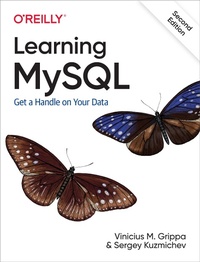
Learning MySQL
Description

Get a comprehensive overview on how to set up and design an effective database with MySQL. This thoroughly updated edition covers MySQL''s latest version, including its most important aspects. Whether you''re deploying an environment, troubleshooting an issue, or engaging in disaster recovery, this practical guide provides the insights and tools necessary to take full advantage of this powerful RDBMS.
Authors Vinicius Grippa and Sergey Kuzmichev from Percona show developers and DBAs methods for minimizing costs and maximizing availability and performance. You''ll learn how to perform basic and advanced querying, monitoring and troubleshooting, database management and security, backup and recovery, and tuning for improved efficiency. This edition includes new chapters on high availability, load balancing, and using MySQL in the cloud.
- Get started with MySQL and learn how to use it in production
- Deploy MySQL databases on bare metal, on virtual machines, and in the cloud
- Design database infrastructures
- Code highly efficient queries
- Monitor and troubleshoot MySQL databases
- Execute efficient backup and restore operations
- Optimize database costs in the cloud
- Understand database concepts, especially those pertaining to MySQL
More details
Other editions
Additional editions
Content
- Intro
- Copyright
- Table of Contents
- Preface
- Who This Book Is For
- How This Book Is Organized
- Starting with MySQL
- Using MySQL
- MySQL in Production
- Miscellaneous Topics
- Conventions Used in This Book
- Using Code Examples
- O'Reilly Online Learning
- How to Contact Us
- Acknowledgments
- From Vinicius Grippa
- From Sergey Kuzmichev
- Chapter 1. Installing MySQL
- MySQL Forks
- MySQL Community Edition
- Percona Server for MySQL
- MariaDB Server
- MySQL Enterprise Edition
- Installation Choices and Platforms
- 1. Download the Distribution that You Want to Install
- 2. Install the Distribution
- 3. Perform Any Necessary Post-Installation Setup
- 4. Run Benchmarks
- Installing MySQL on Linux
- Installing MySQL on CentOS 7
- Installing MySQL on CentOS 8
- Installing MySQL on Ubuntu 20.04 LTS (Focal Fossa)
- Installing MySQL on macOS Big Sur
- Installing MySQL on Windows 10
- The Contents of the MySQL Directory
- MySQL 5.7 Default Files
- MySQL 8.0 Default Files
- Using the Command-Line Interface
- Using Docker
- Installing Docker
- Using Sandboxes
- Installing DBdeployer
- Using DBdeployer
- Upgrading MySQL Server
- Chapter 2. Modeling and Designing Databases
- How Not to Develop a Database
- The Database Design Process
- The Entity Relationship Model
- Representing Entities
- Representing Relationships
- Partial and Total Participation
- Entity or Attribute?
- Entity or Relationship?
- Intermediate Entities
- Weak and Strong Entities
- Database Normalization
- Normalizing an Example Table
- First Normal Form: No Repeating Groups
- Second Normal Form: Eliminate Redundant Data
- Third Normal Form: Eliminate Data Not Dependent on Key
- Entity Relationship Modeling Examples
- Using the Entity Relationship Model
- Mapping Entities and Relationships to Database Tables
- Creating a Bank Database ER Model
- Converting the EER to a MySQL Database Using Workbench
- Chapter 3. Basic SQL
- Using the sakila Database
- The SELECT Statement and Basic Querying Techniques
- Single-Table SELECTs
- Choosing Columns
- Selecting Rows with the WHERE Clause
- The ORDER BY Clause
- The LIMIT Clause
- Joining Two Tables
- The INSERT Statement
- INSERT Basics
- Alternative Syntaxes
- The DELETE Statement
- DELETE Basics
- Using WHERE, ORDER BY, and LIMIT
- Removing All Rows with TRUNCATE
- The UPDATE Statement
- Examples
- Using WHERE, ORDER BY, and LIMIT
- Exploring Databases and Tables with SHOW and mysqlshow
- Chapter 4. Working with Database Structures
- Creating and Using Databases
- Creating Tables
- Basics
- Collation and Character Sets
- Other Features
- Column Types
- Keys and Indexes
- The AUTO_INCREMENT Feature
- Altering Structures
- Adding, Removing, and Changing Columns
- Adding, Removing, and Changing Indexes
- Renaming Tables and Altering Other Structures
- Deleting Structures
- Dropping Databases
- Removing Tables
- Chapter 5. Advanced Querying
- Aliases
- Column Aliases
- Table Aliases
- Aggregating Data
- The DISTINCT Clause
- The GROUP BY Clause
- The HAVING Clause
- Advanced Joins
- The Inner Join
- The Union
- The Left and Right Joins
- The Natural Join
- Constant Expressions in Joins
- Nested Queries
- Nested Query Basics
- The ANY, SOME, ALL, IN, and NOT IN Clauses
- The EXISTS and NOT EXISTS Clauses
- Nested Queries in the FROM Clause
- Nested Queries in JOINs
- User Variables
- Chapter 6. Transactions and Locking
- Isolation Levels
- REPEATABLE READ
- READ COMMITTED
- READ UNCOMMITTED
- SERIALIZABLE
- Locking
- Metadata Locks
- Row Locks
- Deadlocks
- MySQL Parameters Related to Isolation and Locks
- Chapter 7. Doing More with MySQL
- Inserting Data Using Queries
- Loading Data from Comma-Delimited Files
- Writing Data into Comma-Delimited Files
- Creating Tables with Queries
- Performing Updates and Deletes with Multiple Tables
- Deletion
- Updates
- Replacing Data
- The EXPLAIN Statement
- Alternative Storage Engines
- InnoDB
- MyISAM and Aria
- MyRocks and TokuDB
- Other Table Types
- Chapter 8. Managing Users and Privileges
- Understanding Users and Privileges
- The root User
- Creating and Using New Users
- Grant Tables
- User Management Commands and Logging
- Modifying and Dropping Users
- Modifying a User
- Dropping a User
- Privileges
- Static Versus Dynamic Privileges
- The SUPER Privilege
- Privilege Management Commands
- Checking Privileges
- The GRANT OPTION Privilege
- Roles
- Changing root's Password and Insecure Startup
- Some Ideas for Secure Setup
- Chapter 9. Using Option Files
- Structure of the Option File
- Scope of Options
- Search Order for Option Files
- Special Option Files
- Login Path Configuration File
- Persistent System Variables Configuration File
- Determining the Options in Effect
- Chapter 10. Backups and Recovery
- Physical and Logical Backups
- Logical Backups
- Physical Backups
- Overview of Logical and Physical Backups
- Replication as a Backup Tool
- Infrastructure Failure
- Deployment Bug
- The mysqldump Program
- Bootstrapping Replication with mysqldump
- Loading Data from a SQL Dump File
- mysqlpump
- mydumper and myloader
- Cold Backup and Filesystem Snapshots
- Percona XtraBackup
- Backing Up and Recovering
- Advanced Features
- Incremental Backups with XtraBackup
- Other Physical Backup Tools
- MySQL Enterprise Backup
- mariabackup
- Point-in-Time Recovery
- Technical Background on Binary Logs
- Preserving Binary Logs
- Identifying a PITR Target
- Point-in-Time-Recovery Example: XtraBackup
- Point-in-Time-Recovery Example: mysqldump
- Exporting and Importing InnoDB Tablespaces
- Technical Background
- Exporting a Tablespace
- Importing a Tablespace
- XtraBackup Single-Table Restore
- Testing and Verifying Your Backups
- Database Backup Strategy Primer
- Chapter 11. Configuring and Tuning the Server
- The MySQL Server Daemon
- MySQL Server Variables
- Checking Server Settings
- Best Practices
- Chapter 12. Monitoring MySQL Servers
- Operating System Metrics
- CPU
- Disk
- Memory
- Network
- MySQL Server Observability
- Status Variables
- Basic Monitoring Recipes
- The Slow Query Log
- InnoDB Engine Status Report
- Investigation Methods
- The USE Method
- RED Method
- MySQL Monitoring Tools
- Incident/Diagnostic and Manual Data Collection
- Gathering System Status Variable Values Periodically
- Using pt-stalk to Collect MySQL and OS Metrics
- Extended Manual Data Collection
- Chapter 13. High Availability
- Asynchronous Replication
- Basic Parameters to Set on the Source and the Replica
- Creating a Replica Using PerconaXtraBackup
- Creating a Replica Using the Clone Plugin
- Creating a Replica Using mysqldump
- Creating a Replica Using mydumper and myloader
- Group Replication
- Synchronous Replication
- Galera/PXC Cluster
- Chapter 14. MySQL in the Cloud
- Database-as-a-Service (DBaaS)
- Amazon RDS for MySQL/MariaDB
- Google Cloud SQL for MySQL
- Azure SQL
- Amazon Aurora
- MySQL Cloud Instances
- MySQL in Kubernetes
- Deploying Percona XtraDB Cluster in Kubernetes
- Chapter 15. Load Balancing MySQL
- Load Balancing with Application Drivers
- ProxySQL Load Balancer
- Installing and Configuring ProxySQL
- HAProxy Load Balancer
- Installing and Configuring HAProxy
- MySQL Router
- Chapter 16. Miscellaneous Topics
- MySQL Shell
- Installing MySQL Shell
- Installing MySQL Shell on Ubuntu 20.04 Focal Fossa
- Installing MySQL Shell on CentOS 8
- Deploying a Sandbox InnoDB Cluster with MySQL Shell
- MySQL Shell Utilities
- Flame Graphs
- Building MySQL from Source
- Building MySQL for Ubuntu Focal Fossa and ARM Processors
- Analyzing a MySQL Crash
- Index
- About the Authors
- Colophon
