

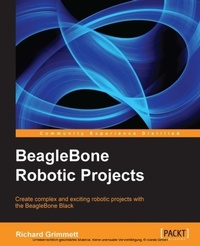
BeagleBone Robotic Projects
Developer or hobbyist, you'll love the way this book helps you turn the BeagleBone Black into a working robot. From listening and speaking to seeing and moving, we'll show you how 'AEi step by step.
Published on 13. January 2025
244 pages
978-1-78355-933-6 (ISBN)
Description

Developer or hobbyist, you'll love the way this book helps you turn the BeagleBone Black into a working robot. From listening and speaking to seeing and moving, we'll show you how - step by step.
Key Features
Get to grips with robotic systems.
Communicate with your robot and teach it to detect and respond to its environment.
Develop walking, rolling, swimming, and flying robots.
Book DescriptionThanks to new, inexpensive microcontrollers, robotics has become far more accessible than it was in the past. These microcontrollers provide a whole new set of capabilities to allow even the most inexperienced users to make amazingly complicated projects. Beaglebone is effectively a small, light, cheap computer in a similar vein to Raspberry Pi and Arduino. It has all of the extensibility of today's desktop machines, but without the bulk, expense, or noise. This project guide provides step-by-step instructions to allow anyone to use this new, low cost platform in some fascinating robotics projects. By the time you are finished, your projects will be able to see, speak, listen, detect their surroundings, and move in a variety of amazing ways. The book begins with unpacking and powering up the components.This will include guidance on what to purchase and how to connect it all successfully'AEiand a primer on programming the BeagleBone Black. Chapter by chapter, we will add additional software functionality available from the open source community, including how to make the system see using a webcam, how to hear using a microphone, and how to speak using a speaker. We then add hardware to make your robots move'AEiincluding wheeled and legged examples'AEias well as covering how to add sonar sensors to avoid or find objects, plus wireless control to make your robot truly autonomous. Adding GPS allows the robot to find itself. Finally the book covers how to integrate all of this functionality so that it can all work together, before developing the most impressive robotics projects: those that can sail, fly, and explore underwater.What you will learn
Unbox, power up, and configure the BeagleBone black with Ubuntu.
Install speech recognition software to issue voice commands to your projects.
Set up a webcam and a computer vision toolkit for distinguishing objects.
Communicate with external motors to enable you robotics projects to move in a variety of ways.
Process audio signals like music or other sounds.
Add GPS capability to your system so it will know where it is.
Use the building blocks you have learned to create complex robotic projects that can combine all of these features and more.
Who this book is forThis book is for anyone who is curious about using new, low-cost hardware to create robotic projects that have previously been the domain of research labs, major universities or Defence departments. Some programming experience would be useful, but if you know how to use a personal computer, you can use this book to construct far more complex systems than you would have thought possible.
Key Features
Get to grips with robotic systems.
Communicate with your robot and teach it to detect and respond to its environment.
Develop walking, rolling, swimming, and flying robots.
Book DescriptionThanks to new, inexpensive microcontrollers, robotics has become far more accessible than it was in the past. These microcontrollers provide a whole new set of capabilities to allow even the most inexperienced users to make amazingly complicated projects. Beaglebone is effectively a small, light, cheap computer in a similar vein to Raspberry Pi and Arduino. It has all of the extensibility of today's desktop machines, but without the bulk, expense, or noise. This project guide provides step-by-step instructions to allow anyone to use this new, low cost platform in some fascinating robotics projects. By the time you are finished, your projects will be able to see, speak, listen, detect their surroundings, and move in a variety of amazing ways. The book begins with unpacking and powering up the components.This will include guidance on what to purchase and how to connect it all successfully'AEiand a primer on programming the BeagleBone Black. Chapter by chapter, we will add additional software functionality available from the open source community, including how to make the system see using a webcam, how to hear using a microphone, and how to speak using a speaker. We then add hardware to make your robots move'AEiincluding wheeled and legged examples'AEias well as covering how to add sonar sensors to avoid or find objects, plus wireless control to make your robot truly autonomous. Adding GPS allows the robot to find itself. Finally the book covers how to integrate all of this functionality so that it can all work together, before developing the most impressive robotics projects: those that can sail, fly, and explore underwater.What you will learn
Unbox, power up, and configure the BeagleBone black with Ubuntu.
Install speech recognition software to issue voice commands to your projects.
Set up a webcam and a computer vision toolkit for distinguishing objects.
Communicate with external motors to enable you robotics projects to move in a variety of ways.
Process audio signals like music or other sounds.
Add GPS capability to your system so it will know where it is.
Use the building blocks you have learned to create complex robotic projects that can combine all of these features and more.
Who this book is forThis book is for anyone who is curious about using new, low-cost hardware to create robotic projects that have previously been the domain of research labs, major universities or Defence departments. Some programming experience would be useful, but if you know how to use a personal computer, you can use this book to construct far more complex systems than you would have thought possible.
All prices
More details
Edition
Digital original
Language
English
Place of publication
Birmingham
United Kingdom
Target group
Professional and scholarly
US School Grade: College Graduate Student
Edition type
Digital original
File size
13,95 MB
ISBN-13
978-1-78355-933-6 (9781783559336)
Copyright in bibliographic data and cover images is held by Nielsen Book Services Limited or by the publishers or by their respective licensors: all rights reserved.
Schweitzer Classification
Other editions
Additional editions
Richard Grimmett
Beaglebone Robotic Projects
Book
12/2013
Packt Publishing
€55.60
Shipment within 3-4 weeks
Person
Grimmett Richard :
Richard Grimmett has more fun that should be allowed working on robotics projects while teaching Computer Science and Electrical Engineering at Brigham Young University Idaho. He has a Bachelors and Masters degree in Electrical Engineering and a PhD in Leadership Studies. He also has 26 years of experience in the Radar and Telecommunications industries, and even has one of the original brick phones. He has written books on the basics of using the BeagleBone Black for robotics projects, and another for the Raspberry PI and yet another for the Arduino.
Richard Grimmett has more fun that should be allowed working on robotics projects while teaching Computer Science and Electrical Engineering at Brigham Young University Idaho. He has a Bachelors and Masters degree in Electrical Engineering and a PhD in Leadership Studies. He also has 26 years of experience in the Radar and Telecommunications industries, and even has one of the original brick phones. He has written books on the basics of using the BeagleBone Black for robotics projects, and another for the Raspberry PI and yet another for the Arduino.
Content
Table of Contents

