

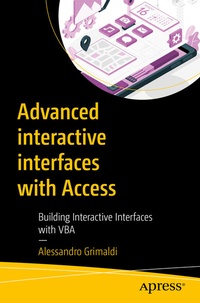
Advanced interactive interfaces with Access
Description

Explore and learn advanced techniques for working with graphical, interactive interfaces that can be built in Access.
This book starts with best practices and tips to write code using VBA, and covers how to implement them in a real-world scenario. You will learn how to create and use VBA classes. An introduction to the binary code and the "bit vector" technique is discussed, followed by the implementation of a drag-and-drop engine. You also will learn how to design a timeline, and make it scrollable.
What You Will Learn
- Write readable, easy-to-maintain code
- Add a drag-and-drop engine to an Access application
- Apply variations to the drag-and-drop technique to create different graphical effects
- Embed a scrollable timeline in an Access application, on which objects can be dynamically placed
Who This Book Is For
VBA developers
More details
Other editions
Additional editions
Person
Alessandro Grimaldi was born in Rome, Italy, where he first approached the computer world in 1982. He has been a professional VBA developer since 1998. For several years Alessandro consulted for the World Food Programme (WFP), a major United Nations agency for which he worked in Afghanistan, North Korea, Ethiopia, and Italy. He has also worked in Vienna, Austria for the CTBTO, another UN agency. Since 2014 he has lived in Frankfurt, Germany, and where he worked for the European Central Bank for about five years. In all these places he has developed VBA tools, ranging from simple automation tools to complex, multi-user, distributed, enterprise-level applications.
In recent years, Alessandro has produced several videos about the drag-and-drop and the scrolling timeline, and delivered live workshops and presentations explaining these techniques. He has an online VBA shop (AlessandroGrimaldi.com/Shop) where he sells VBA tutorials, workshops, and tools. He also has a YouTube channel (@AlxGrim) where he publishes VBA-related videos.
Content
Introduction.- Chapter 1 - Writing code: good practices and tips.- Chapter 2 - VBA classes.- Chapter 3 - The presence vector technique.- Chapter 4 - Advanced interfaces: Drag and Drop.- Chapter 5 - Advanced interfaces: Scrollable timeline.- Conclusion.
