

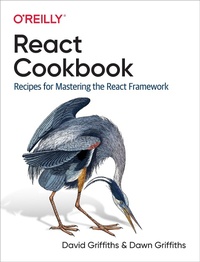
React Cookbook
Published on 11. August 2021
512 pages
978-1-4920-8579-9 (ISBN)
Description

React helps you create and work on an app in just a few minutes. But learning how to put all the pieces together is hard. How do you validate a form? Or implement a complex multistep user action without writing messy code? How do you test your code? Make it reusable? Wire it to a backend? Keep it easy to understand? The React Cookbook delivers answers fast.
Many books teach you how to get started, understand the framework, or use a component library with React, but very few provide examples to help you solve particular problems. This easy-to-use cookbook includes the example code developers need to unravel the most common problems when using React, categorized by topic area and problem.
You''ll learn how to:
- Build a single-page application in React using a rich UI
- Create progressive web applications that users can install and work with offline
- Integrate with backend services such as REST and GraphQL
- Automatically test for accessibility problems in your application
- Secure applications with fingerprints and security tokens using WebAuthn
- Deal with bugs and avoid common functional and performance problems
More details
Language
English
File size
14,56 MB
ISBN-13
978-1-4920-8579-9 (9781492085799)
Other editions
Additional editions
Book
08/2021
O'Reilly
€61.50
Shipment within 15-20 days
