

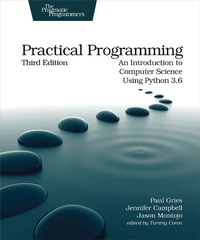
Practical Programming
Description

Classroom-tested by tens of thousands of students, this new edition of the bestselling intro to programming book is for anyone who wants to understand computer science. Learn about design, algorithms, testing, and debugging. Discover the fundamentals of programming with Python 3.6--a language that's used in millions of devices. Write programs to solve real-world problems, and come away with everything you need to produce quality code. This edition has been updated to use the new language features in Python 3.6.
More details
Other editions
Additional editions
Person
Paul Gries has been teaching in the Department of Computer Science at the University of Toronto for more than 15 years. During his time at UofT, Paul has won numerous teaching awards, has co-authored two textbooks, has been a leader in departmental curriculum design and renewal, and with Jennifer Campbell, got to teach Python to tens of thousands of students in a MOOC.
Content
- Cover
- Table of Contents
- Acknowledgments
- Preface
- Online Resources
- 1. What's Programming?
- Programs and Programming
- What's a Programming Language?
- What's a Bug?
- The Difference Between Brackets, Braces, and Parentheses
- Installing Python
- 2. Hello, Python
- How Does a Computer Run a Python Program?
- Expressions and Values: Arithmetic in Python
- What Is a Type?
- Variables and Computer Memory: Remembering Values
- How Python Tells You Something Went Wrong
- A Single Statement That Spans Multiple Lines
- Describing Code
- Making Code Readable
- The Object of This Chapter
- Exercises
- 3. Designing and Using Functions
- Functions That Python Provides
- Memory Addresses: How Python Keeps Track of Values
- Defining Our Own Functions
- Using Local Variables for Temporary Storage
- Tracing Function Calls in the Memory Model
- Designing New Functions: A Recipe
- Writing and Running a Program
- Omitting a return Statement: None
- Dealing with Situations That Your Code Doesn't Handle
- What Did You Call That?
- Exercises
- 4. Working with Text
- Creating Strings of Characters
- Using Special Characters in Strings
- Creating a Multiline String
- Printing Information
- Getting Information from the Keyboard
- Quotes About Strings
- Exercises
- 5. Making Choices
- A Boolean Type
- Choosing Which Statements to Execute
- Nested if Statements
- Remembering Results of a Boolean Expression Evaluation
- You Learned About Booleans: True or False?
- Exercises
- 6. A Modular Approach to Program Organization
- Importing Modules
- Defining Your Own Modules
- Testing Your Code Semiautomatically
- Tips for Grouping Your Functions
- Organizing Our Thoughts
- Exercises
- 7. Using Methods
- Modules, Classes, and Methods
- Calling Methods the Object-Oriented Way
- Exploring String Methods
- What Are Those Underscores?
- A Methodical Review
- Exercises
- 8. Storing Collections of Data Using Lists
- Storing and Accessing Data in Lists
- Type Annotations for Lists
- Modifying Lists
- Operations on Lists
- Slicing Lists
- Aliasing: What's in a Name?
- List Methods
- Working with a List of Lists
- A Summary List
- Exercises
- 9. Repeating Code Using Loops
- Processing Items in a List
- Processing Characters in Strings
- Looping Over a Range of Numbers
- Processing Lists Using Indices
- Nesting Loops in Loops
- Looping Until a Condition Is Reached
- Repetition Based on User Input
- Controlling Loops Using break and continue
- Repeating What You've Learned
- Exercises
- 10. Reading and Writing Files
- What Kinds of Files Are There?
- Opening a File
- Techniques for Reading Files
- Files over the Internet
- Writing Files
- Writing Example Calls Using StringIO
- Writing Algorithms That Use the File-Reading Techniques
- Multiline Records
- Looking Ahead
- Notes to File Away
- Exercises
- 11. Storing Data Using Other Collection Types
- Storing Data Using Sets
- Storing Data Using Tuples
- Storing Data Using Dictionaries
- Inverting a Dictionary
- Using the in Operator on Tuples, Sets, and Dictionaries
- Comparing Collections
- Creating New Type Annotations
- A Collection of New Information
- Exercises
- 12. Designing Algorithms
- Searching for the Two Smallest Values
- Timing the Functions
- At a Minimum, You Saw This
- Exercises
- 13. Searching and Sorting
- Searching a List
- Binary Search
- Sorting
- More Efficient Sorting Algorithms
- Merge Sort: A Faster Sorting Algorithm
- Sorting Out What You Learned
- Exercises
- 14. Object-Oriented Programming
- Understanding a Problem Domain
- Function isinstance, Class object, and Class Book
- Writing a Method in Class Book
- Plugging into Python Syntax: More Special Methods
- A Little Bit of OO Theory
- A Case Study: Molecules, Atoms, and PDB Files
- Classifying What You've Learned
- Exercises
- 15. Testing and Debugging
- Why Do You Need to Test?
- Case Study: Testing above_freezing
- Case Study: Testing running_sum
- Choosing Test Cases
- Hunting Bugs
- Bugs We've Put in Your Ear
- Exercises
- 16. Creating Graphical User Interfaces
- Using Module tkinter
- Building a Basic GUI
- Models, Views, and Controllers, Oh My!
- Customizing the Visual Style
- Introducing a Few More Widgets
- Object-Oriented GUIs
- Keeping the Concepts from Being a GUI Mess
- Exercises
- 17. Databases
- Overview
- Creating and Populating
- Retrieving Data
- Updating and Deleting
- Using NULL for Missing Data
- Using Joins to Combine Tables
- Keys and Constraints
- Advanced Features
- Some Data Based On What You Learned
- Exercises
- Bibliography
- Index
- - SYMBOLS -
- - A -
- - B -
- - C -
- - D -
- - E -
- - F -
- - G -
- - H -
- - I -
- - J -
- - K -
- - L -
- - M -
- - N -
- - O -
- - P -
- - Q -
- - R -
- - S -
- - T -
- - U -
- - V -
- - W -
- - Z -
