

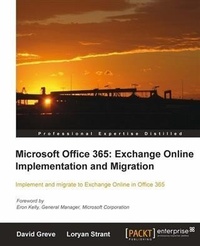
Microsoft Office 365: Exchange Online Implementation and Migration
With this guide, you can transfer Microsoft Exchange from your internal system to the cloud, smoothly and knowledgeably. The step-by-step, comprehensive approach makes implementation and migration a painless process.
1st Edition
Published on 13. January 2025
268 pages
978-1-84968-587-0 (ISBN)
Description

With this guide, you can transfer Microsoft Exchange from your internal system to the cloud, smoothly and knowledgeably. The step-by-step, comprehensive approach makes implementation and migration a painless process.Key Features - This book and e-book will show you how to set up and configure Office 365, for Exchange Online.
- Provides a step by step guide to migrating an Enterprise from Exchange on-premise to Exchange Online in Office 365.
- Includes key migration considerations for small businesses to enterprises.
Book DescriptionMicrosoft Office 365 brings together cloud versions of the most trusted communications and collaboration products in a single desktop suite for businesses of all sizes. Microsoft Exchange Online gives you access to enterprise class email, calendar, and contacts from virtually anywhere, at any time, on desktops, laptops, tablets, and mobile devices."Microsoft Office 365: Exchange Online Implementation and Migration" is a practical hands-on tutorial that shows small businesses to enterprises how to implement and migrate to Exchange Online in Office 365. This book also places an emphasis on setting up a Hybrid and migrating from Exchange on-premise to Exchange Online. "Microsoft Office 365: Exchange Online Implementation and Migration" will show small businesses to enterprises the steps to implement and migrate to Exchange Online in Office 365. The book starts by providing an overview of the Office 365 plans available and how to make a decision on what plan fits your organization. The book then dives into topics such as the Office 365 Admin Portal, integration options for professionals and small businesses, integration options for enterprises, preparing for a simple migration, performing a simple migration, and preparing for a hybrid deployment and migration amongst others.What you will learn - Determine the differences between the Office 365 license plans and the scenarios in which your organization may fit
- Set up and configure Office 365 for Exchange Online
- Perform a "simple"ù migration, for small businesses to enterprises
- Implement and configure Hybrid integration with Office 365
- Perform an Exchange on-premise to Exchange Online migration
- Handle resource mailboxes, so that you can completely move off of Exchange on-premise
- Cut-over mail routing, to Exchange Online
Who this book is forIf you are an information technology (IT) professional; administrator, small business owner, manager or consultant who needs to implement and migrate to Exchange Online in Office 365 within your business, then this book is for you. Knowledge of Microsoft Office 365 is not required, however, experience with Microsoft Exchange Server and mail clients, role and delegation concept is required.
- Provides a step by step guide to migrating an Enterprise from Exchange on-premise to Exchange Online in Office 365.
- Includes key migration considerations for small businesses to enterprises.
Book DescriptionMicrosoft Office 365 brings together cloud versions of the most trusted communications and collaboration products in a single desktop suite for businesses of all sizes. Microsoft Exchange Online gives you access to enterprise class email, calendar, and contacts from virtually anywhere, at any time, on desktops, laptops, tablets, and mobile devices."Microsoft Office 365: Exchange Online Implementation and Migration" is a practical hands-on tutorial that shows small businesses to enterprises how to implement and migrate to Exchange Online in Office 365. This book also places an emphasis on setting up a Hybrid and migrating from Exchange on-premise to Exchange Online. "Microsoft Office 365: Exchange Online Implementation and Migration" will show small businesses to enterprises the steps to implement and migrate to Exchange Online in Office 365. The book starts by providing an overview of the Office 365 plans available and how to make a decision on what plan fits your organization. The book then dives into topics such as the Office 365 Admin Portal, integration options for professionals and small businesses, integration options for enterprises, preparing for a simple migration, performing a simple migration, and preparing for a hybrid deployment and migration amongst others.What you will learn - Determine the differences between the Office 365 license plans and the scenarios in which your organization may fit
- Set up and configure Office 365 for Exchange Online
- Perform a "simple"ù migration, for small businesses to enterprises
- Implement and configure Hybrid integration with Office 365
- Perform an Exchange on-premise to Exchange Online migration
- Handle resource mailboxes, so that you can completely move off of Exchange on-premise
- Cut-over mail routing, to Exchange Online
Who this book is forIf you are an information technology (IT) professional; administrator, small business owner, manager or consultant who needs to implement and migrate to Exchange Online in Office 365 within your business, then this book is for you. Knowledge of Microsoft Office 365 is not required, however, experience with Microsoft Exchange Server and mail clients, role and delegation concept is required.
More details
Other editions
Additional editions
Book
05/2012
Packt Publishing
€50.90
Shipment within 3-4 weeks
Content
- Intro
- Microsoft Office 365: Exchange Online Implementation and Migration
- Table of Contents
- Microsoft Office 365: Exchange Online Implementation and Migration
- Credits
- Foreword
- About the Authors
- About the Reviewers
- www.PacktPub.com
- Support files, eBooks, discount offers and more
- Why Subscribe?
- Free Access for Packt account holders
- Instant Updates on New Packt Books
- Preface
- What this book covers
- What you need for this book
- Who this book is for
- Conventions
- Reader feedback
- Customer support
- Errata
- Piracy
- Questions
- 1. Getting Started
- Office 365 plans
- Office 365 for Small Businesses and Professionals-considerations and limitations
- Phone / ticketed support by Microsoft not included
- User count limited and no way to upgrade to an E Plan
- SharePoint limitations
- Active Directory Synchronization is not supported
- No access to Forefront Online Protection for the Exchange (FOPE) console
- Limited license choice
- Doesn't include e-mail archiving
- Doesn't support the Blackberry Enterprise Server
- Office 365 for Enterprises
- When to use a plan and when to pick à la carte
- Options to start your subscription
- Working with Microsoft on a license agreement (through a licensing reseller)
- Working with a Microsoft deployment partner
- Signing up for the service directly
- The sign-up process
- Summary
- 2. Getting Familiar with the Office 365 Admin Portal
- Logging in for the first time and adding your domain
- Navigating the Administration Overview interface
- Setup
- Overview
- Custom Plan
- Management
- Users
- Security Groups
- Domains
- Subscriptions
- Manage
- Licenses
- Purchase
- Support
- Overview
- Service Requests
- Service Health
- Planned Maintenance
- Exchange Online administration interface
- Users & Groups
- Roles & Auditing
- Mail Control
- Phone & Voice
- Summary
- 3. Integration Options for Small Businesses and Professionals
- Business scenarios
- Ageing server
- Remote workforce
- Staff expansion
- Working with a server
- Small Business Server 2011 Essentials
- Connecting your Small Business Server 2011 Essentials to Office 365
- Managing user accounts
- Microsoft Online Portal
- SBS2011E Dashboard
- Windows PowerShell
- Working with PowerShell
- Summary
- 4. Integration Options for Enterprises
- Directory Synchronization
- Enabling a unified address book
- Providing detailed address entries
- Simplifying the provisioning and object management process
- Maintaining a consistent set of groups
- Active Directory Federation Services (ADFS)
- Base requirements
- Database requirements
- Authentication strategy
- Infrastructure design considerations
- Base infrastructure
- Base infrastructure with redundancy
- Base infrastructure with redundancy and a disaster recovery site
- Base global infrastructure to support local regional logons
- ADFS summary
- Exchange Hybrid
- Is Exchange Hybrid the right fit?
- Exchange Hybrid deployment considerations
- Location of your existing messaging system
- Migration bandwidth for the Hybrid server
- Scaling your Hybrid server
- Exchange schedule Free/Busy store
- Exchange Hybrid design examples
- Centralized Exchange organization
- Distributed Exchange organization
- Disconnected Exchange organization or non-Exchange messaging environment
- Exchange Hybrid Summary
- Non-Exchange messaging systems
- Active Directory readiness
- Coexistence options
- Basic coexistence
- Rich coexistence
- Migrating from a Non-Exchange messaging system
- Summary
- 5. Preparing for a Simple Migration
- A simple migration
- Migration options
- POP e-mail
- IMAP
- Hosted Exchange or Gmail
- Exchange Server 2003 or 2007
- Staged migration
- Cutover migration
- Migration option comparison
- The migration process-in a nutshell
- Planning for migration
- Technical considerations
- People considerations
- Preparing your environment for migration
- IMAP
- Hosted Exchange/Gmail
- Exchange 2003 and Exchange 2007
- Requirements for a staged versus cutover migration
- Summary
- 6. Performing a Simple Migration
- Migration from non-Exchange Server systems
- Creating user accounts
- Importing mailbox content
- IMAP migration
- Migrating from Exchange Server
- Granting access to all mailboxes in Exchange Server
- Assigning permissions in Exchange Server 2003
- Assigning permissions in Exchange Server 2007
- Performing the mailbox migration
- Summary
- 7. Preparing for a Hybrid Deployment and Migration
- Preparing your Office 365 subscription
- Active Directory preparation and readiness check
- E-mail domains
- Forest/domain structure
- Active Directory users, contacts, and group objects and single sign-on
- Users
- Groups
- Contacts
- Desktop readiness
- Basic infrastructure preparation
- Directory Synchronization server
- Active Directory Federation Services (ADFS)
- Exchange Hybrid server
- Defining the migration process
- Bandwidth evaluations
- Migration bandwidth
- User bandwidth
- Using Public Folders
- Communications and training
- Summary
- 8. Deploying a Hybrid Infrastructure: ADFS
- Deploying Active Directory Federation Services
- Installing the Active Directory Federation Services internal server
- Installing ADFS
- Installing the Office 365 Desktop Setup
- Installing the Microsoft Online Services Module for Windows PowerShell
- Modifying the ADFS service
- Generating an ADFS certificate
- Creating and completing a CSR
- Adding the ADFS service account to the certificate
- Configuring the ADFS internal server
- Converting the domain to a federated domain in Office 365
- Installing Active Directory Federation Services proxy server
- Installing ADFS
- Installing the Office 365 Desktop Setup
- Editing the hosts file
- Modifying the ADFS service
- Importing the ADFS certificate
- Adding the ADFS service account to the certificate
- Configuring the ADFS proxy server
- Summary
- 9. Deploying a Hybrid Infrastructure: Directory Synchronization
- Deploying Directory Synchronization
- Confirming the preparation specifications
- Enabling and downloading Directory Synchronization
- Installing Directory Synchronization
- Configuring Directory Synchronization
- Summary
- 10. Deploying a Hybrid Infrastructure: Exchange Hybrid
- Deploying Exchange Hybrid
- Confirming preparation specifications
- Preparing Exchange 2010 Server
- Installing the Office 365 Desktop Setup
- Adding your Office 365 subscription to the Exchange Management Console
- Creating a Hybrid configuration
- Configuring the Hybrid configuration
- Summary
- 11. Performing a Hybrid Migration
- Preparing the end user for Office 365
- End user self-deployment
- Distribution from a Software Deployment Service
- Performing a migration from the Exchange Management Console
- Performing a migration using PowerShell cmdlets
- Assigning a license to a user with PowerShell
- Migrating a user to Office 365 with PowerShell
- Migrating users in bulk to Office 365 with PowerShell
- Summary
- 12. Post Migration Considerations
- On-premise resource changes
- Shared mailboxes
- Conference rooms
- Public folders
- Changing your MX record in a Hybrid configuration
- Summary
- A. References
- Office 365
- Exchange
- Third-party tools or add-ons
- Author's blogs
- Index
