

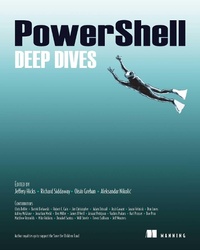
PowerShell Deep Dives
Published on 25. July 2013
464 pages
978-1-63835-303-4 (ISBN)
Description

Summary
Here's your chance to learn from the best in the business. PowerShell Deep Dives is a trove of essential techniques, practical guidance, and the expert insights you earn only through years of experience. Editors Jeffery Hicks, Richard Siddaway, Oisin Grehan, and Aleksandar Nikolic hand-picked the 28 chapters in the book's four parts: Administration, Scripting, Development, and Platforms.
About the Technology
PowerShell has permanently changed Windows administration. This powerful scripting and automation tool allows you to control virtually every aspect of Windows and most Microsoft servers like IIS and SQL Server. Here's your chance to learn from the best in the business.
About this Book
PowerShell Deep Dives is a trove of essential techniques and practical guidance. It is rich with insights from experts who won them through years of experience. The book's 28 chapters, grouped in four parts (Administration, Scripting, Development, and Platforms), were hand-picked by four section editors: Jeffery Hicks, Richard Siddaway, Oisin Grehan, and Aleksandar Nikolic.
Whether you're just getting started with PowerShell or you already use it daily, you'll find yourself returning to this book over and over.
What's Inside
Purchase of the print book includes a free eBook in PDF, Kindle, and ePub formats from Manning Publications.
About the AuthorsEditors Jeffery Hicks, Richard Siddaway, Oisin Grehan, and Aleksandar Nikolic are joined by PowerShell experts Chris Bellee, Bartek Bielawski, Robert C. Cain, Jim Christopher, Adam Driscoll, Josh Gavant, Jason Helmick, Don Jones, Ashley McGlone, Jonathan Medd, Ben Miller, James O'Neill, Arnaud Petitjean, Vadims Podans, Karl Prosser, Boe Prox, Matthew Reynolds, Mike Robbins, Donabel Santos, Will Steele, Trevor Sullivan, and Jeff Wouters.
Table of Contents
Here's your chance to learn from the best in the business. PowerShell Deep Dives is a trove of essential techniques, practical guidance, and the expert insights you earn only through years of experience. Editors Jeffery Hicks, Richard Siddaway, Oisin Grehan, and Aleksandar Nikolic hand-picked the 28 chapters in the book's four parts: Administration, Scripting, Development, and Platforms.
About the Technology
PowerShell has permanently changed Windows administration. This powerful scripting and automation tool allows you to control virtually every aspect of Windows and most Microsoft servers like IIS and SQL Server. Here's your chance to learn from the best in the business.
About this Book
PowerShell Deep Dives is a trove of essential techniques and practical guidance. It is rich with insights from experts who won them through years of experience. The book's 28 chapters, grouped in four parts (Administration, Scripting, Development, and Platforms), were hand-picked by four section editors: Jeffery Hicks, Richard Siddaway, Oisin Grehan, and Aleksandar Nikolic.
Whether you're just getting started with PowerShell or you already use it daily, you'll find yourself returning to this book over and over.
What's Inside
- Managing systems through a keyhole
- The Ten Commandments of PowerShell scripting
- Scalable scripting for large datasets
- Adding automatic remoting
- Provisioning web servers and websites automatically to IIS 8
- And 23 more fantastic chapters
Purchase of the print book includes a free eBook in PDF, Kindle, and ePub formats from Manning Publications.
About the AuthorsEditors Jeffery Hicks, Richard Siddaway, Oisin Grehan, and Aleksandar Nikolic are joined by PowerShell experts Chris Bellee, Bartek Bielawski, Robert C. Cain, Jim Christopher, Adam Driscoll, Josh Gavant, Jason Helmick, Don Jones, Ashley McGlone, Jonathan Medd, Ben Miller, James O'Neill, Arnaud Petitjean, Vadims Podans, Karl Prosser, Boe Prox, Matthew Reynolds, Mike Robbins, Donabel Santos, Will Steele, Trevor Sullivan, and Jeff Wouters.
Table of Contents
- Diagnosing and troubleshooting PowerShell remoting
- CIM sessions 22
- Collecting and analyzing performance counter data
- TCP port communications with PowerShell
- Managing systems through a keyhole
- Using PowerShell to audit user logon events
- Managing and administering a certification authoritydatabase with PowerShell
- Using PowerShell to reduce Active Directory token bloat
- The 10 PowerShell scripting commandments
- Avoiding the pipeline
- A template for handling and reporting errors
- Tips and tricks for creating complex or advancedHTML reports with PowerShell
- Using and "abusing" dynamic parameters
- PowerShell type formatting
- Scalable scripting for large data sets: pipelineand database techniques
- Building your own WMI-based cmdlets
- Turning command-line tools into PowerShell tools
- Using Source Control Software with PowerShell
- Inline .NET code
- PowerShell and XML: better together
- Adding automatic remoting to advanced functionsand cmdlets
- Taming software builds (and other complicated processes)with psake
- PowerShell and the SQL Server provider
- Creating flexible subscriptions in SSRS
- Inventory database table statistics using PowerShellSQL Server Management Objects
- WSUS and PowerShell
- Provisioning IIS web servers and sites with PowerShell
- Active Directory Group Management application
More details
Other editions
Additional editions
Jeffrey Hicks | Richard Siddaway | Oisin Grehan
PowerShell Deep Dives
Book
08/2013
Manning Publications
€47.00
Article exhausted; check different version
Persons
Jeffery Hicks is a PowerShell MVP with 20 years of IT experience. Jeff works as an independent consultant, trainer, and author and he has taught PowerShell to IT Professionals all over the world. He writes the popular Prof.PowerShell column for MCPMag.com and is a weekly contributor to the Petri IT Knowledgebase. Jeff blogs frequently on PowerShell related topics at http://jdhitsolutions.com/blog.
Richard Siddaway is a multi-year PowerShell MVP, author, speaker and blogger with many years of experience using PowerShell.
Richard Siddaway is a multi-year PowerShell MVP, author, speaker and blogger with many years of experience using PowerShell.
Content
- Intro
- Copyright
- Brief Table of Contents
- Table of Contents
- Authors and their Chapters
- Preface
- Acknowledgments
- About this Book
- About Save the Children
- Part 1. PowerShell administration
- Chapter 1. Diagnosing and troubleshooting PowerShell remoting
- Chapter 2. CIM sessions
- Chapter 3. Collecting and analyzing performance counter data
- Chapter 4. TCP port communications with PowerShell
- Chapter 5. Managing systems through a keyhole
- Chapter 6. Using PowerShell to audit user logon events
- Chapter 7. Managing and administering a certification authority database with PowerShell
- Chapter 8. Using PowerShell to reduce Active Directory token bloat
- Part 2. PowerShell scripting
- Chapter 9. The 10 PowerShell scripting commandments
- Chapter 10. Avoiding the pipeline
- Chapter 11. A template for handling and reporting errors
- Chapter 12. Tips and tricks for creating complex or advanced HTML reports with PowerShell
- Chapter 13. Using and "abusing" dynamic parameters
- Chapter 14. PowerShell type formatting
- Chapter 15. Scalable scripting for large data sets: pipeline and database techniques
- Chapter 16. Building your own WMI-based cmdlets
- Chapter 17. Turning command-line tools into PowerShell tools
- Part 3. PowerShell for developers
- Chapter 18. Using Source Control Software with PowerShell
- Chapter 19. Inline .NET code
- Chapter 20. PowerShell and XML: better together
- Chapter 21. Adding automatic remoting to advanced functions and cmdlets
- Chapter 22. Taming software builds (and other complicated processes) with psake
- Part 4. PowerShell platforms
- Chapter 23. PowerShell and the SQL Server provider
- Chapter 24. Creating flexible subscriptions in SSRS
- Chapter 25. Inventory database table statistics using PowerShell and SQL Server Management Objects
- Chapter 26. WSUS and PowerShell
- Chapter 27. Provisioning IIS web servers and sites with PowerShell
- Chapter 28. Active Directory Group Management application
- Index
- List of Figures
- List of Tables
- List of Listings
