

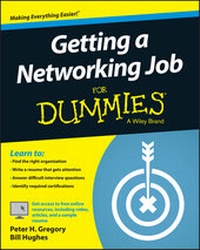
Getting a Networking Job For Dummies
Published on 23. April 2015
336 pages
978-1-119-01623-6 (ISBN)
Description

Everything you need to start your career in computer networking
Looking to land that computer networking position? Look no further! Getting a Networking Job For Dummies offers all the tools and step-by-step guidance you need to stand out from the crowd, get your foot in the door, and secure a job in this fast-growing sector. In no time, you'll get a handle on networking roles, necessary education, training, and certifications, ways to brand yourself for your dream career, and so much more.
These days, computer networking can be a complicated industry, and knowing what you need to do to make yourself an attractive candidate for a coveted networking position can make all the difference. Luckily, Getting a Networking Job For Dummies arms you with everything you need to be one step ahead of the game. Humorous, practical, and packed with authoritative information, this down-to-earth guide is your go-to handbook for scoring that sought-after computer networking position!
* Find the right organization for you
* Write a winning resume that gets attention
* Answer difficult interview questions with confidence
* Identify required certifications to get the job you want
If you're a prospective computer networking employee looking to present yourself as a strong, competitive candidate in the computer networking market, this hands-on guide sets you up for success.
More details
Other editions
Additional editions
Peter H. Gregory | Bill Hughes
Getting a Networking Job For Dummies
Book
04/2015
Wiley
€28.90
Article exhausted; check different version
Persons
Peter H. Gregory is a career technologist, IT architect, university instructor, and the author of over thirty books on security and emerging technology.Bill Hughes is a marketing strategy executive with over two decades of experience in sales, strategic marketing, and business development.
Content
- Intro
- Title Page
- Copyright Page
- Table of Contents
- Introduction
- About This Book
- Foolish Assumptions
- Icons Used in This Book
- Beyond the Book
- Where to Go from Here
- Part I So You Want to Be a Networking Professional
- Chapter 1 Working with Networks
- Why Are Networks Important?
- Skills and Activities in Networking Jobs
- Managing network devices
- Setting up remote access
- Maintaining user accounts
- Helping end users
- Configuring firewalls
- Monitoring antimalware consoles
- Issuing authentication tokens
- Setting up wireless networks
- Configuring communications with business partners
- Connecting storage devices
- Managing telecommunications services
- Setting up VoIP phones and voicemail
- Pulling network cabling
- Installing network devices in data centers and closets
- Designing networks
- Completing paperwork
- Fixing things
- Working with People
- How Networking Fits in a High-Tech Career Path
- The Future Is Bright for Networking Jobs
- Chapter 2 Understanding Networking Roles
- Reviewing First Principles
- Performing Essential Tasks in Networking
- Navigating Networking Job Titles
- Service desk analyst
- Network administrator
- Network engineer
- Network architect
- Network manager
- Wireless network engineer
- Telecommunications manager or specialist
- Pre-sales engineer
- Getting Networking Experience Where You Are Now
- Computer repair specialist
- Webmaster
- Software developer
- Database administrator
- Business analyst
- Information security analyst
- Project manager
- IT auditor
- Chapter 3 Knowing Your Networking
- Appreciating First Principles
- Recognizing design goals for the network
- Appreciating the business objectives of the network
- Reviewing the OSI Model
- Exalting TCP/IP
- Staying Local with LANs
- Using wired LANs
- Moving around with wireless LANs
- Going Out with WANs
- Buying service from LECs and CLECs
- Considering the cloud and managed service
- Accessing Wireless WANs
- Going beyond texting on a cellphone
- Cooking with a microwave connection
- Circling around satellite communications
- Chapter 4 Networking Concepts and Trends
- Access Control
- Basic concepts in access control
- Emerging issues in access control
- Telecommunications and Network Security
- Basic concepts in telecommunications and network security
- Network technologies
- TCP/IP
- Network security
- Attacks and countermeasures
- Emerging issues in telecommunications and network security
- Cryptography
- Basic concepts in cryptography
- Emerging issues in cryptography
- Computing Architecture and Design
- Basic concepts in computing architecture and design
- Cloud services
- Emerging issues in computing architecture and design
- IT Operations
- Basic concepts in IT operations
- Emerging issues in IT operations
- Physical and Environmental Security
- Basic concepts in physical and environmental security
- Emerging issues in physical and environmental security
- Regulations, Investigations, and Compliance
- Basic concepts in regulations, investigations, and compliance
- Emerging issues in regulations, investigations, and compliance
- Factoring Nontechnical IT Issues
- Outsourcing IT
- Employees un-telecommuting
- Part II Having the Right Stuff
- Chapter 5 Getting the Necessary Education and Training
- Off-the-Record Training
- Studying with self-direction
- On-the-job training
- Viewing prerecorded college courses
- Learning through Higher Education
- Undergraduate programs
- Graduate degrees
- Formal study at an online university
- Adult education
- Pursuing a Nontraditional Education
- Military education
- For-profit training companies
- Maintaining Your Networking Knowledge
- Chapter 6 Becoming Certifiable
- Planning for a Certification
- Deciding Which Certifications Are Right for You
- Choosing a Vendor-Specific Networking Certification
- Cisco certifications
- Microsoft
- Juniper Networks
- Palo Alto Networks
- Check Point
- Red Hat
- Other vendor-specific certifications
- Winning with a Third-Party Networking Certification
- CompTIA
- Network Professional Association
- Planet3 Wireless
- Earning a Vendor-Neutral Security Certification
- International Information Systems Security Certification Consortium (ISC)2
- ISACA
- SANS Institute
- Earning Other Relevant Certifications
- Chapter 7 Making Your Own Way
- Informal Education in Networking
- Setting Up Your Own Lab
- Equipment
- Operating systems
- Virtualization
- Volunteering
- Working on the Side
- On-the-Job Training
- Part III Finding a Job with the Right Organization
- Chapter 8 Working for a Networking Solutions Provider
- Working in Sales as a Pre-Sales Engineer
- Rolling Up Your Sleeves as an Implementation Engineer
- Helping Customers in Technical Support
- Watching the Fort for a Managed Service Provider
- Chapter 9 Working as an In-House Networking Professional
- Living Your Destiny
- Working in the Private Sector
- Industry regulations
- Comparing private versus public companies
- Supporting company goals and objectives
- One Size Doesn't Fit All: Small and Large Businesses
- Chaos versus Calm: Growth, Mergers, and Acquisitions
- Working in Global Enterprises
- Working for a Nonprofit Organization
- Chapter 10 Serving in the Public Sector or Academia
- Working for a Federal, State, or Local Agency
- Public service
- Transparency
- The glacial pace of change
- Leadership
- Tenure
- Regulations
- Working for a Military or Defense Contractor
- Going Back to School
- Chapter 11 Living on the Edge with a Startup
- Doing More With Less
- Building Virtual Infrastructure in the Cloud
- Experiencing the Razor-Sharp Edge
- Finding Startup Jobs
- Is A Startup Right For You?
- Chapter 12 Life as a Consultant
- Is Consulting Right for You?
- Consulting workload
- Appearance and approach
- Working for a Consulting Firm
- Consulting firm processes
- Subject matter variety
- Working in pre-sales
- Going It Alone as an Independent Consultant
- The Good, the Bad, and the Ugly of Consulting
- Part IV Getting Hired!
- Chapter 13 Branding Yourself for Your Dream Career
- Meeting People
- Business Networking with LinkedIn
- Photo
- Headline
- Background
- Connections
- Recommendations
- Updates
- Groups
- Jobs
- Using LinkedIn successfully
- Networking through Facebook
- Facebook profile and timeline
- Facebook groups
- Facebook company pages
- Tweeting with Twitter
- Setting up your Twitter profile
- Tweeting
- Using Twitter successfully
- Starting a Blog
- Setting up a blog
- Blog services
- Networking blogs
- Using and maintaining your blog
- Writing Articles and E-Books
- Writing for the reader
- Finding an outlet
- Segregating Your Personal and Professional Lives
- Working with Recruiters
- Chapter 14 Creating a Winning Resume
- The Basics of a Great Resume
- Heading
- Summary
- Employment history
- Education
- Training and certifications
- Skills
- Other sections
- Formatting Your Resume
- Soft copy
- Hard copy
- Cleaning up metadata
- Tailoring Your Resume
- Organizing your resumes
- Customizing resume content
- Plagiarizing
- Types of Resumes
- Chronological
- Functional
- Combination
- What Not to Put in Your Resume
- Examples of Winning Resumes
- Chapter 15 Getting Attention with Your Cover Letter
- Cover Letter Scenarios
- Essential Elements of the Cover Letter
- The traditional cover letter
- Cover letters with applicant-tracking systems
- Cover letters for referrals and recruiters
- Generic replies to cover letters
- Chapter 16 Bringing Your Resume to Life: The Interview
- Knowing Why Interviews Are Important
- Preparing for the Interview
- Preparing yourself psychologically
- Investigating the corporate culture
- Preparing for the first impression
- Preparing to say what interviewers want to hear
- Preparing to hear what you want to hear
- Types of Interviews and Tips for Each
- Open-ended interview
- Technical interview
- Behavioral interview
- Panel interview
- Confrontational interview
- Your Turn to Ask Questions
- Focusing on the Goal
- Writing a Thank-You Letter
- Chapter 17 Becoming a Star Employee
- Onboarding and Orientation
- Understanding the IT department
- Understanding the rest of your organization
- Looking and becoming competent
- Moving Forward after the Honeymoon
- Developing professional skills
- Enhancing your technical skills
- Acquiring positive personal attributes
- Part V The Part of Tens
- Chapter 18 Ten Great Answers for Your Interviewer
- Preparing for the Unprepared
- Whacking Softball Question Number 2
- Responding to the Tried-and- True Standard
- Outlining Soft Skills
- Explaining Your Motivation
- Determining Whether You Are Trouble
- Predicting Your Future
- Not Looking like a Job Jumper
- Describing Team Leadership Skills
- Defusing the Financial Land Mine
- Chapter 19 Ten Great Questions to Ask Your Interviewer
- How Has Your Department Contributed to the Success of the Company?
- What Are Some of the Biggest Challenges Your Department Is Facing?
- How Would You Describe the Company's Culture ?
- What Do You Like About Working Here?
- Can You Describe How We Would Be Working Together?
- What Is the Makeup of the Team or Organization?
- What Are the Key Traits of Your Most Successful Employees?
- How Would You Define Success During the First 90 Days?
- Do You Have Any Concerns About Me That I Can Address Now?
- What Is Your Next Step in the Selection Process?
- Chapter 20 Ten Alternatives to a Regular Job
- Homing In on Your Home
- Becoming a Good Neighbor
- Consulting in Your Community
- Engaging in Politics
- Closing the Digital Divide
- Bartering Your Services
- Inspiring Others
- Enabling Users Groups
- Contributing to Open Source
- Mentoring Up-and-Coming Networkers
- Chapter 21 Ten Networking Books for Your Professional Library
- Knowing Your Way around a PC
- Building Your Network
- Visualizing the TCP/IP Protocol
- Getting Serious with Cisco Routing
- Remembering Juniper Networks
- Opening Up to Linux
- Closing Up Network Access with Security
- Beating a Dead Horse
- Going Mobile
- Floating in the Cloud
- Glossary
- Index
- EULA
