

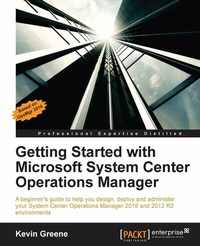
Getting Started with Microsoft System Center Operations Manager
Using SCOM 2016 TP 5
Published on 8. July 2025
560 pages
978-1-78528-087-0 (ISBN)
Description

A beginner\'s guide to help you design, deploy and administer your System Center Operations Manager 2016 and 2012 R2 environments
Key Features
[*]Discover how to monitor complex IT environments with System Center Operations Manager using tips, tricks and best practice recommendations from industry experts.
[*]Learn how to create eye-catching dashboards and reports to help deliver a tangible return on investment back to your organization.
[*]Optimize, troubleshoot and perform disaster recovery in Operations Manager using step by step examples based on real-world scenarios.
Book DescriptionMost modern IT environments comprise a heterogeneous mixture of servers, network devices, virtual hypervisors, storage solutions, cross-platform operating systems and applications. All this complexity brings a requirement to deliver a centralized monitoring and reporting solution that can help IT administrators quickly identify where the problems are and how best to resolve them. Using System Center Operations Manager (OpsMgr), administrators get a full monitoring overview of the IT services they have responsibility for across the organization - along with some useful management capabilities to help them remediate any issues they've been alerted to. This book begins with an introduction to OpsMgr and its core concepts and then walks you through designing and deploying the various roles. After a chapter on exploring the consoles, you will learn how to deploy agents, work with management packs, configure network monitoring and model your IT services using distributed applications. There's a chapter dedicated to alert tuning and another that demonstrates how to visualize your IT using dashboards. The final chapters in the book discuss how to create alert subscriptions, manage reports, backup and recover OpsMgr, perform maintenance and troubleshoot common problems. What you will learn
[*]Install a new System Center 2016 Operations Manager Management Group
[*]Design and provision custom views to relevant support teams.
[*]Understand how to deploy agents
[*]Work with management packs
[*]Monitor network devices
[*]Model your IT services with distributed applications
[*]Create dashboards and custom visualizations
[*]Tune, optimize, maintain and troubleshoot System Center Operations Manager
Who this book is forThe target audience for this book is the IT Pro or System Administrator who wants to deploy and use System Center Operations Manager but has no previous knowledge of the product. As a 'Getting Started' book, our primary objective is to equip you with the knowledge you need to feel comfortable when working with common monitoring scenarios in OpsMgr. With this in mind, deep-diving into less-common OpsMgr features such as Audit Collection Services (ACS), Agentless Exception Monitoring (AEM) and Application Performance Monitoring (APM) has been intentionally omitted.
Key Features
[*]Discover how to monitor complex IT environments with System Center Operations Manager using tips, tricks and best practice recommendations from industry experts.
[*]Learn how to create eye-catching dashboards and reports to help deliver a tangible return on investment back to your organization.
[*]Optimize, troubleshoot and perform disaster recovery in Operations Manager using step by step examples based on real-world scenarios.
Book DescriptionMost modern IT environments comprise a heterogeneous mixture of servers, network devices, virtual hypervisors, storage solutions, cross-platform operating systems and applications. All this complexity brings a requirement to deliver a centralized monitoring and reporting solution that can help IT administrators quickly identify where the problems are and how best to resolve them. Using System Center Operations Manager (OpsMgr), administrators get a full monitoring overview of the IT services they have responsibility for across the organization - along with some useful management capabilities to help them remediate any issues they've been alerted to. This book begins with an introduction to OpsMgr and its core concepts and then walks you through designing and deploying the various roles. After a chapter on exploring the consoles, you will learn how to deploy agents, work with management packs, configure network monitoring and model your IT services using distributed applications. There's a chapter dedicated to alert tuning and another that demonstrates how to visualize your IT using dashboards. The final chapters in the book discuss how to create alert subscriptions, manage reports, backup and recover OpsMgr, perform maintenance and troubleshoot common problems. What you will learn
[*]Install a new System Center 2016 Operations Manager Management Group
[*]Design and provision custom views to relevant support teams.
[*]Understand how to deploy agents
[*]Work with management packs
[*]Monitor network devices
[*]Model your IT services with distributed applications
[*]Create dashboards and custom visualizations
[*]Tune, optimize, maintain and troubleshoot System Center Operations Manager
Who this book is forThe target audience for this book is the IT Pro or System Administrator who wants to deploy and use System Center Operations Manager but has no previous knowledge of the product. As a 'Getting Started' book, our primary objective is to equip you with the knowledge you need to feel comfortable when working with common monitoring scenarios in OpsMgr. With this in mind, deep-diving into less-common OpsMgr features such as Audit Collection Services (ACS), Agentless Exception Monitoring (AEM) and Application Performance Monitoring (APM) has been intentionally omitted.
All prices
More details
Edition
Digital original
Language
English
Place of publication
Birmingham
United Kingdom
Target group
Professional and scholarly
US School Grade: College Graduate Student
Edition type
Digital original
File size
53,14 MB
ISBN-13
978-1-78528-087-0 (9781785280870)
Copyright in bibliographic data and cover images is held by Nielsen Book Services Limited or by the publishers or by their respective licensors: all rights reserved.
Schweitzer Classification
Other editions
Additional editions
Book
06/2016
Packt Publishing
€76.10
Shipment within 3-4 weeks
Person
Greene Kevin :
Kevin Greene is a Microsoft MVP in the Cloud and Datacenter Management space and has been working in the IT industry since 1999. He is employed as a Cloud Technologies Consultant at Ergo in Dublin, Ireland; in this role, he works with clients to deliver enterprise grade solutions using System Center, Windows Server, and Azure. On the Microsoft certification track since the nostalgic days of Windows NT 4.0, he holds qualifications that include MCSE, MCSA, MCITP, MCP, and MCTS. Kevin is an active participant in the System Center and Cloud OS community through his blog at http://kevingreeneitblog.blogspot.com and he can also be found hanging around Twitter as @kgreeneit. A regular speaker at local and international events, he has also co-authored a number of books including Mastering System Center 2012-Operati ons Manager (Sybex, 2012) and Mastering Windows Server 2012 R2 (Sybex, 2013).
Kevin Greene is a Microsoft MVP in the Cloud and Datacenter Management space and has been working in the IT industry since 1999. He is employed as a Cloud Technologies Consultant at Ergo in Dublin, Ireland; in this role, he works with clients to deliver enterprise grade solutions using System Center, Windows Server, and Azure. On the Microsoft certification track since the nostalgic days of Windows NT 4.0, he holds qualifications that include MCSE, MCSA, MCITP, MCP, and MCTS. Kevin is an active participant in the System Center and Cloud OS community through his blog at http://kevingreeneitblog.blogspot.com and he can also be found hanging around Twitter as @kgreeneit. A regular speaker at local and international events, he has also co-authored a number of books including Mastering System Center 2012-Operati ons Manager (Sybex, 2012) and Mastering Windows Server 2012 R2 (Sybex, 2013).
Content
Table of Contents
Introduction to System Center Operations Manager
Installing SCOM.
Exploring the SCOM Console and Web Console.
Deploying Windows and cross-platform agents.
Working with Management Packs.
Managing Network Devices with SCOM.
Configuring Service Models with Distributed Applications.
Alert Tuning the Easy Way.
Visualizing Your IT with Dashboards.
Creating Alert Subscriptions and Reports.
Backing Up, Maintenance and Troubleshooting
Introduction to System Center Operations Manager
Installing SCOM.
Exploring the SCOM Console and Web Console.
Deploying Windows and cross-platform agents.
Working with Management Packs.
Managing Network Devices with SCOM.
Configuring Service Models with Distributed Applications.
Alert Tuning the Easy Way.
Visualizing Your IT with Dashboards.
Creating Alert Subscriptions and Reports.
Backing Up, Maintenance and Troubleshooting

