

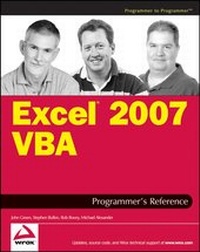
Excel 2007 VBA Programmer's Reference
Description

More details
Other editions
Additional editions
Persons
He wrote his first programs in FORTRAN, took a part in the evolution of specialized planning languages on mainframes and, in the early '80s, became interested in spreadsheet systems, including 1-2-3 and Excel.
John established his company, Execuplan Consulting, in 1980, specializing in developing computerbased planning applications and in training. He has led training seminars for software applications and operating systems both in Australia and overseas.
John has had regular columns in a number of Australian magazines and has contributed chapters to a number of books including Excel Expert Solutions and Using Visual Basic for Applications 5. He also co-authored Professional Excel Development with Stephen Bullen and Rob Bovey.
From 1995 to 2005 he was accorded the status of MVP (Most Valuable Professional) by Microsoft for his contributions to the CompuServe Excel forum and MS Internet newsgroups.
John Green contributed the Introduction, Chapters 1-11, 13, 15-17, and 19 to this book.
Stephen Bullen lives in Woodford Green, London, England, with his partner Clare, daughter Becky, and their dogs, Fluffy and Charlie. He has two other daughters, Jane and Katie, from his first marriage.
A graduate of Oxford University, Stephen has an MA in Engineering, Economics, and Management, providing a unique blend of both business and technical skills. He has been providing Excel consulting and application development services since 1994, originally as an employee of Price Waterhouse Management Consultants and later as an independent consultant trading under the names of Business Modelling Solutions Limited and Office Automation Limited. Stephen now works for Barclays Capital in London, developing trading systems for complex exotic derivative products.
The Office Automation web site, www.oaltd.co.uk, provides a number of helpful and interesting utilities, examples, tips and techniques to help in your use of Excel and development of Excel applications.
As well as co-authoring previous editions of the Excel VBA Programmer's Reference, Stephen co-authored Professional Excel Development.
In addition to his consulting and writing assignments, Stephen actively supports the Excel user community in Microsoft's peer-to-peer support newsgroups and the Daily Dose of Excel blog. In recognition of his knowledge, skills and contributions, Microsoft has awarded him the title of Most Valuable Professional each year since 1996.
Stephen Bullen contributed Chapters 14, 18, 24-27, and Appendix B to this book.
Rob Bovey is president of Application Professionals, a software development company specializing in Microsoft Office, Visual Basic, and SQL Server applications. He brings many years' experience creating financial, accounting, and executive information systems for corporate users to Application Professionals. You can visit the Application Professionals web site at www.appspro.com.
Rob developed several add-ins shipped by Microsoft for Microsoft Excel and co-authored the Microsoft Excel 97 Developers Kit and Professional Excel Development. He earned his Bachelor of Science degree from The Rochester Institute of Technology and his MBA from the University of North Carolina at Chapel Hill. He is a Microsoft Certified Systems Engineer (MCSE) and a Microsoft Certified Solution Developer (MCSD). Microsoft has awarded him the title of Most Valuable Professional each year since 1995.
Rob Bovey contributed Chapters 20-22 to this book.
Michael Alexander is a Microsoft Certified Application Developer (MCAD) with more than 14 years' experience consulting and developing office solutions. He parlayed his experience with VBA and VB into a successful consulting practice in the private sector, developing middleware and reporting solutions for a wide variety of industries. He currently lives in Frisco, Texas, where he serves as a Senior Program Manager for a top technology firm. Michael is the author of several books on Microsoft Access and Excel, and is the principle behind DataPig Technologies, where he shares Access and Excel knowledge with the Office community.
Michael Alexander contributed Chapters 12 and 23 and Appendices A and C to this book.
