

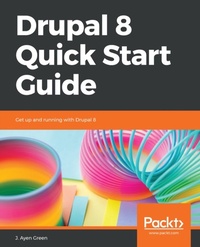
Drupal 8 Quick Start Guide
Description

Drupal is a powerful content management platform, ?exible enough to accommodate almost any content requirements. This ?exibility comes with a cost: complexity. Drupal 8 Quick Start Guide will clear your path from installation to a building usable site in minutes, and to a customized site in one sitting. You will begin with installation of Drupal and going through the main sections of the Drupal UI. Then, you will create a content type that describes its content, which simplifies the act of creating and editing the actual content later. You will learn about user roles, using real-world examples. This will help you to learn how to design roles, and how to assign appropriate permissions to them. Next, you will learn to use the WYSIWYG editor, configure it for other roles, navigate the various fields on the content creation form, and publish content. To begin to appreciate the ?exibility and expandability of Drupal, you will make use of popular content-focused modules that extend Drupal's power. You will learn how to expand your market to other readers directly and through other sites by configuring content and UI translations and creating a View that provides an RSS feed. Finally, you will put everything together by customizing the home page for your new website.
More details
Other editions
Additional editions
Content
- Cover
- Title Page
- Copyright and Credits
- Dedication
- Packt Upsell
- Contributors
- Table of Contents
- Preface
- Chapter 1: Finding Your Way around Drupal
- Installing Drupal
- Readying the environment
- Running the Drupal installation script
- Site information
- Site maintenance account
- Regional settings
- Update notifications
- The behind-the-scenes tour
- Administration menu
- Tabs
- System message area
- Search widget
- User menu
- Main navigation
- Main content area
- Summary
- Chapter 2: Structuring Content Types
- What is content?
- Content as fields
- Understanding content types
- Defining the content type
- Submission form settings
- Publishing options
- Display settings
- Menu settings
- Managing content type fields
- Designing a content type
- Content type settings
- Fielding the content type
- Field types
- Our content type field
- Adding fields to the content type
- Summary
- Chapter 3: Managing Users
- User types
- User roles
- Managing permissions
- Users
- Creating a user account
- Summary
- Chapter 4: Creating and Editing Content
- Using the WYSIWYG editor
- Title*
- Body
- Summary Field
- Body text
- Text format
- Tags
- Images
- Publishing the content
- Additional settings
- Revision log message
- Menu Settings
- Comment Settings
- URL Path Settings
- Authoring Information
- Promotion Options
- Completing the process
- Summary
- Chapter 5: Making Drupal Even More Useful
- Pathauto
- Paragraphs
- Content moderation
- States
- Transitions
- Workflow application
- Summary
- Chapter 6: Grabbing Global Readership
- Declaring additional languages
- Translating content
- User language selection
- Translating the user interface
- Summary
- Chapter 7: Feeding the Masses - RSS
- Why feeds?
- Selecting content for a feed
- Modifying content for feed selection
- Pick-me flags
- Tags
- Views
- Creating the container view
- Creating the Pets feed
- Display name
- Title
- Format
- Feed settings
- Filtering the criteria
- Sort criteria
- Creating the Travel feed
- Title
- Feed settings
- Format
- Filtering criteria
- Creating the Leftovers feed
- Title
- Feed settings
- Format
- Filtering criteria
- Creating the Feed Links block
- Summary
- Chapter 8: Welcome Home!
- BAD home page!
- Design improvements
- Too much content!
- No access to content
- No RSS feeds menu
- We need a Terms and Conditions page
- Making the changes
- Improving the Frontpage view
- Title
- Format
- Fields
- Filtering criteria
- Block settings
- Pager
- Adding an Archive
- Adding the RSS Feeds menu
- Fixing the Footer menu
- Summary
- Other Books You May Enjoy
- Index
