

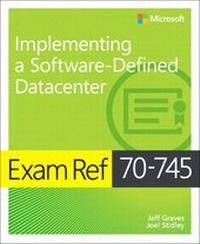
Exam Ref 70-745 Implementing a Software-Defined DataCenter
1st Edition
Published on 15. November 2017
544 pages
978-1-5093-0394-6 (ISBN)
Description

Prepare for Microsoft Exam 70-745-and help demonstrate your real-world mastery of skills needed to build and manage software-defined infrastructure with Windows Server 2016 and System Center 2016 Virtual Machine Manager (SC VMM). Designed for experienced IT professionals ready to advance their status, Exam Ref focuses on the critical thinking and decision-making acumen needed for success at the MCSE level.
Focus on the expertise measured by these objectives:
* Plan and implement System Center Virtual Machine Manager (VMM) core infrastructure
* Implement Software-Defined Networking (SDN)
* Implement software-defined storage
* Implement datacenter compute solutions with Virtual Machine Manager (VMM)
* Secure your software-defined datacenter
* Monitor and maintain the software-defined datacenter
This Microsoft Exam Ref:
* Organizes its coverage by exam objectives
* Features strategic, what-if scenarios to challenge you
* Assumes you have experience with System Center 2012 R2 Virtual Machine Manager and Windows Server 2016 networking, storage, Hyper-V, and Hyper-V Clusters
About the Exam
Exam 70-745 focuses on skills and knowledge for implementing a software-defined datacenter with Windows Server 2016 and Microsoft System Center 2016 Virtual Machine Manager (SCVMM).
About Microsoft Certification
Passing this exam earns you credit towards the Microsoft Certified Solutions Expert (MCSE): Cloud Platform and Infrastructure certification, validating that you have skills needed to run a highly efficient and modern data center, with expertise in cloud technologies, identity and systems management, virtualization, storage, and networking.
See full details at:
microsoft.com/learning
Focus on the expertise measured by these objectives:
* Plan and implement System Center Virtual Machine Manager (VMM) core infrastructure
* Implement Software-Defined Networking (SDN)
* Implement software-defined storage
* Implement datacenter compute solutions with Virtual Machine Manager (VMM)
* Secure your software-defined datacenter
* Monitor and maintain the software-defined datacenter
This Microsoft Exam Ref:
* Organizes its coverage by exam objectives
* Features strategic, what-if scenarios to challenge you
* Assumes you have experience with System Center 2012 R2 Virtual Machine Manager and Windows Server 2016 networking, storage, Hyper-V, and Hyper-V Clusters
About the Exam
Exam 70-745 focuses on skills and knowledge for implementing a software-defined datacenter with Windows Server 2016 and Microsoft System Center 2016 Virtual Machine Manager (SCVMM).
About Microsoft Certification
Passing this exam earns you credit towards the Microsoft Certified Solutions Expert (MCSE): Cloud Platform and Infrastructure certification, validating that you have skills needed to run a highly efficient and modern data center, with expertise in cloud technologies, identity and systems management, virtualization, storage, and networking.
See full details at:
microsoft.com/learning
More details
Series
Language
English
Place of publication
Boston
United States
Publishing group
Microsoft Press,U.S.
Target group
Professional and scholarly
ISBN-13
978-1-5093-0394-6 (9781509303946)
Copyright in bibliographic data and cover images is held by Nielsen Book Services Limited or by the publishers or by their respective licensors: all rights reserved.
Schweitzer Classification
Other editions
Additional editions
Jeff Graves | Joel Stidley
Exam Ref 70-745 Implementing a Software-Defined DataCenter
Book
12/2017
Microsoft Press
€42.00
Shipment within 3-4 weeks
Persons
Jeff Graves and Joel Stidley are both Cloud Technology Strategists with Microsoft's One Commercial Partner Technology Team and are heavily involved in helping partners build services using cloud technologies.
Content
CHAPTER 1 Plan and implement System Center Virtual Machine Manager core infrastructure
CHAPTER 2 Implement Software-Defined Networking (SDN)
CHAPTER 3 Implement Software-Defined Storage
CHAPTER 4 Implement Datacenter Compute Solutions with Virtual Machine Manager (VMM)
CHAPTER 5 Secure your Software-Defined Datacenter
CHAPTER 6 Monitor and maintain the Software-Defined Datacenter
CHAPTER 2 Implement Software-Defined Networking (SDN)
CHAPTER 3 Implement Software-Defined Storage
CHAPTER 4 Implement Datacenter Compute Solutions with Virtual Machine Manager (VMM)
CHAPTER 5 Secure your Software-Defined Datacenter
CHAPTER 6 Monitor and maintain the Software-Defined Datacenter
