

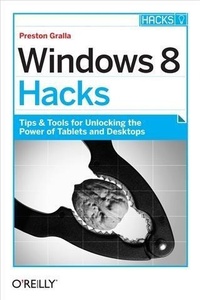
Windows 8 Hacks
Published on 28. November 2012
422 pages
978-1-4493-5559-3 (ISBN)
Description

Windows 8 is quite different than previous Microsoft operating systems, but its still eminently hackable. With this book, youll learn how to make a variety of modifications, from speeding up boot time and disabling the Lock screen to hacking native apps and running Windows 8 on a Mac. And thats just the beginning. Youll find more than 100 standalone hacks on performance, multimedia, networking, the cloud, security, email, hardware, and more. Not only will you learn how to use each hack, youll also discover why it works.Add folders and other objects to the Start screenRun other Windows versions inside Windows 8Juice up performance and track down bottlenecksUse the SkyDrive cloud service to sync your files everywhereSpeed up web browsing and use other PCs on your home networkSecure portable storage and set up a virtual private networkHack Windows 8 Mail and services such as OutlookCombine storage from different devices into one big virtual diskTake control of Window 8 setting with the Registry
More details
Other editions
Additional editions
Book
01/2013
1st Edition
O'Reilly
€28.50
Shipment within 10-20 days
Content
- Intro
- Copyright
- Table of Contents
- Preface
- How to Use This Book
- How This Book Is Organized
- Conventions Used in This Book
- Using Code Examples
- Safari® Books Online
- How to Contact Us
- Acknowledgments
- Chapter 1. Setup and Startup Hacks
- Hack 01 Disable Windows 8's Lock Screen
- Hacking the Hack
- Hack 02 Hack Your Way Through the Lock Screen
- Change the Lock Screen Image
- Lock Down the Lock Screen Image
- Customize Which Apps Show their Notifications on the Lock Screen
- Hack 03 Speed Up Boot Time
- Hack Your BIOS for Faster Startups
- Hack 04 Speed Up Startup by Halting Startup Programs and Services
- Eliminating Programs that Run at Startup
- Cleaning Out the Startup Folder
- Using the Task Manager
- Using the Registry to Halt Programs Running on Startup
- Shutting Off Services That Run at Startup
- Hacking the Hack
- Hack 05 Reset and Refresh Your PC Instead of Doing a Complete Reinstall
- Create a Custom Refresh Point
- Hack 06 Installing and Running Windows 8 on a Mac
- Installing and Running Windows 8 Using Parallels Desktop
- Installing and Running Windows 8 Using VMWare Fusion
- Running Windows 8 Using VirtualBox
- Hack 07 Use Hyper-V to Install and Run Other Operating Systems Inside Windows 8
- Hacking the Hack
- Chapter 2. Hacking the Start Screen, the Windows 8 Interface, and Apps
- Hack 08 Create an Application Folder for Quick Launches on the Start Screen and the Desktop
- Hack 09 Put a Tile to Computer on the Start Screen
- Hacking the Hack
- Hack 10 Force Desktop Apps to Show up on the Start Screen
- Hack 11 Hack the Windows 8 All Apps Screen
- Hack 12 Add Folders and Other Objects to the Start Screen
- Hacking the Hack
- Hack 13 Run Windows 8 Native Apps Side by Side
- Hack 14 Hack Your Way Through the Start Screen
- Add and Remove Tiles
- Customize Tiles
- Create and Customize Tile Groups
- Change Your Theme
- Controlling Live Tile Behavior
- Hack 15 Access Windows 8's Power Search Tools
- Finance
- Maps
- Music
- More Search Hacks
- Hack 16 Use the Task Manager to Track App Use
- Delving into the App Innards
- Checking out an App's Usage History
- Hacking the Hack
- Hack 17 Use Your Own Graphic for Your User Account
- Chapter 3. Hacking the Desktop
- Hack 18 Bring Back the Windows Start Menu to Windows 8
- Start8
- StartFinity
- Hack 19 Use the Built-In Mini Start Menu
- Hacking the Hack
- Hack 20 Bring the Quick Launch Toolbar Back to the Desktop
- Hack 21 Hack a Quick-and-Dirty Start Menu for the Desktop
- Hacking the Hack
- Hack 22 Turn on Windows "God Mode" on the Desktop
- Hacking the Hack
- Hack 23 Run the Desktop and Window 8 Native Apps Side by Side
- Hack 24 Put Helpful Navigation Icons on the Desktop
- Hacking the Hack
- Hack 25 Make the Desktop More Tablet-Friendly
- Make Everything Larger
- Make Only the Text Larger
- HACK 26Hack the Notification Area Using the Registry Editor
- Hide Only Certain Icons in the Notification Area
- Hack 27 Change Folders in the Open Dialog Box
- Hack 28 Control the Control Panel
- Hide Unused Applets with the Registry
- Hide Unused Applets with the Group Policy Editor
- Hack 29 Hack the Taskbar
- Hack 30 A Power User's Hidden Weapon: Improve File Explorer's Context Menu
- Add "Copy To Folder" and "Move To Folder" Context Menu Options
- Add and Remove Destinations for the "Send To" Option
- Open the Command Prompt from the Right-Click Menu
- Clean Up the "Open With" Option
- Hacking the Hack
- HACK 31Open an Administrator Command Prompt Anywhere in File Explorer
- Hacking the Hack
- Hack 32 Hack Your Way Through File Explorer
- Turn Panes on and Off
- Change Icon Sizes
- Add and Customize Columns
- Hidden Files and Folders.and More
- Using the Invert Selection Feature
- Chapter 4. Productivity and System Performance Hacks
- Hack 33 Three Quick System and Performance Hacks
- Schedule Windows 8 Maintenance
- Display Administrative Tools
- Perform a Memory Check
- Hack 34 Troubleshoot Performance Issues Using the Resource Monitor
- Hack 35 Track Performance and Reliability with the Reliability Monitor
- Hacking the Hack
- Hack 36 Peer Deep into Your System with the Performance Monitor
- Hack 37 Speed Up System Performance with the Task Manager
- Processes Tab
- Performance Tab
- App History Tab
- Users Tab
- Monitor CPU Use
- Give Program and Processes More of Your CPU's Attention
- Hack 38 Windows 8 Keyboard Shortcuts
- Windows Key Shortcuts
- Other Keyboard Shortcuts
- Hack 39 Using Windows 8 Gestures
- Windows 8 Gestures
- Hack 40 Use File History to Recover Your Files
- Turning on File History
- Hacking File History
- Using File History to Recover Files
- Hack 41 Troubleshoot with the Action Center
- Hack 42 Track Down Windows 8 System Woes
- Hack 43 Save Money: Use These Free Alternatives to Microsoft Office
- LibreOffice
- Apache OpenOffice
- Google Docs
- Microsoft Office Web Apps
- Zoho Office
- Chapter 5. Cloud and Social Networking Hacks
- Hack 44 Use SkyDrive to Sync Your Files Everywhere
- Look for Colored Icons
- Access to All of Your Files from Everywhere
- Hacking the Hack
- Hack 45 Make SkyDrive Play Nice with Other Windows Folders
- Include SkyDrive in your Windows 8 Libraries
- Hack 46 Recover Deleted Files on SkyDrive
- HACK 47More SkyDrive Hacks
- Make OneNote Notebooks Available on SkyDrive
- Scan Documents into SkyDrive
- Change SkyDrive Options
- Hack 48 Using Other Syncing Services
- Google Drive
- Dropbox
- Box (Formerly Box.Net)
- SugarSync
- Hack 49 Configure Windows 8 Syncing
- Hacking the Hack
- Hack 50 Create a Non-Syncing Windows 8 Account
- Hack 51 Power Hacks for Windows 8 Syncing
- Hack 52 Mastering the People App
- Hack 53 Share and Share Alike in Windows 8
- Hack 54 Other Social Networking Apps
- Tweetro
- Rowi
- MetroTwit
- TweetDeck
- Chapter 6. Music, Media, and Video
- Hack 55 Open Graphic Files In Photo Viewer Instead of the Windows 8 Native Photos App
- Hacking the Hack
- Hack 56 Add Facebook and Flickr to Your Windows 8 Photo Collection
- Hacking the Hack
- Hack 57 Hacking Through the Photos App
- Fixing SkyDrive Woes
- Tiles, Backgrounds, and Slide Shows
- Hack 58 Add Folder Locations to Photo and Video Libraries
- Hack 59 Improve DVD and TV Watching in Windows 8
- Hack 60 Using Windows 8 with Your Xbox 360
- Hacking the Hack
- Hack 61 Power Up Windows 8 with a Free Movie Maker, Photo Gallery, and More
- Hacking the Hack
- Hack 62 Organize Your Photos with Metadata
- Editing and Adding Tags to Photos
- Using Other Metadata
- Hack 63 Use RAW Photos in Windows Photo Gallery
- Hack 64 Get a Free Copy of Windows Media Center
- Hack 65 Play it Loud!
- Hack 66 Convert Vinyl and Tapes to MP3s
- Chapter 7. Networking, the Web, Wireless, and the Internet
- Hack 67 Make the Desktop Version of Internet Explorer the Default Rather than the Windows 8 Native Version
- Hacking the Hack
- Hack 68 Change Your Default Native Windows 8 Browser to Chrome
- Hacking the Hack
- Hack 69 Make Windows 8 Play Nice with Your Home Network
- Using Homegroup with Windows 8
- Using Windows 8 with Network Shares
- Hack 70 Hack DNS to Speed up Web Browsing
- Tell Your Entire Network to use OpenDNS
- Hack 71 Control Another PC with Remote Desktop
- Using the Windows 8 Native Client
- Control a Remote PC with LogMeIn
- Hacking the Hack
- Hack 72 Hack Windows 8 Wi-Fi, Wireless, and Network Settings
- Hack 73 Use Task Manager to Track Bandwidth Use of Individual Apps and Overall Network Use
- Hack 74 Map a Network Drive or Network Location
- Map a Network Drive
- Map a Network Location
- Hack 75 Troubleshoot Network Connections with ping, tracert, and pathping
- Troubleshoot TCP/IP Problems with ping
- Trace Your Network and Internet Data Path with tracert
- Troubleshoot Network Problems with pathping
- Hack 76 Troubleshoot Network Connections with netstat and ipconfig
- Use netstat to Get Information About Open Network Connections
- Use ipconfig to Troubleshoot TCP/IP
- Hack 77 Troubleshoot Wireless Interference Woes, and Extend Your Range
- Chapter 8. Security
- Hack 78 Keep Portable Storage Secure with BitLocker to Go
- Hacking the Hack
- Hack 79 Hide Folders and Files with the Encrypting File System
- Encrypting Files and Folders
- Decrypting Files and Folders
- Letting Others Use Your Encrypted Files
- Encrypting and Decrypting from the Command Line
- HACK 80Tell Windows 8 Apps Not to Snoop on Your Location
- Hacking the Hack
- Hack 81 Turn off the Windows 8 SmartScreen Filter
- Hack 82 Protect Yourself with a Windows 8 Picture Password
- Hack 83 Create a Windows 8 Recovery Tool
- Hack 84 Hack Windows 8's User Account Control
- UAC and Elevating Privileges
- Hack UAC with the Control Panel
- Hack UAC with Local Security Policy Editor and the Registry Editor
- Hacking the Hack
- Hack 85 Unlock Windows 8's Super-Secret Administrator Account
- Hack 86 Punch an Escape Hole Through the Windows 8 Firewall
- Allow a Program Through the Firewall
- Opening Up Ports
- Hack 87 Track Firewall Activity with a Windows 8 Firewall Log
- Hack 88 Protect Your Privacy by Removing Windows 8 Metadata
- Hacking the Hack
- Hack 89 Impersonate Another Computer on the Network
- Understanding MAC Addresses
- Spoofing Your MAC Address
- Hack 90 Protect Your Home Wi-Fi Network
- Change Your Administrator Password
- Stop Broadcasting Your Network's SSID
- Limit the Number of IP Addresses on Your Network
- Check and Filter MAC Addresses
- Check Your Router Logs and Traffic
- Chapter 9. Email
- Hack 91 Trick the Windows 8 Mail App into Using POP Mail
- Configure Outlook.com to Get your POP3 Mail
- Configure Windows 8 Mail to Get Mail from Outlook.com
- Hack 92 Use Different Live Tiles For Different Email Accounts
- Hacking the Hack
- Hack 93 Hack Your Way Through your Windows 8 Mail Accounts
- Hack 94 Understanding Windows Mail and Metered Networks
- Hack 95 Send Large File Attachments in Windows 8 Mail and Outlook.com Using SkyDrive
- Sending Large Files via Window 8 Mail
- Sending Large Files via Outlook.com
- Hacking the Hack
- Hack 96 Import Gmail Mail and Mail from other Web-Based Mail into Outlook.com
- Hack 97 Configure Outlook.com for Windows Phone, Android Devices, and iPhones and iPads
- Windows Phone
- Android Device
- iOS Devices
- Hack 98 Switch Fast Between Outlook.com Accounts
- Hack 99 Turn Outlook.com Into a Universal Inbox
- Getting Mail from Gmail
- Hack 100 Great Freebies for Turbocharging Gmail
- Smartr Inbox
- Find Big Mail
- Cloud Magic
- Privicons
- Minimalist for Everything
- Hack 101 Turn Gmail into a Universal Inbox
- HACK 102Use Gmail as a POP3 Server
- Hack 103 Stay Off Spam Lists
- Hack 104 Prevent Your Newsletter from Being Blocked as Spam
- Hack 105 Block International Spam in Outlook
- Hack 106 Open Blocked File Attachments in Outlook
- Force Outlook to Let You Open Blocked File Attachments
- Hack 107 Instantly Compress Files You Send via Outlook
- Hack 108 Sync Calendar and Contacts Between Google and Outlook
- Chapter 10. Hardware
- Hack 109 To Infinity and Beyond with Windows 8 Storage Spaces
- Hack 110 Hack Windows 8's Power Plan
- Hack 111 Two Screens Are Better than One
- Configuring Both Displays
- Configuring the Taskbar on Both Displays
- Moving Apps Around
- Multi-Monitor Slide Shows and Different Desktop Backgrounds
- HACK 112Find Drivers for Windows 8 Fast
- HACK 113Troubleshoot Hardware with Device Manager
- HACK 114Get a Complete History of Troublesome Hardware
- Hack 115 Uncover Hidden Hardware with the Device Manager
- Hacking the Hack
- Hack 116 Get a Comprehensive List of All Your Drivers
- Hacking the Hack
- Chapter 11. The Registry and Group Policy Editor
- Hack 117 Don't Fear the Registry
- The Five Logical Registry Hives
- Using Keys and Values
- Launching the Registry Editor
- Adding and Deleting Keys and Values
- Hack 118 Hack Away at the Registry
- Turn Off Mouse-Over Charm Launcher
- Auto Log On into Windows
- Disable Shutdown
- Change the Names of the Registered User and Company
- Change the Default Location for Installing Programs
- Hack 119 Safely Edit the Registry Using .reg Files
- Delete Registry Keys and Values Using .reg Files
- Protect the Registry by Changing the Default Action for .reg Files
- Hack 120 Better Registry Backups
- Hack 121 Hack Away at Windows with the Group Policy Editor
- Index
- About the Author
