

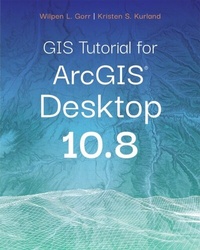
GIS Tutorial for ArcGIS Desktop 10.8
Description

Updated for use with ArcGIS® Desktop 10.8
GIS Tutorial for ArcGIS Desktop 10.8 is the updated replacement for GIS Tutorial 1: Basic Workbook, 10.3 Edition, a classic textbook for teaching ArcGIS® Desktop.
Updated with new images and simplified steps for using the latest version of the software, GIS Tutorial for ArcGIS Desktop 10.8 introduces readers to the tools and functionality of ArcGIS Desktop 10.8. Learn how to use ArcMap and ArcCatalog to make maps, work with spatial data, and analyze spatial data for proximity analysis and site suitability analysis. Gain hands-on experience using ArcGIS 3D Analyst(TM), ArcGIS Spatial Analyst(TM), and ArcGIS Network Analyst(TM) extensions, as well as ArcGIS Online and other software products.
Incorporating proven teaching methods in detailed exercises, "Your Turn" sections, and homework assignments, this book is suited to learning GIS in the classroom or by self-learners. Data for completing the exercises is available for free download.
Renewing a proven standard: GIS Tutorial for ArcGIS Desktop 10.8 helps users explore GIS concepts, apply ArcGIS software, and instill GIS skills, regardless of learning style.
Wilpen L. Gorr is emeritus professor of public policy and management information systems at the School of Public Policy and Management, H. John Heinz III College, Carnegie Mellon University, where he taught and researched GIS applications. He was also chairman of the school's Master of Science in Public Policy and Management program and editor of the International Journal of Forecasting. He is principal investigator of a grant to research, design, and deploy a crime hot spot (predictive policing) program for the Pittsburgh Bureau of Police.
Kristen S. Kurland is a teaching professor of architecture, information systems, and public policy at the H. John Heinz III College and School of Architecture, Carnegie Mellon University, where she teaches GIS, building information modeling, computer-aided design, 3D visualization, infrastructure management, and enterprise data analytics.
All prices
More details
Other editions
Additional editions
Persons
Wilpen L. Gorr is emeritus professor of public policy and management information systems at the School of Public Policy and Management, H. John Heinz III College, Carnegie Mellon University, where he taught and researched GIS applications. He was also chairman of the school's Master of Science in Public Policy and Management program and editor of the International Journal of Forecasting.
Content
Part I: Using and making maps
Chapter 1:Introduction
Chapter 2:Map design
Chapter 3:GIS outputs
Part II: Working with spatial data
Chapter 4:File geodatabases
Chapter 5:Spatial data
Chapter 6:Geoprocessing
Chapter 7:Digitizing
Chapter 8:Geocoding
Part III: Analyzing spatial data
Chapter 9:Spatial analysis
Chapter 10:ArcGIS 3D Analyst
Chapter 11:ArcGIS Spatial Analyst
Chapter 12:ArcGIS Network Analyst
Appendix A: Data credits
