

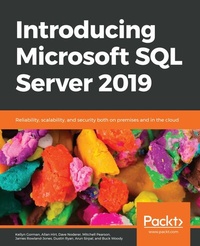
Introducing Microsoft SQL Server 2019
Reliability, scalability, and security both on premises and in the cloud
1st Edition
Published on 27. April 2020
488 pages
978-1-83882-982-7 (ISBN)
Description

Explore the impressive storage and analytic tools available with the in-cloud and on-premises versions of Microsoft SQL Server 2019.Key Features - Gain insights into what's new in SQL Server 2019
- Understand use cases and customer scenarios that can be implemented with SQL Server 2019
- Discover new cross-platform tools that simplify management and analysis
Book DescriptionMicrosoft SQL Server comes equipped with industry-leading features and the best online transaction processing capabilities. If you are looking to work with data processing and management, getting up to speed with Microsoft Server 2019 is key. Introducing SQL Server 2019 takes you through the latest features in SQL Server 2019 and their importance. You will learn to unlock faster querying speeds and understand how to leverage the new and improved security features to build robust data management solutions. Further chapters will assist you with integrating, managing, and analyzing all data, including relational, NoSQL, and unstructured big data using SQL Server 2019. Dedicated sections in the book will also demonstrate how you can use SQL Server 2019 to leverage data processing platforms, such as Apache Hadoop and Spark, and containerization technologies like Docker and Kubernetes to control your data and efficiently monitor it. By the end of this book, you'll be well versed with all the features of Microsoft SQL Server 2019 and understand how to use them confidently to build robust data management solutions.What you will learn - Build a custom container image with a Dockerfile
- Deploy and run the SQL Server 2019 container image
- Understand how to use SQL server on Linux
- Migrate existing paginated reports to Power BI Report Server
- Learn to query Hadoop Distributed File System (HDFS) data using Azure Data Studio
- Understand the benefits of In-Memory OLTP
Who this book is forThis book is for database administrators, architects, big data engineers, or anyone who has experience with SQL Server and wants to explore and implement the new features in SQL Server 2019. Basic working knowledge of SQL Server and relational database management system (RDBMS) is required.
- Understand use cases and customer scenarios that can be implemented with SQL Server 2019
- Discover new cross-platform tools that simplify management and analysis
Book DescriptionMicrosoft SQL Server comes equipped with industry-leading features and the best online transaction processing capabilities. If you are looking to work with data processing and management, getting up to speed with Microsoft Server 2019 is key. Introducing SQL Server 2019 takes you through the latest features in SQL Server 2019 and their importance. You will learn to unlock faster querying speeds and understand how to leverage the new and improved security features to build robust data management solutions. Further chapters will assist you with integrating, managing, and analyzing all data, including relational, NoSQL, and unstructured big data using SQL Server 2019. Dedicated sections in the book will also demonstrate how you can use SQL Server 2019 to leverage data processing platforms, such as Apache Hadoop and Spark, and containerization technologies like Docker and Kubernetes to control your data and efficiently monitor it. By the end of this book, you'll be well versed with all the features of Microsoft SQL Server 2019 and understand how to use them confidently to build robust data management solutions.What you will learn - Build a custom container image with a Dockerfile
- Deploy and run the SQL Server 2019 container image
- Understand how to use SQL server on Linux
- Migrate existing paginated reports to Power BI Report Server
- Learn to query Hadoop Distributed File System (HDFS) data using Azure Data Studio
- Understand the benefits of In-Memory OLTP
Who this book is forThis book is for database administrators, architects, big data engineers, or anyone who has experience with SQL Server and wants to explore and implement the new features in SQL Server 2019. Basic working knowledge of SQL Server and relational database management system (RDBMS) is required.
More details
Other editions
Additional editions
Kellyn Gorman | Allan Hirt | Dave Noderer
Introducing Microsoft SQL Server 2019
Reliability, scalability, and security both on premises and in the cloud
Book
04/2020
Packt Publishing
€47.60
Shipment within 3-4 weeks
Content
- Cover
- FM
- Copyright
- About the Authors
- Table of Contents
- Preface
- Chapter 1: Optimizing for performance, scalability and real-time insights
- Hybrid transactional and analytical processing (HTAP)
- Clustered Columnstore Indexes
- Adding Clustered Columnstore Indexes to memory-optimized tables
- Disk-based tables versus memory-optimized tables
- In-memory OLTP
- Planning data migration to memory-optimized tables
- Natively compiled stored procedures
- TempDB enhancements
- Enabling memory-optimized TempDB metadata
- Limitations of memory-optimized TempDB metadata
- Intelligent Query Processing
- Hybrid Buffer Pool
- Query Store
- Changes to default parameter values
- QUERY_CAPTURE_MODE
- QUERY_CAPTURE_MODE: CUSTOM
- Support for FAST_FORWARD and STATIC Cursors
- Automatic tuning
- Automatic plan correction
- Lightweight query profiling
- New functionality in 2019
- sys.database_scoped_configurations
- Activity monitor
- Columnstore stats in DBCC CLONEDATABASE
- Columnstore statistics support
- DBCC CLONEDATABASE validations
- Understanding DBCC CLONEDATABASE syntax
- Estimate compression for Columnstore Indexes
- sp_estimate_data_compression_savings Syntax
- Troubleshooting page resource waits
- sys.dm_db_page_info
- sys.fn_pagerescracker
- Chapter 2: Enterprise Security
- SQL Data Discovery and Classification
- SQL Vulnerability Assessment
- Transparent Data Encryption
- Setup
- New features - suspend and resume
- Extensible Key Management
- Always Encrypted
- Algorithm types
- Setup
- Confidential computing with secure enclaves
- Dynamic Data Masking
- Types
- Implementing DDM
- Row-Level Security
- Auditing
- Securing connections
- Configuring the MMC snap-in
- Enabling via SQL Server Configuration Manager
- Azure SQL Database
- SSL/TLS
- Firewalls
- Azure Active Directory (AD) authentication
- Advanced data security
- Advanced threat detection
- Chapter 3: High Availability and Disaster Recovery
- SQL Server availability feature overview
- Backup and restore
- Always On features
- Log shipping
- What About Database Mirroring and Replication?
- Availability improvements in SQL Server 2019
- Accelerated database recovery
- Configuration-only replica
- Certificate management in SQL Server Configuration Manager
- Clustered columnstore index online rebuild
- Database scoped default setting for online and resumable DDL operations
- Failover Cluster Instance Support for Machine Learning Services
- Increased number of synchronous replicas in the Enterprise edition
- Online builds or rebuilds for Clustered Columnstore Indexes
- Read-only routing configuration in SQL Server Management Studio
- Replication for Linux-based configurations
- Secondary-to-primary read/write connection redirection
- Windows Server 2019 availability enhancements
- Changing domains for a Windows Server Failover Cluster
- Cluster Shared Volumes support for Microsoft Distributed Transaction Coordinator
- File share witness without a domain
- Improved Windows Server Failover Cluster security
- Storage Replica in the Standard edition
- Storage Spaces Direct two-node configuration
- Windows Server Failover Cluster improvements in Azure
- Chapter 4: Hybrid Features - SQL Server and Microsoft Azure
- Backup to URL
- Benefits
- Requirements
- The storage account
- Setup
- SQL Server data files in Azure
- Setup and concepts
- Considerations
- File-snapshot backups
- Setup
- Extending on-premises Availability Groups to Azure
- Replication to Azure SQL Database
- Classic approach
- Transactional replication
- Prerequisites
- Setup
- Chapter 5: SQL Server 2019 on Linux
- 2019 platform support
- Why move databases to SQL Server on Linux?
- Installation and configuration
- Improvements in SQL Server 2019
- Machine Learning Services on Linux
- Kubernetes
- Working with Docker and Linux
- Change data capture
- Hybrid Buffer Pool and PMEM
- Distributed Transaction Coordinator on Linux
- Replication
- SQL Server tools
- Azure Data Studio
- Command-line query tools for SQL in Linux
- SQLCMD
- MSSQL-CLI
- Enhanced focus on scripting
- The SQL DBA in the Linux world
- Users and groups
- Azure Cloud Shell
- Windows Subsystem for Linux
- Root, the super-user
- Chapter 6: SQL Server 2019 in Containers and Kubernetes
- Why containers matter
- Container technical fundamentals
- Deploying an SQL Server container using Docker
- Using Docker and Bash
- Using local SQL Server utilities
- Customizing SQL Server containers
- Availability for SQL Server containers
- Chapter 7: Data Virtualization
- Data integration challenges
- Introducing data virtualization
- Data virtualization use cases
- Data virtualization and hybrid transactional analytical processing
- Data virtualization and caching
- Data virtualization and federated systems
- Data virtualization and data lakes
- Contrasting data virtualization and data movement
- Data virtualization in SQL Server 2019
- Secure data access
- The database master key
- Database scoped credentials
- External data sources
- Supported data sources
- Extending your environment using an ODBC external data source
- Accessing external data sources in Azure
- External file formats
- PolyBase external tables
- Creating external tables with Azure Data Studio
- Contrasting linked servers and external tables
- Installing PolyBase in SQL Server 2019
- General pre-installation guidance
- Installing PolyBase on Windows
- Installing PolyBase on Linux
- Installing PolyBase on SQL Server running in Docker
- Post-installation steps
- Installing PolyBase as a scale-out group
- Tip #1: Use different resource groups for each part of the architecture
- Tip #2: Create the virtual network and secure subnets before building virtual machines
- Tip #3: Place your scale-out group SQL Server instances inside one subnet
- Tip #4: Complete this pre-installation checklist!
- Scale-out group installation
- Bringing it all together: your first data virtualization query
- Chapter 8: Machine Learning Services Extensibility Framework
- Machine learning overview
- How machine learning works
- Use cases for machine learning
- Languages and tools for machine learning
- SQL Server 2019 Machine Learning Services architecture and components
- Components
- Configuration
- Machine learning using the Machine Learning Services extensibility framework
- R for machine learning in SQL Server 2019
- Python for machine learning in SQL Server 2019
- Java and machine learning in SQL Server
- Machine learning using the PREDICT T-SQL command
- Machine learning using the sp_rxPredict stored procedure
- Libraries and packages for machine learning
- Management
- Security
- Monitoring and Performance
- Using the team data science process with Machine Learning Services
- Understanding the team data science process
- Phase 1: Business understanding
- Phase 2: Data acquisition and understanding
- Phase 3: Modeling
- Phase 4: Deployment
- Phase 5: Customer acceptance
- Chapter 9: SQL Server 2019 Big Data Clusters
- Big data overview
- Applying scale-out architectures to SQL Server
- Containers
- Kubernetes
- SQL Server on Linux
- PolyBase
- SQL Server 2019 big data cluster components
- Installation and configuration
- Platform options
- Using a Kubernetes service
- Using an on-premises Kubernetes installation
- Working with a Dev/Test environment
- Deploying the big data clusters on a Kubernetes cluster
- Programming SQL Server 2019 big data clusters
- Azure Data Studio
- Relational operations
- Creating scale-out tables
- Creating a data lake
- Working with Spark
- Submitting a job from Azure Data Studio
- Submitting a Spark job from IntelliJ
- Spark job files and data locations
- Management and monitoring
- SQL Server components and operations
- Kubernetes operations
- SQL Server 2019 big data cluster operations
- Monitoring performance and operations with Grafana
- Monitoring logs with Kibana
- Spark operations
- Security
- Access
- Security setup and configuration
- Authentication and authorization
- Chapter 10: Enhancing the Developer Experience
- SQL Graph Database
- Why use SQL Graph?
- Edge constraints
- SQL Graph data integrity enhancements
- SQL Graph MATCH support in MERGE
- Using a derived table or view in a graph MATCH query
- Java language extensions
- Why language extensions?
- Installation
- Sample program
- JSON
- Why use JSON?
- JSON example
- UTF-8 support
- Why UTF-8?
- Temporal tables
- Why temporal tables?
- Temporal table example
- Spatial data types
- Why spacial data types?
- Dealer locator example
- Chapter 11: Data Warehousing
- Extract-transform-load solutions with SQL Server Integration Services
- Best practices for loading your data warehouse with SSIS
- Clustered Columnstore Indexes
- Partitioning
- Online index management
- Enabling online DML processing
- Resuming online index create or rebuild
- Build and rebuild online clustered columnstore indexes
- Using ALTER DATABASE SCOPE CONFIGURATION
- Creating and maintaining statistics
- Automatically managing statistics
- The AUTO_CREATE_STATISTICS option
- The AUTO_UPDATE_STATISTICS option
- The AUTO_UPDATE_STATISTICS_ASYNC option
- Statistics for columnstore indexes
- Modern data warehouse patterns in Azure
- Introduction to Azure SQL Data Warehouse
- Control node
- Compute nodes
- Storage
- Data movement services (DMSes)
- Best practices for working with Azure SQL Data Warehouse
- Reduce costs by scaling up and down
- Use PolyBase to load data quickly
- Manage the distributions of data
- Do not over-partition data
- Using Azure Data Factory
- New capabilities in ADF
- Understanding ADF
- Copying data to Azure SQL Data Warehouse
- Hosting SSIS packages in ADF
- Azure Data Lake Storage
- Key features of Azure Data Lake Storage Gen2
- Azure Databricks
- Working with streaming data in Azure Stream Analytics
- Analyzing data by using Power BI - and introduction to Power BI
- Understanding the Power BI ecosystem
- Connecting Power BI to Azure SQL Data Warehouse
- Chapter 12: Analysis Services
- Introduction to tabular models
- Introduction to multidimensional models
- Enhancements in tabular mode
- Query interleaving with short query bias
- Memory settings for resource governance
- Calculation groups
- Dynamic format strings
- DirectQuery
- Bidirectional cross-filtering
- Many-to-many relationships
- Governance settings for Power BI cache refreshes
- Online attach
- Introducing DAX
- Calculated columns
- Calculated measures
- Calculated tables
- Row filters
- DAX calculation best practices
- Writing DAX queries
- Using variables in DAX
- Introduction to Azure Analysis Services
- Selecting the right tier
- Scale-up, down, pause, resume, and scale-out
- Connecting to your data where it lives
- Securing your data
- Using familiar tools
- Built-in monitoring and diagnostics
- Provisioning an Azure Analysis Services server and deploying a tabular model
- Chapter 13: Power BI Report Server
- SSRS versus Power BI Report Server
- Report content types
- Migrating existing paginated reports to Power BI Report Server
- Exploring new capabilities
- Performance Analyzer
- The new Modeling view
- Row-level security for Power BI data models
- Report theming
- Managing parameter layouts
- Developing KPIs
- Publishing reports
- Managing report access and security
- Publishing mobile reports
- Viewing reports in modern browsers
- Viewing reports on mobile devices
- Exploring Power BI reports
- Using the FILTERS panel
- Crossing-highlighting and cross-filtering
- Sorting a visualization
- Displaying a visualization's underlying data
- Drill-down in a visualization
- Automating report delivery with subscriptions
- Pinning report items to the Power BI service
- Chapter 14: Modernization to the Azure Cloud
- The SQL data platform in Azure
- Azure SQL Database managed instance
- Deployment of a managed instance in Azure
- Managed instance via the Azure portal
- Managed instance via templates
- Migrating SQL Server to Managed Instance
- Azure Database Migration Service (DMS)
- Application Connectivity
- Requirements for the DMS
- Data Migration Assistant
- Managed Instance Sizing
- Migration
- Monitoring Managed Instance
- SQL Server in Azure virtual machines
- Creating an Azure VM from the Azure portal
- Storage options for VMs
- Diagnostics and advanced options
- Creating a SQL Server 2019 VM from the command line in Azure
- Security for SQL Server on an Azure VM
- Backups of Azure VM SQL Server instances
- Built-in security for Azure VMs
- SQL Server IaaS agent extension
- Disaster Recovery environment in the cloud
- Azure Site Recovery
- Extended support for SQL 2008 and 2008 R2
- Index
