

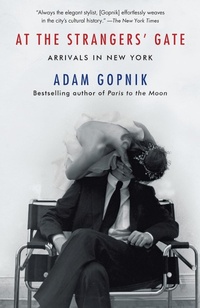
At the Strangers' Gate
Arrivals in New York
Published on 5. September 2017
272 pages
978-1-101-94750-0 (ISBN)
Description

From The New York Times best-selling author of Paris to the Moon and beloved New Yorker writer, a memoir that captures the romance of New York City in the 1980s.
When Adam Gopnik and his soon-to-be-wife, Martha, first arrived in 1980, New York City was a pilgrimage site for the young, the arty, and the ambitious. But it was also becoming a place where both life's consolations and its necessities were increasingly going to the highest bidder. At the Strangers' Gate is a vivid portrait of this time, told through the story of one couple's journey-from their excited arrival as aspiring artists to their eventual growth into a New York family. Through a series of comic mini-anthropologies that capture the fashion, publishing, and art worlds of the era, Adam Gopnik transports us from his tiny basement room on the Upper East Side to a SoHo loft, from his time as a graduate student-cum-library-clerk to the galleries of MoMA. Filled with tender and humorous reminiscences-including affectionate reflections on Richard Avedon, Robert Hughes, and Jeff Koons, among many others-At the Strangers' Gate is an ode to New York striving.
When Adam Gopnik and his soon-to-be-wife, Martha, first arrived in 1980, New York City was a pilgrimage site for the young, the arty, and the ambitious. But it was also becoming a place where both life's consolations and its necessities were increasingly going to the highest bidder. At the Strangers' Gate is a vivid portrait of this time, told through the story of one couple's journey-from their excited arrival as aspiring artists to their eventual growth into a New York family. Through a series of comic mini-anthropologies that capture the fashion, publishing, and art worlds of the era, Adam Gopnik transports us from his tiny basement room on the Upper East Side to a SoHo loft, from his time as a graduate student-cum-library-clerk to the galleries of MoMA. Filled with tender and humorous reminiscences-including affectionate reflections on Richard Avedon, Robert Hughes, and Jeff Koons, among many others-At the Strangers' Gate is an ode to New York striving.
More details
Other editions
Additional editions

Audio
11/2017
Books on Tape
€61.22
Withdrawn from sale
Book
09/2017
Knopf Publishing Group
€44.97
Article exhausted; check different version

Audio
09/2017
Random House Audio Publishing Group
€61.22
Article exhausted; check different version
Person
Adam Gopnik has been writing for The New Yorker since 1986. He is a three-time winner of the National Magazine Award for Essays and for Criticism and of the George Polk Award for Magazine Reporting. In March 2013, Gopnik was awarded the medal of Chevalier de l'Ordre des Arts et des Lettres by the French Republic. He lives in New York City with his wife and their two children.
