

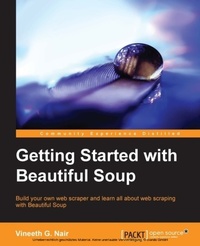
Getting Started with Beautiful Soup
Learn how to extract information from websites using Beautiful Soup and the Python urllib2 module. This practical, hands-on guide covers everything you need to know to get a head start in website scraping.
Published on 7. October 2025
130 pages
978-1-78328-956-1 (ISBN)
Description

Learn how to extract information from websites using Beautiful Soup and the Python urllib2 module. This practical, hands-on guide covers everything you need to know to get a head start in website scraping.
Key Features
Book DescriptionBeautiful Soup is a Python library designed for quick turnaround projects like screen-scraping. Beautiful Soup provides a few simple methods and Pythonic idioms for navigating, searching, and modifying a parse tree: a toolkit for dissecting a document and extracting what you need without writing excess code for an application. It doesn't take much code to write an application using Beautiful Soup. Getting Started with Beautiful Soup is a practical guide to Beautiful Soup using Python. The book starts by walking you through the installation of each and every feature of Beautiful Soup using simple examples which include sample Python codes as well as diagrams and screenshots wherever required for better understanding. The book discusses the problems of how exactly you can get data out of a website and provides an easy solution with the help of a real website and sample code. Getting Started with Beautiful Soup goes over the different methods to install Beautiful Soup in both Linux and Windows systems. You will then learn about searching, navigating, content modification, encoding support, and output formatting with the help of examples and sample Python codes for each example so that you can try them out to get a better understanding. This book is a practical guide for scraping information from any website. If you want to learn how to efficiently scrape pages from websites, then this book is for you.What you will learn
Learn how to scrape HTML pages from websites
Implement a simple method to scrape any website with the help of developer tools, the Python urllib2 module, and Beautiful Soup
Learn how to search for information within an HTML/XML page
Modify the contents of an HTML tree
Understand encoding support in Beautiful Soup
Learn about the different types of output formatting
Who this book is forIf you are a budding forensic analyst, consultant, engineer, or a forensic professional wanting to expand your skillset, this is the book for you. The book will also be beneficial to those with an interest in mobile forensics or wanting to find data lost on mobile devices. It will be helpful to be familiar with forensics in general but no prior experience is required to follow this book.
Key Features
Book DescriptionBeautiful Soup is a Python library designed for quick turnaround projects like screen-scraping. Beautiful Soup provides a few simple methods and Pythonic idioms for navigating, searching, and modifying a parse tree: a toolkit for dissecting a document and extracting what you need without writing excess code for an application. It doesn't take much code to write an application using Beautiful Soup. Getting Started with Beautiful Soup is a practical guide to Beautiful Soup using Python. The book starts by walking you through the installation of each and every feature of Beautiful Soup using simple examples which include sample Python codes as well as diagrams and screenshots wherever required for better understanding. The book discusses the problems of how exactly you can get data out of a website and provides an easy solution with the help of a real website and sample code. Getting Started with Beautiful Soup goes over the different methods to install Beautiful Soup in both Linux and Windows systems. You will then learn about searching, navigating, content modification, encoding support, and output formatting with the help of examples and sample Python codes for each example so that you can try them out to get a better understanding. This book is a practical guide for scraping information from any website. If you want to learn how to efficiently scrape pages from websites, then this book is for you.What you will learn
Learn how to scrape HTML pages from websites
Implement a simple method to scrape any website with the help of developer tools, the Python urllib2 module, and Beautiful Soup
Learn how to search for information within an HTML/XML page
Modify the contents of an HTML tree
Understand encoding support in Beautiful Soup
Learn about the different types of output formatting
Who this book is forIf you are a budding forensic analyst, consultant, engineer, or a forensic professional wanting to expand your skillset, this is the book for you. The book will also be beneficial to those with an interest in mobile forensics or wanting to find data lost on mobile devices. It will be helpful to be familiar with forensics in general but no prior experience is required to follow this book.
All prices
More details
Edition
Digital original
Language
English
Place of publication
Birmingham
United Kingdom
Target group
US School Grade: College Graduate Student
Edition type
Digital original
File size
1,93 MB
ISBN-13
978-1-78328-956-1 (9781783289561)
Copyright in bibliographic data and cover images is held by Nielsen Book Services Limited or by the publishers or by their respective licensors: all rights reserved.
Schweitzer Classification
Other editions
Additional editions
Vineeth G. Nair
Getting Started with Beautiful Soup
Book
01/2014
Packt Publishing
€44.80
Shipment within 3-4 weeks
Person
Nair Vineeth G :
Vineeth G. Nair completed his bachelors in Computer Science and Engineering from Model Engineering College, Cochin, Kerala. He is currently working with Oracle India Pvt. Ltd. as a Senior Applications Engineer. He developed an interest in Python during his college days and began working as a freelance programmer. This led him to work on several web scraping projects using Beautiful Soup. It helped him gain a fair level of mastery on the technology and a good reputation in the freelance arena. He can be reached at vineethgnair.mec@gmail.com. You can visit his website at www.kochi-coders.com.
Vineeth G. Nair completed his bachelors in Computer Science and Engineering from Model Engineering College, Cochin, Kerala. He is currently working with Oracle India Pvt. Ltd. as a Senior Applications Engineer. He developed an interest in Python during his college days and began working as a freelance programmer. This led him to work on several web scraping projects using Beautiful Soup. It helped him gain a fair level of mastery on the technology and a good reputation in the freelance arena. He can be reached at vineethgnair.mec@gmail.com. You can visit his website at www.kochi-coders.com.
Content
Table of Contents
Chapter 1
Chapter 1

