

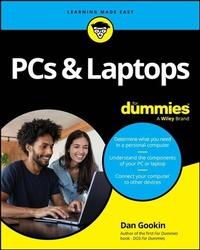
PCs & Laptops For Dummies
Description

A one-stop guide to making the most of your desktop PC or laptop computer
PCs and Laptops For Dummies is the essential user's guide to the features your PC or laptop has to offer-and how to use them successfully. With this book as your coach, you can jump over technological hurdles with ease, navigating the hardware and software of your personal computer. Regardless of what brand of computer you use, you'll learn to navigate the latest version of Windows. You'll also explore how PCs, laptops, and other mobile devices can be used together, and how to keep your data secure. This Dummies guide is your first step toward computer-whiz status, saving you time and energy with everything in one place.
- Learn about Microsoft Windows, the operating system for PC and laptop
- Discover PC and laptop features you never knew about, and get your devices to play nicely together
- Identify the specs and features you need, so you can purchase a computer that's a fit for you
- Get easy-to-understand information, advice, and tricks at your fingertips
This is the perfect Dummies guide for PC or laptop users at home or at work who need a go-to guide for their hardware and software questions.
More details
Other editions
Additional editions
Person
Dan Gookin wrote the very first For Dummies book in 1991. The author of several bestsellers, Dan enjoys worldwide success with books that have been translated into 32 languages and have more than 11 million copies in print. Dan is also author of Word For Dummies and C Programming For Dummies.
Content
Chapter 1
Computer 101
IN THIS CHAPTER
Understanding the computer
Discerning between hardware and software
Answering some common PC questions
Buying a computer
Getting rid of old technology
You must accept two important facts about a computer: It can't blow up and it's not evil.
Computers explode in the movies. They excel at it. You see fire, smoke, and little pieces flying everywhere. Real life is sadly less dramatic.
Though it's stimulating to believe that computers are evil, and such a belief explains many confusing things nicely, it just isn't true. Computers are innately indifferent, almost disappointingly so.
Sad to say, computers are handy tools - just frustrating to use at times. This chapter helps ease you into understanding these useful and often misunderstood gizmos.
The enrollment application for dogs to join the Marines in WW2 was designed to be filled out from the dog's perspective:
The Fast Idiot
Computers aren't smart; they're just fast. If you slow down time and observe deep inside the computer's bosom, you find a calculator. That's it. But surrounded by lots of helpful electronics, and cranking out billions of computations per second, the computer seems amazing. It's like your drooling nephew building a Lego Eiffel Tower in two seconds. You'd think he's a genius, but he's just moving quickly. That's essentially how the computer fools you into thinking it's smart.
What a computer does
A computer's core mission statement is to consume input, process it, and generate output. In this manner, the computer operates like a cow but one that's less expensive to feed and with less odorous output. Figure 1-1 illustrates the basic computer operation, which coincidentally also applies to a cow.
FIGURE 1-1: What a computer does at its simplest level.
To perform its basic task, the computer occupies itself with three activities:
- I/O
- Processing
- Storage
I/O: I/O stands for input and output. It's pronounced "I owe," like Io, the third-largest moon of Jupiter. The computer receives input from devices such as the keyboard, a pointing device (mouse), and the Internet. It generates output displayed on the screen, printed, or returned to the Internet. I/O is also a popular subject for songs sung at computer camp.
Processing: Between input and output you find processing. The input is somehow manipulated, mangled, or munged. Then it's spewed out in a modified form. Minus any processing, the computer is like a tube, and computer science would be identical to plumbing. Processing is covered in Chapter 6. Plumbing is covered in Plumbing For Dummies.
Storage: The final computer activity is storage. Storage can be temporary or long-term. Temporary storage is the computer memory, or RAM, covered in Chapter 7. Long-term storage is provided by the computer's storage media, covered in Chapter 8. Overhead storage is designed for luggage that doesn't fit below the seat in front of you.
Hardware and software
All parts of a computer system can be classified as either hardware or software.
Hardware is the physical part. Anything you can touch or see - or that smells like burning plastic - is hardware.
Software is the computer's instructions. It tells the hardware what to do.
For example, consider a symphony orchestra. The hardware consists of the musicians and their instruments. Their software is music. As with a computer, the music (software) tells the musicians and their instruments (hardware) what to do.
Without software, hardware just sits around bored. Like a symphony orchestra without music, that can be an expensive waste of time, especially at union scale. No, it's software that makes the computer system work. It's in charge. Software determines the computer's personality and potential.
- If you can toss it out a window, it's hardware.
- If you can toss it out a window and it comes back, it's a cat.
- Computer software includes all the programs you use on the computer.
- The most important piece of software is the computer's operating system. It's the main program in charge of everything.
Doubtless, You Have Some Questions
Rather than bore you with further exploration of the dry and dull world of computer technology, I thought I'd save some time and get some burning questions you may have out of the way.
"What is a PC?"
A PC is a personal computer. The name applies to pretty much all computers these days, though historically a PC is related to the original IBM PC (personal computer), introduced in the early 1980s. Today, a PC is any computer system that isn't a Macintosh, though a Mac is technically also a personal computer.
"Do I need a laptop?"
Probably.
"Can you be more specific?"
Okay. The two main styles of personal computers are desktop systems and laptops.
A desktop PC dwells in one location. It's not portable. These systems are often more powerful and expandable than laptops. They can also be upgraded, which isn't possible with most laptops.
Laptops go anywhere, thanks to their light weight and battery power. They are powerful but sacrifice features and expandability for their portability. They can also be more expensive than comparable desktop systems.
- You can use a laptop as a desktop system, expanding it with a full-size keyboard and monitor. This setup has the advantage of your still being able to take the computer with you to work remotely or when the building is on fire.
- Many people opt to use both systems: a powerful desktop for the office or home and a laptop to take on the road.
-
Laptops are also a near necessity for students. Colleges and universities offer guidelines for student computers - specifically, laptops. Heed this advice.
"Why not just use a tablet or smartphone instead of a computer?"
The quick answer is that mobile devices such as smartphones and tablets are designed for data consumption, not data production. If you're merely passing through this digital life, you can get by with a phone or tablet and never own a computer. If you need to create something, however, a computer is a better tool than a tablet or smartphone.
- As someone who detests typing on a touchscreen, I can assure you that typing on a real keyboard is the best reason to own a computer.
- If you enjoy using a tablet with a removable keyboard, you would probably be happier with the full power of a laptop instead.
- Mobile devices lack a computer's potential for expandability.
- A typical computer lasts for years. Mobile devices are usually replaced on an average 2-year cycle.
"Seriously, can a computer explode?"
A computer cannot spontaneously explode. Even if you accidentally spill a fish tank of water on it, the device most likely will short out and die, flipping the circuit breaker, but it won't explode.
My first PC had a 65-watt power supply that failed. I heard a pop and the computer died. Then I saw a puff of smoke rise from behind the monitor. I replaced the dead power supply with a beefier model and the computer worked fine after that. No drama, though I delighted in the experience, knowing that I would write about it later in this book.
Buy That Computer!
If you don't yet have a computer, you must rush out and buy one! Or, if your current computer is so old that it can access the DuMont Network, get a new one right now! This order carries no urgency, despite what you just read.
Buying a complex piece of electronics like a computer isn't the same as purchasing a vase or cement mixer. To make your purchase a successful one, consider my friendly, 5-step method for buying a computer.
- Know what it is that you want the computer to do.
- Choose between a desktop and laptop.
- Determine how much hardware is required.
- Locate service and support.
- Buy the computer!
If you heed these steps, you'll be a lot more satisfied with your computer purchase than if you just saunter into an upscale store to buy something with the Apple logo on it.
Step 1: Determine what you want the computer to do
Computers are best used to create something: to write a novel, edit video, generate graphical designs, compose music, devise a spreadsheet to monitor gambling debts, and so on. On the antiproductivity side, computers are great for playing high-end video games. Many gamers prefer computers over the various gaming consoles, primarily because computer hardware is easily upgraded.
The point of this step is to understand how you plan on using the computer. What do you see yourself doing? How are you going to use the computer: as a tool to get work done or to professionally waste time?
- Gaming consoles are...
