

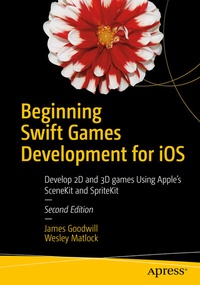
Beginning Swift Games Development for iOS
Description

Learn the fundamental elements of the new Swift 3 programming language as applied to game development for new iOS 10.
In Part 1 of this book, you'll start with a basic 2D game idea and build the game throughout the book introducing each SpriteKit topic as you add new functionality to the game. By the end of the book, you'll have experience with all the important SpriteKit topics and have a fully functional game as a result. In Part 2, you'll learn 3D game development using Apple's SceneKit framework and the Swift programming language, following the same pattern used for Part 1.
Game apps are one of the most popular categories in the Apple iTunes App Store. In response, James Goodwill and Wesley Matlock bring you Beginning Swift Games Development for iOS, Third Edition an update to their best-selling work. After reading and using this book, you'll have the skills and the code to build your first 2D and then 3D game app that you can run on any iOS-enabled device.
What you'll learn
-
- Discover what's in the new Swift 3 programming language
- Apply Swift 3 to iOS 10 and 9 game development
- Build a 2D game app using SpriteKit and Swift
- Build a 3D game from 2D using SceneKit and Swift
Who this book is for
iOS app developers new to Swift or for those thinking of trying iOS game app development for the very first time.
More details
Other editions
Additional editions
Previous edition
Persons
Wesley Matlock is an experienced iOS app game coder and trainer.
Content
PART I INTRODUCTION TO SPRITEKIT.- 1. Setting up Your First Game Scene and Adding Your First Sprites.- 2. SpriteKit Scenes and SKNode Positioning.- 3. Adding Physics and Collision Detection to Your Game.- 4. Adding Scene Scrolling and Game Control.- 5. Adding Actions and Animations.- 6. Adding Particle Effects to Your Game with Emitter Nodes.- 7. Adding Points and Sound.- 8. Transitioning Between Scenes.- 9. SpriteKit Best Practices.- PART II INTRODUCTION TO SCENEKIT.- 10. Creating Your First SceneKit Project.- 11. Scenes and Nodes.- 12. Lighting, Camera, and Material Effects in SceneKit.- 13. Render Loop, Physics and Moving Around.- 14. Collision Detection.- 15. SceneKit Integration with SpriteKit.- 16. SceneKit Editor.
