

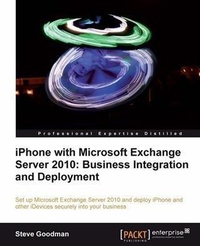
iPhone with Microsoft Exchange Server 2010: Business Integration and Deployment
A solution for integrating iPhone and iPad is built into Microsoft's Exchange Server, and this guide will walk you through successfully deploying it to allow Apple's devices to be used securely and effectively in your organization.
1st Edition
Published on 13. January 2025
290 pages
978-1-84969-149-9 (ISBN)
Description

A solution for integrating iPhone and iPad is built into Microsoft s Exchange Server, and this guide will walk you through successfully deploying it to allow Apple s devices to be used securely and effectively in your organization.Key Features - Learn about Apple's mobile devices and how they work with Exchange Server 2010
- Plan and deploy a highly available Exchange organization and Office 365 tenant
- Create and enforce security policies and set up certificate-based authentication
- Provision and manage Apple mobile devices using Apple and Exchange Server tools
- A practical guide that covers the basics before gradually introducing complex topics - presenting topics by example.
Book DescriptionWith the recent boom in the smartphone market, users are demanding access to the latest consumer technology in the business, and that means you need to be able to integrate Apple's iPhone and iPad into your business in a way you can manage. Microsoft's Exchange Server provides a solution for integrating iPhone into your business and this book will show you exactly how to implement this solution. iPhone with Microsoft Exchange Server 2010: Business Integration and Deployment takes you through the basics of Apple mobile devices, and teaches you how to plan a basic, highly available Exchange environment. You will then be taught how to secure your environment, provision and manage iDevices. Have you been tasked with getting iPhones into the hands of your business executives, and need to ensure they can reliably and securely access corporate email? This book will teach you what you need to know about getting Exchange 2010 set up and then help you deploy iPhones in a secure, manageable way. Starting with the basics, you'll learn about what Apple mobile devices have to offer and how they have evolved into devices suitable for business use. If you're new to Exchange Server 2010, you'll learn the basics of Microsoft's world leading messaging suite, before learning how to plan, install and configure a highly available Exchange environment. You will also understand how to configure Office 365 and learn how both can be configured to apply policies to iPhone, iPad and the iPod Touch. You'll also learn how to configure advanced features, like certificate authentication, how to create and deploy configuration profiles for devices and how to manage your devices once they are in the hands of your users. After reading this book, you will be confident about introducing Apple mobile devices into your organization.What you will learn - The roles and features of Exchange Server 2010
- Capacity planning for an Exchange environment and how to plan a new installation
- Certificate and namespace requirements for an external facing Exchange organization
- Install Exchange Server 2010 and build a database availability group
- Why you should consider Office 365 and what s involved in getting it set up
- Use policies to control what users can do with iDevices connected to Exchange
- Why certificate authentication can make your life easier and how to set it up
- Use Apple s iPhone Configuration Utility to create and deploy configuration profiles to mobile devices
- What s involved with sharing mailboxes and calendars with Apple devices
- Troubleshooting and managing devices in use
Who this book is forThis book is aimed at system administrators who don't necessarily know about Exchange Server 2010 or ActiveSync-based mobile devices. A basic level of knowledge around Windows Servers is expected, and knowledge of smartphones and email systems in general will make some topics a little easier.
- Plan and deploy a highly available Exchange organization and Office 365 tenant
- Create and enforce security policies and set up certificate-based authentication
- Provision and manage Apple mobile devices using Apple and Exchange Server tools
- A practical guide that covers the basics before gradually introducing complex topics - presenting topics by example.
Book DescriptionWith the recent boom in the smartphone market, users are demanding access to the latest consumer technology in the business, and that means you need to be able to integrate Apple's iPhone and iPad into your business in a way you can manage. Microsoft's Exchange Server provides a solution for integrating iPhone into your business and this book will show you exactly how to implement this solution. iPhone with Microsoft Exchange Server 2010: Business Integration and Deployment takes you through the basics of Apple mobile devices, and teaches you how to plan a basic, highly available Exchange environment. You will then be taught how to secure your environment, provision and manage iDevices. Have you been tasked with getting iPhones into the hands of your business executives, and need to ensure they can reliably and securely access corporate email? This book will teach you what you need to know about getting Exchange 2010 set up and then help you deploy iPhones in a secure, manageable way. Starting with the basics, you'll learn about what Apple mobile devices have to offer and how they have evolved into devices suitable for business use. If you're new to Exchange Server 2010, you'll learn the basics of Microsoft's world leading messaging suite, before learning how to plan, install and configure a highly available Exchange environment. You will also understand how to configure Office 365 and learn how both can be configured to apply policies to iPhone, iPad and the iPod Touch. You'll also learn how to configure advanced features, like certificate authentication, how to create and deploy configuration profiles for devices and how to manage your devices once they are in the hands of your users. After reading this book, you will be confident about introducing Apple mobile devices into your organization.What you will learn - The roles and features of Exchange Server 2010
- Capacity planning for an Exchange environment and how to plan a new installation
- Certificate and namespace requirements for an external facing Exchange organization
- Install Exchange Server 2010 and build a database availability group
- Why you should consider Office 365 and what s involved in getting it set up
- Use policies to control what users can do with iDevices connected to Exchange
- Why certificate authentication can make your life easier and how to set it up
- Use Apple s iPhone Configuration Utility to create and deploy configuration profiles to mobile devices
- What s involved with sharing mailboxes and calendars with Apple devices
- Troubleshooting and managing devices in use
Who this book is forThis book is aimed at system administrators who don't necessarily know about Exchange Server 2010 or ActiveSync-based mobile devices. A basic level of knowledge around Windows Servers is expected, and knowledge of smartphones and email systems in general will make some topics a little easier.
More details
Other editions
Additional editions
Book
03/2012
Packt Publishing
€73.90
Shipment within 3-4 weeks
Person
Goodman Steve :
Steve Goodman has been in the IT industry for over 12 years and works as a Technical Architect at one of the UK's leading IT services providers, working on the design and delivery of Microsoft and VMware solutions for organizations across the UK. When he's not helping companies with their IT infrastructure, he regularly writes about Exchange, Office 365 and PowerShell on his website, http://www.stevieg.org.
Steve Goodman has been in the IT industry for over 12 years and works as a Technical Architect at one of the UK's leading IT services providers, working on the design and delivery of Microsoft and VMware solutions for organizations across the UK. When he's not helping companies with their IT infrastructure, he regularly writes about Exchange, Office 365 and PowerShell on his website, http://www.stevieg.org.
Content
- Intro
- iPhone with Microsoft Exchange Server 2010: Business Integration and Deployment
- Table of Contents
- iPhone with Microsoft Exchange Server 2010: Business Integration and Deployment
- Credits
- About the Author
- About the Reviewers
- www.PacktPub.com
- Support files, eBooks, discount offers and more
- Why Subscribe?
- Free Access for Packt account holders
- Preface
- What this book covers
- Who this book is for
- Conventions
- Reader feedback
- Customer support
- Errata
- Piracy
- Questions
- 1. Introduction to iPhone with Exchange Server 2010
- Overview of Apple iOS device range and features
- Overview of Microsoft Exchange Server 2010
- Competing products
- Core features of Exchange Server 2010
- Mobility features
- Exchange Server licensing and versions available
- Overview of Office 365 and Exchange Online
- Complementary features
- Integration with on-premises systems
- Versions available
- Overview of Exchange ActiveSync
- Overview of provisioning
- Summary
- 2. Architecture and Implementation Planning
- Overview of Exchange Server 2010 roles
- Client Access Role
- Providing high availability for the Client Access Role
- Client Access Arrays
- Hardware or Virtual Load Balancers
- Mailbox Role
- Providing high availability for the Mailbox role using Database Availability Groups
- Replication technology
- Site resilience
- Hub Transport Role
- Mail Routing in Exchange Server 2010
- Providing high availability for the Hub Transport Role
- Edge Transport Role
- Providing high availability for the Edge Transport Role
- Alternatives to using the Edge Transport Role
- Unified Messaging Role
- Providing high availability for the Unified Messaging Role
- Active Directory
- Capacity planning for Exchange ActiveSync clients
- Our example organization
- Combined Client Access/Hub Transport/Mailbox Server Role requirements
- Load Balancer
- Active Directory considerations
- Planning for namespaces and certificates
- Subject Alternative Name certificates
- Network configuration
- Summary
- 3. Exchange Server Configuration for iOS Connectivity
- More about our example environment
- Network diagram
- IP addressing
- Installation of Microsoft Exchange Server 2010
- Basic server configuration
- Disk configuration
- Network configuration
- Obtaining installation media
- Active Directory preparation
- Installation of pre-requisites
- Installation of Exchange Server 2010
- Configuring Microsoft Exchange Server 2010
- Configuring databases
- Configuring the Database Availability Group
- Configuring the Client Access Array and Load Balancing
- Configuring DNS names
- Configuring certificates
- Configuring Outlook Anywhere
- Configuring Send Connector
- Configuring accepted domains and Receive Connectors
- Testing client connectivity
- Creating a test Mailbox
- Testing basic client connectivity
- Testing AutoDiscover and ActiveSync functionality
- Testing iPhone connectivity
- Summary
- 4. Office 365 Configuration for iOS Connectivity
- Sign-up process for Office 365
- Domain and DNS configuration
- Testing and troubleshooting
- Checking DNS entries
- Creating accounts
- Testing the account using Outlook Web App
- Checking ActiveSync connectivity
- Connecting an iOS device to Office 365
- Summary
- 5. Creating and Enforcing Policies
- The purpose of Exchange ActiveSync policies
- Exchange ActiveSync policies
- Require Password
- Allow Simple Password
- Minimum Password Length
- Require Alphanumeric Password
- Time without user input before the password must be re-entered
- Password Expiration Policy
- Enforce Password History
- Device Encryption
- Include Past E-mail Items (Days)
- Allow Direct Push while Roaming
- Allow Camera
- Allow Browser
- Creating and managing ActiveSync Mailbox policies
- Using Exchange Management Console
- Modifying the default policy
- Creating a new policy
- Assigning the new policy to a Mailbox
- Using Exchange Control Panel
- Modifying the default policy
- Creating a new policy
- Assigning the new policy to a Mailbox
- Using Exchange Management Shell
- Modifying the default policy
- Creating a new policy
- Assigning the new policy to a Mailbox
- Restricting device types
- Summary
- 6. Configuring Certificate-based Authentication in Exchange Server 2010
- Overview of certificate-based authentication
- Considerations for certificate-based authentication
- Installation of the certificate authority
- Configuration of the certificate authority
- Provisioning and publishing user certificates
- Creating the Enrolment Agent certificate
- Creating a certificate on behalf of a user
- Configuring Exchange Server 2010 for certificate-based authentication
- Configuring IIS pre-requisites
- Configuring Exchange ActiveSync
- Testing certificate-based authentication using Outlook Web App
- Summary
- 7. Provisioning iOS Client Devices
- Overview of device Configuration Profiles
- Obtaining and installing the iPhone Configuration Utility
- iTunes and device activation
- Creating Configuration Profiles for users
- General
- Passcode
- Restrictions
- Exchange ActiveSync
- Subscribed calendars
- Credentials - embedding the User certificate
- Other options
- Wi-Fi and VPN
- E-mail, LDAP, CalDAV, and CardDAV
- SCEP and Mobile Device Management
- Deploying Configuration Profiles to devices using the iPhone Configuration Utility
- Device activation
- Deploying the Configuration Profile
- Creating a generic Configuration Profile
- Deploying a generic Configuration Profile from the Exchange Server
- Configuring IIS
- Installing the generic Configuration Profile on devices
- Summary
- 8. Sharing Mailboxes and Calendars
- Overview of shared mailboxes
- Challenges associated with shared mailboxes
- Creating and connecting users to shared mailboxes
- Creating a shared mailbox
- Granting permissions
- Accessing the shared mailbox using Outlook
- Accessing the shared mailbox using Outlook Web App
- Configuring a shared mailbox for iOS device access
- Methods to connect iOS devices
- Connecting an iOS device manually
- Connecting an iOS device using an iPhone configuration profile
- Overview of iCal calendar sharing
- Configuring iCal calendar sharing
- Enabling Calendar Publishing
- Configuring Sharing Policies
- Sharing iCal calendars
- Using Outlook Web App to publish a calendar
- Using Outlook 2010 to publish a calendar
- Connecting iOS devices to Shared Calendars
- Adding calendars on an ad-hoc basis
- Using the iPhone Configuration Utility to add shared calendars
- Summary
- 9. iOS Client Device Management
- Identifying iOS devices in use
- Viewing an individual user's ActiveSync devices
- How ActiveSync information is stored in Active Directory
- Viewing and managing a user's ActiveSync devices using Exchange Management Console
- Exporting ActiveSync device information
- Using the Export-ActiveSyncLog command
- Obtaining more detailed information
- Troubleshooting connection problems for iOS devices
- Testing ActiveSync functionality
- Analyzing reports
- Enabling device-side logging
- Using administrator features for disabling and remote wipe of devices
- Disabling ActiveSync for a user
- Using remote wipe
- End-user features for remote wipe of devices
- Summary
- Index
