

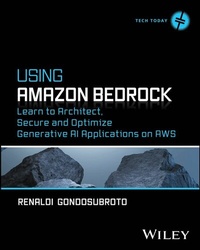
Using Amazon Bedrock
Description

A from-scratch roadmap to building generative AI solutions on AWS with Amazon Bedrock
In Using Amazon Bedrock: Learn to Architect, Secure and Optimize Generative AI Applications on AWS, accomplished Software Engineer, developer advocate, and AWS Community Builder, Renaldi Gondosubroto, delivers an in-depth walkthrough of Amazon Bedrock, the keystone generative AI service on the Amazon Web Services cloud. Gondosubroto offers a start-to-finish guide of the service and its capabilities, from prompt engineering with foundational models to building applications using the API, working with multimodal models, and fine-tuning.
This book provides hands-on instruction on Amazon Bedrock from an experienced developer and AI specialist. It's packed with real-world code samples, proven best practices, and techniques that result in reliable, secure, and cost-effective generative AI solutions. You'll also find:
- Demonstrations of robust governance guardrails and strategies for reducing development time
- Repeatable, industry-grade frameworks for continuously iterating and optimizing models in production
- Contemporary updates that incorporate the latest announcements made by Amazon at the re:Invent conference in December 2024 and beyond
Perfect for cloud architects, artificial intelligence engineers, and software engineers, Using Amazon Bedrock is an insightful, original, and practical roadmap to generative AI on AWS that explains the AI fundamentals you need to understand to get started in AWS generative AI development and the hands-on techniques you'll use every day to transform those concepts into efficient, working solutions.
More details
Other editions
Additional editions
Person
RENALDI GONDOSUBROTO is an AWS Community Builder, an accomplished software engineer with over a decade of architecting solutions on AWS, and a developer advocate in the tech community. He currently holds all 14 AWS certifications. He has extensive experience developing AI solutions for small and large enterprises.
Content
Introduction xxi
Part 1 Introduction to Your New Generative AI Playground 1
Chapter 1 Introduction to Generative AI on AWS 3
Chapter 2 Prompt Engineering with Foundational Models on AWS 43
Part 2 Core Generative AI on AWS 87
Chapter 3 Building Applications with the Amazon Bedrock API 89
Chapter 4 Working with Multimodal Foundational Models 133
Chapter 5 Fine-Tuning Foundational Models on AWS 183
Chapter 6 Performing Retrieval-Augmented Generation on AWS 225
Chapter 7 Optimizing Performance for Foundational Models 265
Part 3 Advancing the Building Blocks of Generative AI 309
Chapter 8 Security and Privacy for Deploying Generative AI Architectures on AWS 311
Chapter 9 Building End-to-End Applications with Generative AI 363
Chapter 10 Sustainability and Scalability with Amazon Bedrock 405
Appendix A Configuring Your AWS Account 433
Appendix B Installing Python, Jupyter Notebook, and LangChain 439
Index 443
