

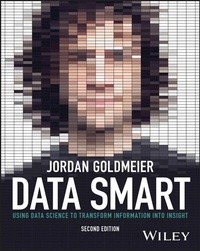
Data Smart
Description

Want to jump into data science but don't know where to start?
Let's be real, data science is presented as something mystical and unattainable without the most powerful software, hardware, and data expertise. Real data science isn't about technology. It's about how you approach the problem.
In this updated edition of Data Smart: Using Data Science to Transform Information into Insight, award-winning data scientist and bestselling author Jordan Goldmeier shows you how to implement data science problems using Excel while exposing how things work behind the scenes.
Data Smart is your field guide to building statistics, machine learning, and powerful artificial intelligence concepts right inside your spreadsheet.
Inside you'll find:
- Four-color data visualizations that highlight and illustrate the concepts discussed in the book
- Tutorials explaining complicated data science using just Microsoft Excel
- How to take what you've learned and apply it to everyday problems at work and life
- Advice for using formulas, Power Query, and some of Excel's latest features to solve tough data problems
- Smart data science solutions for common business challenges
- Explanations of what algorithms do, how they work, and what you can tweak to take your Excel skills to the next level
Data Smart is a must-read for students, analysts, and managers ready to become data science savvy and share their findings with the world.
More details
Other editions
Additional editions
Person
JORDAN GOLDMEIER is an award-winning author in analytics, data science, and data visualization, and 11-time Microsoft MVP winner. Jordan has served analytics solutions for global organizations like NATO, The World Bank and Habitat for Humanity, and Fortune 500 companies likes Principal Financial and H&M. He has taught as an instructor for Wake Forest University, and served as a volunteer Emergency Medical Technician in New York City.
Content
Introduction xix
1 Everything You Ever Needed to Know About Spreadsheets but Were Too Afraid to Ask 1
Some Sample Data 2
Accessing Quick Descriptive Statistics 3
Excel Tables 4
Filtering and Sorting 5
Table Formatting 7
Structured References 7
Adding Table Columns 10
Lookup Formulas 11
VLOOKUP 11
INDEX/MATCH 13
XLOOKUP 15
PivotTables 16
Using Array Formulas 19
Solving Stuff with Solver 20
2 Set It and Forget It: An Introduction to Power Query 27
What Is Power Query? 27
Sample Data 28
Starting Power Query 29
Filtering Rows 32
Removing Columns 33
Find & Replace 34
Close & Load to Table 35
3 Naïve Bayes and the Incredible Lightness of Being an Idiot 39
The World's Fastest Intro to Probability Theory 39
Totaling Conditional Probabilities 40
Joint Probability, the Chain Rule, and Independence 40
What Happens in a Dependent Situation? 41
Bayes Rule 42
Separating the Signal and the Noise 43
Using the Bayes Rule to Create an AI Model 44
High-Level Class Probabilities Are Often Assumed to Be Equal 45
A Couple More Odds and Ends 46
Let's Get This Excel Party Started 47
Cleaning the Data with Power Query 48
Splitting on Spaces: Giving Each Word Its Due 50
Counting Tokens and Calculating Probabilities 55
We Have a Model! Let's Use It 58
4 Cluster Analysis Part 1: Using K-Means to Segment Your Customer Base 65
Dances at Summer Camp 65
Getting Real: K-Means Clustering Subscribers in Email Marketing 70
The Initial Dataset 71
Determining What to Measure 72
Start with Four Clusters 75
Euclidean Distance: Measuring Distances as the Crow Flies 76
Solving for the Cluster Centers 80
Making Sense of the Results 82
Getting the Top Deals by Cluster 83
The Silhouette: A Good Way to Let Different K Values Duke It Out 86
How About Five Clusters? 95
Solving for Five Clusters 96
Getting the Top Deals for All Five Clusters 96
Computing the Silhouette for 5-Means Clustering 99
K-Medians Clustering and Asymmetric Distance Measurements 100
Using K-Medians Clustering 100
Getting a More Appropriate Distance Metric 100
Putting It All in Excel 102
The Top Deals for the 5-Medians Clusters 104
5 Cluster Analysis Part II: Network Graphs and Community Detection 109
What Is a Network Graph? 110
Visualizing a Simple Graph 110
Beyond GiGraph and Adjacency Lists 115
Building a Graph from the Wholesale Wine Data 117
Creating a Cosine Similarity Matrix 118
Producing an R-Neighborhood Graph 121
Introduction to Gephi 123
Creating a Static Adjacency Matrix 124
Bringing in Your R-Neighborhood Adjacency Matrix into Gephi 124
Node Degree 128
Touching the Graph Data 130
How Much Is an Edge Worth? Points and Penalties in Graph Modularity 132
What's a Point, and What's a Penalty? 133
Setting Up the Score Sheet 136
Let's Get Clustering! 138
Split Number 1 138
Split 2: Electric Boogaloo 143
And. . .Split3: Split with a Vengeance 145
Encoding and Analyzing the Communities 146
There and Back Again: A Gephi Tale 151
6 Regression: The Granddaddy of Supervised Artificial Intelligence 157
Predicting Pregnant Customers at RetailMart Using Linear Regression 158
The Feature Set 159
Assembling the Training Data 161
Creating Dummy Variables 163
Let's Bake Our Own Linear Regression 165
Linear Regression Statistics: R-Squared, F-Tests, t-Tests 173
Making Predictions on Some New Data and Measuring Performance 182
Predicting Pregnant Customers at RetailMart Using Logistic Regression 192
First You Need a Link Function 192
Hooking Up the Logistic Function and Reoptimizing 193
Baking an Actual Logistic Regression 196
7 Ensemble Models: A Whole Lot of Bad Pizza 203
Getting Started Using the Data from Chapter 6 203
Bagging: Randomize, Train, Repeat 204
Decision Stump is Another Name for a Weak Learner 204
Doesn't Seem So Weak to Me! 204
You Need More Power! 207
Let's Train It 208
Evaluating the Bagged Model 220
Boosting: If You Get It Wrong, Just Boost and Try Again 223
Training the Model-Every Feature Gets a Shot 224
Evaluating the Boosted Model 231
8 Forecasting: Breathe Easy: You Can't Win 235
The Sword Trade Is Hopping 236
Getting Acquainted with Time-Series Data 236
Starting Slow with Simple Exponential Smoothing 238
Setting Up the Simple Exponential Smoothing Forecast 240
You Might Have a Trend 249
Holt's Trend-Corrected Exponential Smoothing 250
Setting Up Holt's Trend-Corrected Smoothing in a Spreadsheet 252
So Are You Done? Looking at Autocorrelations 258
Multiplicative Holt-Winters Exponential Smoothing 266
Setting the Initial Values for Level, Trend, and Seasonality 268
Getting Rolling on the Forecast 274
And. . .Optimize! 280
Putting a Prediction Interval Around the Forecast 283
Creating a Fan Chart for Effect 287
Forecast Sheets in Excel 289
9 Optimization Modeling: Because That "Fresh-Squeezed" Orange Juice Ain't Gonna Blend Itself 293
Wait Is This Data Science? 294
Starting with a Simple Trade-Off 295
Representing the Problem as a Polytope 296
Solving by Sliding the Level Set 297
The Simplex Method: Rooting Around the Corners 298
Working in Excel 300
Fresh from the Grove to Your Glass with a Pit Stop Through a Blending Model 305
Let's Start with Some Specs 307
Coming Back to Consistency 308
Putting the Data into Excel 309
Setting Up the Problem in Solver 311
Lowering Your Standards 314
Dead Squirrel Removal: the Minimax Formulation 317
If-Then and the "Big M" Constraint 320
Multiplying Variables: Cranking Up the Volume to 11,000 324
Modeling Risk 330
Normally Distributed Data 331
10 Outlier Detection: Just Because They're Odd Doesn't Mean They're Unimportant 339
Outliers Are (Bad?) People, Too 340
The Fascinating Case of Hadlum v Hadlum 340
Tukey's Fences 341
Applying Tukey's Fences in a Spreadsheet 342
The Limitations of This Simple Approach 345
Terrible at Nothing, Bad at Everything 346
Preparing Data for Graphing 347
Creating a Graph 350
Getting the k-Nearest Neighbors 351
Graph Outlier Detection Method 1: Just Use the Indegree 352
Graph Outlier Detection Method 2: Getting Nuanced with k-Distance 355
Graph Outlier Detection Method 3: Local Outlier Factors Are Where It's At 358
11 Moving on From Spreadsheets 363
Getting Up and Running with R 364
A Crash Course in R-ing 366
Show Me the Numbers! Vector Math and Factoring 367
The Best Data Type of Them All: the Dataframe 370
How to Ask for Help in R 371
It Gets Even Better Beyond Base R 372
Doing Some Actual Data Science 374
Reading Data into R 374
Spherical K-Means on Wine Data in Just a Few Lines 375
Building AI Models on the Pregnancy Data 381
Forecasting in R 389
Looking at Outlier Detection 393
12 Conclusion 397
Where Am I? What Just Happened? 397
Before You Go-Go 397
Get to Know the Problem 398
We Need More Translators 398
Beware the Three-Headed Geek-Monster: Tools, Performance, and Mathematical Perfection 399
You Are Not the Most Important Function of Your Organization 401
Get Creative and Keep in Touch! 402
Index 403
Introduction
What Am I Doing Here?
If you're reading this book, it's because on some level you understand the importance of both data and data science in your business and career.
The original Data Smart was written more than a decade ago. John Foreman, the first book's author, exposed a new generation of readers to the supposed magic behind the curtain of data science. John proved that data science didn't have to be so mysterious. You could both understand and do data science in something as humble as the spreadsheet.
John's words severed as a prescient warning for what would come. He noted the "buzz about data science," and the pressure it created on businesses to take on data science projects and hire data scientists without even fully understanding why.
The truth is most people are going about data science all wrong. They're starting with buying the tools and hiring the consultants. They're spending all their money before they even know what they want, because a purchase order seems to pass for actual progress in many companies these days.
John's words still ring true today. Ten years after the first wave of interest in data science, the data science machine is still working in full force, churning out ideas faster than we can articulate the opportunities and challenges they present to business and society. In my last book, Becoming a Data Head: How to Think, Speak and Understand Data Science, Statistics and Machine Learning (Wiley, New York, NY, 2021), my coauthor and I called this the data science industrial complex.
To put it bluntly, despite the extensive interest in data and data science, projects still fail sometimes at alarming rates, even as data is supposed to be fact driven. In truth, as much as 87 percent data science projects won't make it into production.1
What is and isn't a "data disaster" is perhaps up from some considerable debate. But it's fair to say the recent past is filled with examples in which technology, data, and the like were hailed as something magical before they ultimately came up short. Here are just a few examples worth considering:
- An attorney used a generative AI chatbot for legal research, submitting a brief to the court with cases that did not exist, but perhaps sounded plausible.2
- The COVID-19 pandemic exposed major issues in forecasting across the board, from supply chain issues to understanding the spread of the virus.3
- When the original Data Smart came out, accurately predicting the outcome of the US presidential election seemed like an easy feat. In 2016, however, model after model inaccurately predicted a win for Hillary Clinton, despite increased money, time, and effort into the subject.4
Most data science projects and outcomes don't fail so spectacularly. Instead, data science projects die slow deaths, while management pours money and resources into chasing elusive numbers they don't entirely understand.
Yet, some of the greatest data achievements did not come from any particular technology. Rather, they came from human ingenuity. For instance, I used to lead projects for a nonprofit called DataKind, which leverages "data science and AI in service of Humanity."
DataKind uses teams of volunteer data scientists to help mission-driven organizations design solutions to tough social problems in an ethical and socially responsible way. When I was there, we worked with major organizations like the United Nations and Habitat for Humanity.
Volunteers built all sorts of models and tools, from forecasting water demand in California to using satellite imagery to identify villages in need with machine learning. The work we did had impact, so it's not all doom and gloom. When you're done with this book, you might consider giving back in your own way.5 Remember: Humans solve problems not machines.
What Is Data Science?
In my last book, Becoming a Data Head, Alex Gutman (my coauthor) and I actually don't define data science. One reason is that the space is too hard to pin down. And we didn't want folks to get caught up in trying to justify whether or not they were data scientists. In the original Data Smart, John Foreman offers this working definition:
Data science is the transformation of data using mathematics and statistics into valuable insights, decisions, and products.
John takes a broad, business-centric view. He's quick to note it's a "catchall buzzword for [everything] analytics today." Ten years later, I and the rest of the industry are still struggling to define exactly what data science is and isn't. So rather than proffer a definition as if that will get us closer to the truth, I'd rather describe what a data scientist does.
- Data scientists identify relevant questions that can be solved with data. This may sound obvious, but many questions can't be solved with data and technology. A good data scientist can tease out the problems in which algorithms and analyses make the most sense.
- Data scientists extract meaningful patterns and insights from data. Anyone can eyeball a set of numbers and draw their own conclusions. On the other hand, data scientists focus on what can be said statistically and verifiably. They separate speculation from science, focusing instead on what the data says.
- Finally, data scientists convey results using data visualization and clear communication. In many cases, a data scientist will have to explain how an algorithm works and what it does. Historically, this has been a challenge for many in the field. But a recent crop of books (like this one) aims at giving data scientists a way to explain how they came to their results without being too stuck into the weeds.
Incredibly, some of the techniques mentioned in the following pages are as old as World War II. They were invented at the dawn of the modern computer, long before you could easily spin up a new instance of R. The hype machine won't tell you these "new" algorithms were first developed on punch cards.
And some of the techniques in this book were invented recently, taking advantage of the wealth of data, self-service analytics, cloud computers, and new graphical processing units developed in the last 10 years.
Again, we're reminded that human ingenuity is what drives this field forward.
Age has no bearing on difficulty or usefulness. All these techniques whether or not they're currently the rage are equally useful in the right business context. It's up to you to use them correctly. That's why you need to understand how they work, how to choose the right technique for the right problem, and how to prototype with them.
Do Data Scientists Actually Use Excel?
Many (but not all) veteran data scientists will tell you they loathe spreadsheets and Excel in particular. They will say that Excel isn't the best place to create a data science model. To some extent, they're right.
But before you throw this book away, let's understand why they say this. You see, there was a time before R and before Python. It was a time when MATLAB and SPSS reigned supreme. The latter tools were expensive and often required a computer with some major horsepower to run a model. Moreover, the files that these tools generated were not easily distributable. And, in a secure corporate or institutional environment, sending files with code in them over email would trip the unsafe-email alarms.
As a result, many in the industry began building their work in Excel. This was particularly true of models that helped support executive decision-making. Excel was the secret way around these email systems. It was a way to build a mini data application without having to get approval from the security team.
Many executive teams relied on Excel. Unfortunately, this also created a myopic view among executives who didn't really understand data science. For them, Excel was the only place to do this type of work. It was where they were most comfortable.
They knew the product. They could see what the analyst created. And the analyst could walk them through each step. In fact, that's why we're using Excel in this book.
But Excel (at the time) was limited. Limited by how much it could process at any moment. Limited by the amount of data it could store. The macro language behind Excel, Visual Basic for Applications (VBA), is still hailed by many executives as an advanced feature. But VBA is based on Visual Basic 6.0, which was deprecated in 1999. The Excel version of this language has received only the barest of updates. When today's data scientists point out that VBA can't do what R or Python can, it's hard to disagree.
On the flipside, however, Microsoft has paid attention over the last few years. The Excel product team has come to understand how data scientists use their tool. They've poured more research into some very specific use cases. For instance, we'll talk about an entirely new data wrangling tool in Excel called Power Query. Power Query can do the same data wrangling tasks as in Python and R, often more quickly. And we'll talk about new Excel functions that make data science in Excel a whole lot easier. Today, there is renewed interest in using Excel for data science problems beyond what was possible only a few years ago.
But if there's a place where...
