

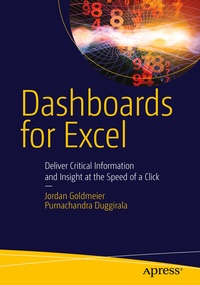
Dashboards for Excel
Description

In this book, you learn how to:
- Apply data visualization principles for more effective dashboards
- Employ dynamic charts and tables to create dashboards that are constantly up-to-date and providing fresh information
- Use understated yet powerful formulas for Excel development
- Apply advanced Excel techniques mixing formulas and Visual Basic for Applications (VBA) to create interactive dashboards
- Create dynamic systems for decision support in your organization
- Avoid common problems in Excel development and dashboard creation
- Get started with the Excel data model, PowerPivot, and Power Query
Reviews / Votes
"This book's index is detailed. . this is a very useful, detailed, and informative book that will be of great use to the intended audience." (David Bellin, Computing Reviews, April, 2016)
"The book is not only a step-by-step introduction on how to make a dashboard that would impress our colleagues and management. It goes one level further - what should we get into a good data visualization, best practises and pitfalls for it. . the book is really useful - if you are an Excel dashboard developer you would benefit from it!" (Vitosh Academy, vitoshacademy.com, March, 2016)
More details
Other editions
Additional editions
Content
Part I: All about Dashboards
1. Introduction to dashboard development
2. A Critical View of Information Visualization
3. The Principles of Visualization
4. Advanced Visualization
Part II: Excel Dashboard Design Basics
5. Getting Started: Thinking Outside the Cell
6. Visual Basic for Applications for Excel, a Refresher
7. Avoiding pitfalls in Excel development
Part III: Formulas, Controls, and Charts
8. The Components of a Dashboard
9. Introducing Formula Concepts
10. Applying Formula Concepts
11. Metrics: Context and Performance
12. Introduction to Controls
13. Project Management/Gantt Chart Dashboard
14. Project Management II: Adding Decision Support
15. Introduction to Dynamic Charts
16. Chart Minis
Part IV: From user interface to presentation
17. Getting Input from Users
18. Storage Patterns for User Input
19. Building for Sensitivity Analysis
20. Perfecting the Presentation
Part V: Advanced Dashboards with Databases
21. Introduction to Microsoft Business Intelligence
22. Data Model Capabilities of Excel 2013
23. Advanced Modeling with Slicers, Filters, and PivotTables
24. Power Query and other useful tools
