

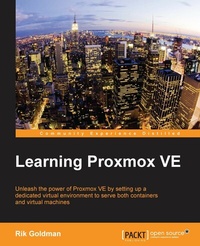
Learning Proxmox VE
Unleash the power of Proxmox VE by setting up a dedicated virtual environment to serve both containers and virtual machines
Published on 13. January 2025
224 pages
978-1-78398-179-3 (ISBN)
Description

Unleash the power of Proxmox VE by setting up a dedicated virtual environment to serve both containers and virtual machines
Key Features
[*]Create virtual machines and containers from the comfort of your workstation using Proxmox VE's web-based management interface
[*]Maximize performance, security, and the quality of virtual services by tailoring container and virtual machine configurations based on established best practices
[*]Put theory to practice by deploying virtual servers that promise portability, modularity, flexibility, security, and quality of service at any scale
Book DescriptionProxmox VE 4.1 provides an open source, enterprise virtualization platform on which to host virtual servers as either virtual machines or containers. This book will support your practice of the requisite skills to successfully create, tailor, and deploy virtual machines and containers with Proxmox VE 4.1. Following a survey of PVE's features and characteristics,this book will contrast containers with virtual machines and establish cases for both. It walks through the installation of Proxmox VE, explores the creation of containers and virtual machines, and suggests best practices for virtual disk creation, network configuration, and Proxmox VE host and guest security.Throughout the book, you will navigate the Proxmox VE 4.1 web interface and explore options for command-line management What you will learn
[*]Install and configure Proxmox VE
[*]Create new virtual machines and containers
[*]Import container templates and virtual appliances
[*]Optimize virtual machine performance for common use cases
[*]Apply the latest security patches to a Proxmox VE host
[*]Contrast PVE virtual machines and containers to recognize their respective use cases
[*]Secure virtual machines and containers
[*] Assess the benefits of virtualization on budgets, server real estate, maintenance, and management time
Who this book is forThis book is intended for server and system administrators and engineers who are eager to take advantage of the potential of virtual machines and containers to manage servers more efficiently and make the best use of resources, from energy consumption to hardware utilization and physical real estate
Key Features
[*]Create virtual machines and containers from the comfort of your workstation using Proxmox VE's web-based management interface
[*]Maximize performance, security, and the quality of virtual services by tailoring container and virtual machine configurations based on established best practices
[*]Put theory to practice by deploying virtual servers that promise portability, modularity, flexibility, security, and quality of service at any scale
Book DescriptionProxmox VE 4.1 provides an open source, enterprise virtualization platform on which to host virtual servers as either virtual machines or containers. This book will support your practice of the requisite skills to successfully create, tailor, and deploy virtual machines and containers with Proxmox VE 4.1. Following a survey of PVE's features and characteristics,this book will contrast containers with virtual machines and establish cases for both. It walks through the installation of Proxmox VE, explores the creation of containers and virtual machines, and suggests best practices for virtual disk creation, network configuration, and Proxmox VE host and guest security.Throughout the book, you will navigate the Proxmox VE 4.1 web interface and explore options for command-line management What you will learn
[*]Install and configure Proxmox VE
[*]Create new virtual machines and containers
[*]Import container templates and virtual appliances
[*]Optimize virtual machine performance for common use cases
[*]Apply the latest security patches to a Proxmox VE host
[*]Contrast PVE virtual machines and containers to recognize their respective use cases
[*]Secure virtual machines and containers
[*] Assess the benefits of virtualization on budgets, server real estate, maintenance, and management time
Who this book is forThis book is intended for server and system administrators and engineers who are eager to take advantage of the potential of virtual machines and containers to manage servers more efficiently and make the best use of resources, from energy consumption to hardware utilization and physical real estate
All prices
More details
Edition
Digital original
Language
English
Place of publication
Birmingham
United Kingdom
Target group
Professional and scholarly
US School Grade: College Graduate Student
Edition type
Digital original
File size
16,03 MB
ISBN-13
978-1-78398-179-3 (9781783981793)
Copyright in bibliographic data and cover images is held by Nielsen Book Services Limited or by the publishers or by their respective licensors: all rights reserved.
Schweitzer Classification
Other editions
Additional editions
Person
Rik Goldman had 18 years of professional IT experience and 17 years of teaching experience when he became the director of technology and a teacher of advanced computing at Chelsea School in 2012. Throughout his 10 years at the university, he concentrated on literary computing, new media, humanities computing, and virtuality. At first, Rik supported his studies by developing institutional websites and database applications; eventually, however, he became the administrator of Solaris and Irix servers for West Virginia University's Center for Literary Computing, a lab committed to the study of electronic texts, virtuality, and digital composition and rhetoric. In the classroom, Rik's commitment to authentic teaching and learning as well as his advocacy of social justice and equity have placed him at the vanguard of technology education. Working with and learning from his students, he has overseen projects that have provided real solutions for school infrastructure, data management, and programming. His many accomplishments reveal an educator who strives to provide authentic opportunities for learning and engagement, but his true legacy lies in what he has engendered in his students: a desire for knowledge, a critical urge, and an analyst's zeal for complex abstractions. Through this work with students and his responsibilities as a systems administrator, Rik has enjoyed a productive preoccupation with virtualization technologies and their impact on popular culture. Since his full-time adoption of Red Hat 5 at home, he has been committed to GNU/Linux and the underlying philosophies that have made it so successful. Consequently, he is a passionate advocate of open source and free software. Together with his students, he has contributed to the success of a myriad open source endeavors by developing documentation, writing code, and mentoring communities of young developers from around the world. In his free time, Rik enjoys reading literature, exploring critical theory, listening to records, and traveling to concerts with his family.
Content
Table of Contents
Proxmox VE Fundamentals
Installing Proxmox VE
Creating Containers
Creating Virtual Machines
Working with Virtual Disks
Networking and Proxmox VE
Secure your Servers
Proxmox VE Fundamentals
Installing Proxmox VE
Creating Containers
Creating Virtual Machines
Working with Virtual Disks
Networking and Proxmox VE
Secure your Servers

