

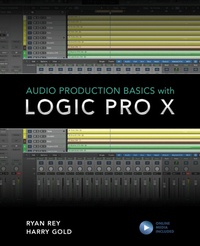
Audio Production Basics with Logic Pro X
1st Edition
Published on 30. April 2020
312 pages
978-1-5381-3724-6 (ISBN)
Description

Learn the basics of recording, editing, and mixing using Logic Pro X, a favorite audio platform of musicians everywhere. Filled with tips and insights, Audio Production Basics with Logic Pro X will guide you every step of the way. With this book and the included media files, you'll get practical, hands-on experience. We cover everything from setting up your computer to the fundamentals of audio production, including:
Basic Digital Audio Workstation operations and audio hardware optionsPrinciples of sound production and microphone use Essential Logic concepts and operationsMIDI fundamentals for playing and performing with virtual instruments Multi-track recording and signal processing techniquesMixing your project and using automationOutputting your final mixdown
Logic Pro X software is very powerful and easy to use once you know the basics. Take the first step now, with Audio Production Basics with Logic Pro X.
Basic Digital Audio Workstation operations and audio hardware optionsPrinciples of sound production and microphone use Essential Logic concepts and operationsMIDI fundamentals for playing and performing with virtual instruments Multi-track recording and signal processing techniquesMixing your project and using automationOutputting your final mixdown
Logic Pro X software is very powerful and easy to use once you know the basics. Take the first step now, with Audio Production Basics with Logic Pro X.
More details
Edition
1. Auflage
Language
English
Place of publication
New York
United States
Publishing group
Bloomsbury Publishing Plc
Illustrations
100 b/w photos; 20 tables; 20 textboxes
ISBN-13
978-1-5381-3724-6 (9781538137246)
Copyright in bibliographic data and cover images is held by Nielsen Book Services Limited or by the publishers or by their respective licensors: all rights reserved.
Schweitzer Classification
Other editions
Additional editions
Harry Gold | Ryan Rey
Audio Production Basics with Logic Pro X
Book
04/2020
Rowman & Littlefield Publishers
€43.50
Article in reprint
Persons
Ryan Rey is a composer, guitarist, educator, and San Francisco native. He teaches courses in Logic Pro X, music theory, piano, and sound for picture at Pyramind; studio recording and AV technology at Diablo Valley College; and a variety of subjects online through Pryamind's Mentorship Network. Rey is currently Director of the concert series Seventh Avenue Performances. He is also on the board of directors for Ninth Planet. Rey plays guitar and has composed for production music library CrimeSonics.
Harry Gold is a Bay Area-based blues and jazz guitarist, pianist, arranger, and singer. He is also an audio engineer and an Avid Certified Instructor for Pro Tools and Sibelius. Currently, Gold works as an Adjunct Professor at Academy of Art University, where he teaches classes in Logic, Pro Tools, Music Production, Score Preparation, Arranging and Composition. He also operates Fools Gold Studios in Berkeley, California.
.
Harry Gold is a Bay Area-based blues and jazz guitarist, pianist, arranger, and singer. He is also an audio engineer and an Avid Certified Instructor for Pro Tools and Sibelius. Currently, Gold works as an Adjunct Professor at Academy of Art University, where he teaches classes in Logic, Pro Tools, Music Production, Score Preparation, Arranging and Composition. He also operates Fools Gold Studios in Berkeley, California.
.
Content
- Audio Production Basicswith Logic Pro X
- Contents
- Acknowledgments
- Introduction. Welcome to the World of Audio
- Getting Started in Audio Production
- Who Should Read This Book
- About This Book
- Requirements and Prerequisites
- Media Files
- Course Organization and Sequence
- Conventions and Symbols Used in This Book
- Keyboard Shortcuts and Modifiers
- Icons
- Chapter 1. Computer Concepts
- Selecting a Computer
- Mac Versus Windows Considerations
- The Importance of RAM
- Processing Power
- Storage Space
- Storage Options
- Onboard Sound Options (Audio In and Out)
- Other Options to Consider
- Working with Your Computer
- File Management
- Launching Applications
- Saving Files
- Working with an Application
- Menus
- Keyboard Shortcuts
- Review/Discussion Questions
- Exercise 1. Exploring Audio on the Computer
- Chapter 2. DAW Concepts
- Functions of a DAW
- What Can a DAW Do?
- Common DAWs
- Plug-In Formats
- What Is a Plug-In?
- Common Plug-In Formats
- Logic Pro X System
- Logic Pro X Software Capabilities
- Logic Pro X Software Options
- Logic Pro X Hardware Options
- Downloading and Installing Logic Pro X
- System Requirements for Logic Pro X
- Installation Steps
- Launching Logic Pro X for the First Time
- Downloadable Content
- Important Preference Settings
- Project Settings
- Important Concepts in Logic Pro X
- Project Files Versus Audio Files
- Audio Versus MIDI
- Review/Discussion Questions
- Exercise 2. Setting Up a Multi-Track Project
- Chapter 3. Audio Recording Concepts
- The Basics of Audio
- Frequency
- Amplitude
- Microphones
- Traditional Microphones
- USB Microphones
- Other Considerations
- Basic Miking Techniques
- Multi-Tracking and Signal Flow
- What Is Multi-Track Recording?
- Recording Signal Flow
- Moving Audio from Analog to Digital
- Analog Versus Digital Audio
- The Analog-to-Digital Conversion Process
- The Audio Interface
- Audio Interface Considerations
- Working Without an Audio Interface
- Review/Discussion Questions
- Exercise 3. Selecting Your Audio Production Gear
- Chapter 4. MIDI Recording Concepts
- A Brief History of MIDI
- Digital Control
- The Birth of MIDI
- The MIDI Protocol
- MIDI Notes
- Program Changes
- Controller Messages
- MIDI Controllers
- Tone-Generating Keyboards
- Keyboard Controllers
- Drumpad Controllers
- Grid Controllers
- Alternate Controllers
- What to Look for in a MIDI Controller
- Purchasing a Keyboard Controller
- Setup and Signal Flow
- Plug-and-Play Setup
- MIDI Cables and Jacks
- Using a MIDI Interface
- Considerations for Using Multiple MIDI Devices
- MIDI Versus Audio
- What Is MIDI?
- Monitoring with Onboard Sound Versus Virtual Instruments
- Tracking with Virtual Instruments
- Creating Tracks for Virtual Instruments
- Summary
- Review/Discussion Questions
- Exercise 4. Selecting Your MIDI Production Gear
- Chapter 5. Logic Pro Concepts, Part 1
- Creating a Project
- Selecting a Track Type
- Enabling Advanced Tools
- Main Window
- The Control Bar
- Tracks Area Menu Bar
- Rulers
- Mixer Display and Window
- Working with Tracks
- Adding Tracks
- Mono Versus Stereo Tracks
- External MIDI Versus Software Instrument Tracks
- Regions Versus Files
- Selecting Tools
- Basic Navigation
- Using the Transport Controls
- Zooming and Scrolling in the Main Window
- Controlling Playback Behavior
- Monitoring Your Playhead Location
- Selections
- Selection Scenarios
- Review/Discussion Questions
- Exercise 5. Configuring and Working on a Project
- Chapter 6. Logic Pro X Concepts, Part 2
- Setting Up for Recording
- Recording Audio
- Making a Record Selection
- Record Enabling Audio Tracks
- Monitoring Record Enabled Audio Tracks
- Initiating a Record Take
- Stopping a Record Take
- Recording Additional Takes
- Recording MIDI
- Monitoring a MIDI Controller
- Record Enabling Software Instrument Tracks
- Overlap Recording on Software Instrument Tracks
- Importing Audio and MIDI
- Supported Audio Files
- Importing from the Desktop
- Importing from Media Browser and All Files Browser
- Using the Import Command
- Using Apple Loops
- Working in the Tracks Area
- Snap to Grid
- Setting the Snap Value
- Working with Regions and Selections
- Selecting a Tool for Editing
- Basic Editing Techniques
- Advanced Editing Techniques
- Review/Discussion Questions
- Exercise 6. Importing and Editing Regions
- Chapter 7. Mixing Concepts
- Basic Mixing
- Setting Levels
- Panning
- Staying Organized
- Processing Options and Techniques
- Gain-Based Processing
- Time-Based Processing and Effects
- Insert Effects Versus Send Effects
- Processing with External Gear
- Mixing in the Box
- Advantages of In-the-Box Mixing
- Getting the Most Out of an In-the-Box Mix
- Review/Discussion Questions
- Exercise 7. Creating a Basic Mix
- Chapter 8. Signal Processing
- Plug-In Basics
- Inserting Plug-Ins on Tracks
- Moving and Duplicating Plug-Ins
- Displaying Plug-In Windows
- Common Plug-In Controls
- Adjusting Plug-In Parameters
- Adjusting Plug-In Parameters with the Mouse
- Adjusting Plug-In Parameters with the Computer Keyboard
- EQ Processing
- Types of EQ
- Basic EQ Parameters
- EQ Plug-Ins in Logic Pro X
- Strategies for Using EQ
- Dynamics Processing
- Types of Dynamics Processors
- Basic Dynamics Parameters
- Dynamics Plug-Ins in Logic Pro X
- Strategies for Using Compression
- Strategies for Using a De-Esser
- Reverb and Delay Effects
- What Is Reverb?
- Reverb in Logic Pro X
- Applications for Reverb Processors
- What Is Delay?
- Delay in Logic Pro X
- Applications for Delay Processors
- Wet Versus Dry Signals
- Using Time-Based Effects as Plug-in Inserts
- Using Send-and-Return Configurations
- Review/Discussion Questions
- Exercise 8. Optimizing Tracks with Signal Processing
- Chapter 9. Finishing a Project
- Recalling a Saved Mix
- Using Automation
- Selecting an Automation Mode
- Writing Real-Time Automation
- Viewing Automation Curves
- Editing Automation Points
- Creating a Mixdown
- Adding Processing on the Stereo Output
- Considerations for Bouncing Audio
- Creating a Bounce of an Audio Mix
- Review/Discussion Questions
- Exercise 9. Preparing the Final Mix
- Chapter 10. Beyond the Basics
- Flex Time and Pitch
- Enabling Flex
- Flex Time
- Flex Pitch
- MIDI Editing Techniques
- Viewing MIDI Regions and Data
- Editing MIDI Data
- Working with Velocity
- Software Instrument Region Inspector
- Quantization in the Piano Roll Editor
- Submixing with Track Stacks
- Simplifying a Mix
- Using Track Stacks to Submix
- Creating Stems
- Keyboard Shortcuts
- Review/Discussion Questions
- Exercise 10. Finalizing a Project
- Index
- About the Authors
