

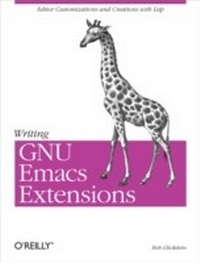
Writing GNU Emacs Extensions
Editor Customizations and Creations with Lisp
1st Edition
Published on 1. April 1997
240 pages
978-1-4493-9956-6 (ISBN)
Description

Yes, it is possible to be all things to all people, if you're talking about the Emacs editor. As a user, you can make any kind of customization you want, from choosing the keystrokes that invoke your favorite commands to creating a whole new work environment that looks like nothing ever developed before. It's all in Emacs Lisp -- and in this short but fast-paced book.GNU Emacs is more than an editor; it's a programming environment, a communications package, and many other things. To provide such a broad range of functions, it offers a full version of the Lisp programming language -- something much more powerful than the little macro languages provided in other editors (including older versions of Emacs). GNU Emacs is a framework in which you can create whole new kinds of editors or just alter aspects of the many functions it already provides.In this book, Bob Glickstein delves deep into the features that permit far-reaching Emacs customizations. He teaches you the Lisp language and discusses Emacs topics (such as syntax tables and macro templates) in easy-to-digest portions. Examples progress in complexity from simple customizations to extensive major modes.You will learn how to write interactive commands, use hooks and advice, perform error recovery, manipulate windows, buffers, and keymaps, exploit and alter Emacs's main loop, and more. Each topic is explored through realistic examples and a series of successive refinements that illustrate not only the Emacs Lisp language, but the development process as well, making learning pleasant and natural.
More details
Other editions
Additional editions
Book
05/1997
O'Reilly
€27.00
Article exhausted; check different version
Content
- Intro
- Table of Contents
- Preface
- What Is Emacs?
- Conventions Used in This Book
- Organization of This Book
- Obtaining the Example Programs
- Acknowledgments
- Chapter 1. Customizing Emacs
- Backspace and Delete
- Lisp
- Keys and Strings
- To What Is C-h Bound?
- To What Should C-h Be Bound?
- Evaluating Lisp Expressions
- Apropos
- Chapter 2. Simple New Commands
- Traversing Windows
- Line-at-a-Time Scrolling
- Other Cursor and Text Motion Commands
- Clobbering Symbolic Links
- Advised Buffer Switching
- Addendum: Raw Prefix Argument
- Chapter 3. Cooperating Commands
- The Symptom
- A Cure
- Generalizing the Solution
- Chapter 4. Searching and Modifying Buffers
- Inserting the Current Time
- Writestamps
- Modifystamps
- Chapter 5. Lisp Files
- Creating a Lisp File
- Loading the File
- Compiling the File
- eval-after-load
- Local Variables Lists
- Addendum: Security Consideration
- Chapter 6. Lists
- The Simple View of Lists
- List Details
- Recursive List Functions
- Iterative List Functions
- Other Useful List Functions
- Destructive List Operations
- Circular Lists?!
- Chapter 7. Minor Mode
- Paragraph Filling
- Modes
- Defining a Minor Mode
- Mode Meat
- Chapter 8. Evaluation and Error Recovery
- limited-save-excursion
- eval
- Macro Functions
- Backquote and Unquote
- Return Value
- Failing Gracefully
- Point Marker
- Chapter 9. A Major Mode
- My Quips File
- Major Mode Skeleton
- Changing the Definition of a Paragraph
- Quip Commands
- Keymaps
- Narrowing
- Derived Modes
- Chapter 10. A Comprehensive Example
- New York Times Rules
- Data Representation
- User Interface
- Setting Up the Mode
- Tracking Unauthorized Changes
- Parsing the Buffer
- Word Finder
- Last Word
- Conclusion
- Appendix A. Lisp Quick Reference
- Basics
- Data Types
- Control Structures
- Code Objects
- Appendix B. Debugging and Profiling
- Evaluation
- The Debugger
- The Debugger
- Edebug
- The Profiler
- Appendix C. Sharing Your Code
- Preparing Source Files
- Documentation
- Copyright
- Posting
- Appendix D. Obtaining and Building Emacs
- Availability of Packages
- Unpacking, Building, and Installing Emacs
- Index
- Symbols
- A
- B
- C
- D
- E
- F
- G
- H
- I
- J
- K
- L
- M
- N
- O
- P
- Q
- R
- S
- T
- U
- V
- W
- X
- Z
- About the Author
- Colophon
