

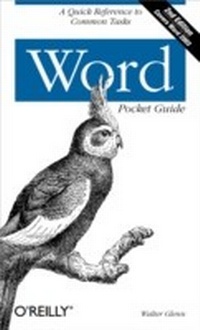
Word Pocket Guide
1st Edition
Published on 26. April 2004
178 pages
978-0-596-52915-4 (ISBN)
Description

Millions of people use Microsoft Word every day and, chances are, you're one of them. Like most Word users, you've attained a certain level of proficiency--enough to get by, with a few extra tricks and tips--but don't get the opportunity to probe much further into the real power of Word. And Word is so rich in features that regardless of your level of expertise, there's always more to master. If you've ever wanted a quick answer to a nagging question or had the thought that there must be a better way, then this second edition of Word Pocket Guide is just what you need.Updated for Word 2003, this compact book covers Microsoft Word's keyboard shortcuts, user interface, commands, and tasks. Following an overview of fundamental Word concepts, the guide explains how to accomplish specific tasks, such as formatting, spelling, editing, printing, customizing, and more. It also provides reference tables so you can quickly zoom in on the information you need, like keyboard shortcuts, regular expressions, and common file locations. This handy little book makes a perfect quick reference when you want to complete tasks faster without having to plow through a thousand-page tutorial.Word Pocket Guide, Second Edition is ideal for those making the move to Word 2003. In addition, it covers Word 2002, 2000, and 97. The book includes:A brief explanation of how Word works behind the scenesAn extensive guide section for common tasks as well as little-known solutionsReference tables for keyboard shortcuts, regular expressions, and common file locationsIf you're a Word power user, help desk staff, or anyone who wants to use advanced shortcuts or solve problems, Word Pocket Guide, Second Edition is a must-have.
More details
Other editions
Additional editions
Content
- Intro
- Contents
- Word Pocket Guide
- Introduction
- Conventions Used in This Book
- Understanding Word
- The Word Interface
- Template and Document Files
- How Templates Are Loaded
- Tips on Using Templates
- How a Document Works
- Formatting
- Sections
- Paragraphs
- The paragraph mark
- Tips on using paragraphs
- Characters
- Styles
- Shortcut Menus
- What Word Tries to Do for You
- AutoCorrect
- Smart Cut and Paste
- Spelling and Grammar
- The Most Common Word Complaints
- Word Tasks
- Working with Files
- Printing
- Moving Around in a Document
- Entering and Editing Text
- Using AutoText and AutoCorrect
- Inserting Text and Other Elements
- Selecting Text
- Copying and Pasting
- Formatting
- Character Formatting
- Paragraph Formatting
- Working with Formats and Styles
- Creating Lists
- Working with Borders and Background Colors
- Changing Your View
- Controlling the Flow of a Document
- Working with Breaks
- Columns
- Headers and Footers
- Inserting Fields and Reference Items
- Working with Fields
- Footnotes and Endnotes
- Cross-References, Captions, and Bookmarks
- Tables and Indexes
- Working with Hyperlinks
- Inserting Objects
- Clip Art, Drawings, and Pictures
- Text Boxes
- Manipulating Objects
- Embedding and Linking
- Working with Tables
- Spelling and Other Tools
- Spelling and Grammar
- Research Services
- XML
- Other Tools
- Hyphenation
- Letters, Envelopes, and Labels
- Setting Other Word Options
- Getting Help
- Customizing Word
- Setting General Customization Options
- Customizing Toolbars and Menus
- Customizing Keyboard Shortcuts
- Collaborating
- Sending Documents to People and Places
- Using Shared Workspaces
- Comments
- Tracking Changes
- Comparing Documents
- Using Macros
- Word Reference
- Command Reference
- Native Formats
- Startup Switches
- Wildcards and Find Codes
- Default File Locations
- Keyboard Shortcuts
- Word Resources
- Internet Sites
- Word Tools
- Index
