

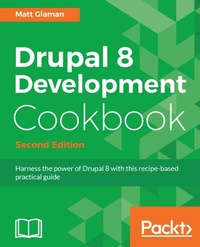
Drupal 8 Development Cookbook
Harness the power of Drupal 8 with this practical recipe-based guide
2nd Edition
Published on 8. July 2025
430 pages
978-1-78829-922-0 (ISBN)
Description

No detailed description available for "Drupal 8 Development Cookbook".
All prices
More details
Edition
2nd Revised edition
Language
English
Place of publication
Birmingham
United Kingdom
Target group
Professional and scholarly
US School Grade: College Graduate Student
Edition type
Revised edition
Product notice
Reflowable
File size
13,05 MB
ISBN-13
978-1-78829-922-0 (9781788299220)
Copyright in bibliographic data and cover images is held by Nielsen Book Services Limited or by the publishers or by their respective licensors: all rights reserved.
Schweitzer Classification
Other editions
Additional editions
Matt Glaman
Drupal 8 Development Cookbook Second Edition
Book
09/2017
Packt Publishing
€57.10
Shipment within 3-4 weeks
Person
Glaman Matt :
Matt Glaman is an open source developer who has been working with Drupal since 2013. Since then, he has contributed to Drupal core and over 60 community projects. He is also a speaker at multiple Drupal community events, including DrupalCon. Matt is currently a principal software engineer at Acquia and was previously a product lead at Centarro, helping maintain Drupal Commerce.
Matt Glaman is an open source developer who has been working with Drupal since 2013. Since then, he has contributed to Drupal core and over 60 community projects. He is also a speaker at multiple Drupal community events, including DrupalCon. Matt is currently a principal software engineer at Acquia and was previously a product lead at Centarro, helping maintain Drupal Commerce.
Content
- Cover
- Copyright
- Credits
- About the Author
- About the Reviewer
- www.PacktPub.com
- Customer Feedback
- Table of Contents
- Preface
- Chapter 1: Up and Running with Drupal 8
- Introduction
- Installing Drupal
- Getting ready
- How to do it...
- How it works...
- There's more...
- Creating a database user and a database
- Database prefixes
- Downloading and installing with Drush
- Using Composer to create a Drupal site
- Security updates
- See also
- Using a distribution with Drupal
- How to do it...
- How it works...
- There's more...
- Makefiles
- Installing with Drush
- Using Composer
- See also...
- Installing modules and themes
- Getting ready
- How to do it...
- How it works...
- Discovering modules and themes
- Module installation
- Theme installation
- There's more...
- Installing a module or theme using Composer
- Installing a module with Drush
- Uninstalling a module
- See also
- Using multisites in Drupal 8
- Getting ready
- How to do it...
- How it works...
- There's more...
- Security concerns
- Domain aliases
- See also...
- Tools for setting up an environment
- Getting ready
- How to do it...
- How it works...
- There's more...
- Acquia Dev Desktop
- XAMPP + Bitnami
- Kalabox
- See also
- Running tests - Simpletest and PHPUnit
- Getting ready
- How to do it...
- How it works...
- There's more...
- Is run-tests a shell script?
- Running tests without Drupal installed
- Running specific tests
- PhpStorm - Drupal Test Runner
- DrupalCI
- See also...
- Chapter 2: The Content Authoring Experience
- Introduction
- Configuring the WYSIWYG editor
- Getting ready
- How to do it...
- How it works...
- There's more...
- Filter module
- Improved links
- CKEditor plugins
- See also
- Adding and editing content
- Getting ready
- How to do it...
- How it works...
- There's more...
- Save as draft
- Pathauto
- Bulk moderation
- See also
- Creating a menu and linking content
- Getting ready
- How to do it...
- How it works...
- There's more...
- Managing a contents menu link from its form
- Providing inline editing
- How to do it...
- How it works...
- There's more...
- The outside-in approach
- Creating a custom content type
- How to do it...
- How it works...
- Applying new Drupal 8 core field types
- Getting ready
- How to do it...
- Link
- The Email field
- The Telephone field
- The Date field
- The Entity Reference field
- How it works...
- There's more...
- Upcoming updates
- Views and Entity Reference
- See also
- Customizing the form display of a node
- How to do it...
- How it works...
- There's more...
- Managing form display modes
- Programmatically providing a default to hidden form items
- See also
- Customizing the display output of a node
- How to do it...
- How it works...
- Chapter 3: Displaying Content through Views
- Introduction
- Listing content
- Getting ready
- How to do it...
- How it works...
- There's more...
- Views in Drupal core initiative
- Views and displays
- Format style plugins - style and row
- Using the Embed display
- See also
- Editing the default admin interfaces
- How to do it...
- How it works...
- There's more...
- Exposed versus non-exposed
- Filter identifiers
- Overriding routes with Views
- Creating a block from a View
- Getting ready
- How to do it...
- How it works...
- There's more...
- Exposed forms as blocks
- See also
- Utilizing dynamic arguments
- How to do it...
- How it works...
- There's more...
- Previewing with contextual filters
- Displaying as a tab on the user page
- Altering the page title
- Validation
- Multiple and exclusion
- Adding a relationship in a View
- How to do it...
- How it works...
- There's more...
- Relationships provided by entity reference fields
- Relationships provided through custom code
- Using aggregation and views.
- Providing an Entity Reference result View
- How to do it...
- How it works...
- See also
- Chapter 4: Extending Drupal
- Introduction
- Creating a module
- How to do it...
- How it works...
- There's more...
- Module namespaces
- Module discovery locations
- Defining a package group
- Module dependencies
- Specifying the module's version
- See also...
- Defining a custom page
- Getting ready
- How to do it...
- How it works...
- There's more...
- Parameters in routes
- Validating parameters in routes
- Route requirements
- Providing dynamic routes
- Altering existing routes
- See also
- Defining permissions
- Getting ready
- How to do it...
- How it works...
- There's more...
- Restrict access flag for permissions
- Defining permissions programmatically
- Checking whether a user has permissions
- Providing the configuration on the installation or update
- Getting ready
- How to do it...
- How it works...
- There's more...
- Configuration subdirectories
- Modifying the existing configuration on installation
- See also
- Creating an event subscriber
- How to do it...
- How it works...
- There's more...
- Using dependency injection
- See also
- Using Features 3.0
- How to do it...
- How it works...
- There's more...
- Suggested feature modules
- Features bundles
- Managing the configuration state of Features
- See also
- Chapter 5: Frontend for the Win
- Introduction
- Creating a custom theme based on Classy
- How to do it...
- How it works...
- There's more...
- Theme screenshots
- Themes, logos, and favicons
- Base themes and shared resources
- CKEditor style sheets
- See also
- Using the new asset management system
- Getting ready
- How to do it...
- How it works...
- There's more...
- CSS groups
- Library asset options
- Library dependencies
- Overriding and extending other libraries
- Using a CDN or external resource as a library
- Manipulating libraries from hooks
- Placing JavaScript in the header
- See also
- Twig templating
- Getting ready
- How to do it...
- How it works...
- There's more...
- Security first
- Theme hook suggestions
- Debugging template file selection and hook suggestions
- The Twig logic and operators
- See also
- Using the Breakpoint module
- Getting ready
- How to do it...
- How it works...
- There's more...
- Caveat for providing breakpoints from themes
- Accessing breakpoints programmatically
- Multipliers
- See also
- Using the Responsive Image module
- Getting ready
- How to do it...
- How it works...
- There's more...
- Performance first delivery
- Removing picturefill polyfill
- See also
- Chapter 6: Creating Forms with the Form API
- Introduction
- Creating a form
- Getting ready
- How to do it...
- How it works...
- There's more...
- Form element definitions
- The form state
- The form cache
- See also
- Using new HTML5 elements
- Getting ready
- How to do it...
- How it works...
- There's more...
- Specific element properties
- Creating new elements
- See also
- Validating form data
- Getting ready
- How to do it...
- How it works...
- There's more...
- Multiple validation handlers
- Accessing multidimensional array values
- Element validation methods
- Processing submitted form data
- Getting ready
- How to do it...
- How it works...
- There's more...
- Multiple submit handlers
- See also
- Altering other forms
- Getting ready
- How to do it...
- How it works...
- There's more...
- Adding additional validate handlers
- Adding additional submit handlers
- Chapter 7: Plug and Play with Plugins
- Introduction
- Creating blocks using plugins
- Getting ready
- How to do it...
- How it works...
- There's more...
- Altering blocks
- Block settings forms
- Defining access to a block
- See also
- Creating a custom field type
- Getting ready
- How to do it...
- How it works...
- There's more...
- Altering field types
- Defining whether a field is empty
- See also
- Creating a custom field widget
- Getting ready
- How to do it...
- How it works...
- There's more...
- Field widget settings and summary
- See also
- Creating a custom field formatter
- Getting ready
- How to do it...
- How it works...
- There's more...
- Formatter settings and summary
- See also
- Creating a custom plugin type
- Getting ready
- How to do it...
- How it works...
- There's more...
- Specifying an alter hook
- Using a cache backend
- Accessing plugins through the manager
- See also
- Chapter 8: Multilingual and Internationalization
- Introduction
- Translating administrative interfaces
- Getting ready
- How to do it...
- How it works...
- There's more...
- Manually installing language files
- Checking translation status
- Exporting translations
- Interface translation permissions
- Using interface translation to customize default English strings
- Interface text language detection
- Providing translations for a custom module
- See also
- Translating configuration
- Getting ready
- How to do it...
- How it works...
- There's more...
- Altering configuration translation info definitions
- Translating views
- See also
- Translating content
- Getting ready
- How to do it...
- How it works
- There's more...
- Flagging translations as outdated
- Translating content links
- Defining translation handlers for entities
- See also
- Creating multilingual views
- Getting ready
- How to do it...
- How it works...
- There's more...
- Translating exposed form items and filters
- Translating display and row format items
- Translating page display menu items
- See also
- Chapter 9: Configuration Management - Deploying in Drupal 8
- Introduction
- Importing and exporting configurations
- Getting ready
- How to do it...
- How it works...
- There's more...
- Configuration dependencies
- Saving to a YAML file for a module's configuration installation
- Configuration schemas
- See also
- Synchronizing site configurations
- Getting ready
- How to do it...
- How it works...
- There's more...
- Universally Unique Identifier
- A synchronization folder
- Installing a configuration from a new site
- Using command-line workflow processes
- Getting ready...
- How to do it...
- How it works...
- There's more...
- Drush config-pull
- Using the Drupal Console
- Editing the configuration from the command line
- Exporting a single configuration item
- Using version control and command-line workflow
- See also
- Updating and installing new module configurations
- How to do it...
- How it works...
- There's more...
- The Configuration Development module
- See also
- Chapter 10: The Entity API
- Introduction
- Creating a configuration entity type
- Getting ready
- How to do it...
- How it works...
- There's more...
- Available data types for schema definitions
- See also
- Creating a content entity type
- Getting ready
- How to do it...
- How it works...
- There's more...
- Using the AdminHtmlRouteProvider provider
- Making the collection route a local task tab
- See also
- Creating a bundle for a content entity type
- Getting ready
- How to do it...
- How it works...
- There's more...
- Provide action links for adding new bundles
- See also
- Implementing custom access control for an entity
- Getting ready
- How to do it...
- How it works...
- There's more...
- Controlling access to entity fields
- See also
- Providing a custom storage handler
- Getting ready
- How to do it...
- How it works...
- There's more...
- Utilizing a different storage backend for an entity
- See also
- Creating a route provider
- Getting ready
- How to do it...
- How it works...
- There's more...
- The Entity API module provides additional providers
- See also
- Chapter 11: Off the Drupalicon Island
- Introduction
- Implementing and using a third-party JavaScript library
- Getting ready
- How to do it...
- How it works...
- There's more...
- Best practices for handling external libraries
- See also
- Implementing and using a third-party CSS library
- Getting ready
- How to do it...
- How it works...
- See also
- Implementing and using a third-party PHP library
- Getting ready
- How to do it...
- How it works...
- See also
- Chapter 12: Web Services
- Introduction
- Enabling RESTful interfaces
- Getting ready
- How to do it...
- How it works...
- There's more...
- Using _format instead of the Accept header
- RestResource plugin to expose data through RESTful Web Services
- Rate limiting your API
- Using the HAL format
- See also
- Using POST to create data
- Getting ready
- How to do it...
- How it works...
- There's more...
- Using HAL and understanding _links requirements
- Working with images
- Using Cross-Site Request Forgery tokens
- See also
- Using PATCH to update data
- Getting ready
- How to do it...
- How it works.
- Using Views to provide custom data sources
- How to do it.
- How it works
- There's more...
- Controlling the key name in JSON output
- Controlling access to RESTful Views
- Authentication
- Getting ready
- How to do it
- How it works
- There's more.
- Authentication provider services
- Page cache request policies and authenticated Web service requests
- The IP Authentication provider
- See also
- Using JSON API
- Getting ready
- How to do it
- How it works...
- There's more...
- Paginating, filtering, and sorting requests
- Installing the JSON API Extras module
- Changing the API path prefix
- Disabling and enhancing returned entity fields
- Contenta CMS
- See also
- Chapter 13: The Drupal CLI
- Introduction
- Rebuilding cache in Drupal Console or Drush
- How to do it.
- How it works.
- See also
- Using Drush to interact with the database
- Getting ready
- How to do it...
- How it works...
- There's more.
- Using gzip with sql-dump
- Using Console to interact with the database
- Using Drush to manage users
- How to do it.
- How it works.
- There's more.
- Advanced user-login use cases
- Using Drupal Console
- Scaffolding code through Console
- Getting ready
- How to do it.
- How it works.
- Making a Drush command
- Getting ready
- How to do it.
- How it works.
- There's more.
- Specifying the level of Drupal's bootstrap
- See also
- Making a Console command
- Getting ready
- How to do it.
- How it works.
- There's more.
- Using a Console command to create entities
- See also
- Index
