

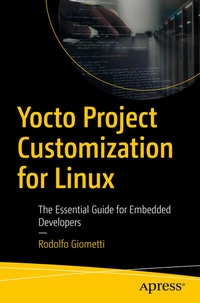
Yocto Project Customization for Linux
Description

Embedded computers have become very complex and are now called upon to solve a range of increasingly advanced problems. This added complexity means embedded systems need even more complex operating systems in order to work as required.
The Yocto Project is now the effective standard for most embedded systems around the world due to its robustness and high configuration, availability of software packages and the ability to support several hardware platforms with common mechanisms so that developers can deploy their systems with ease regardless of the machine.
Yocto Project Customization for Linux is not just another book talking about the Yocto Project, but shows how the Yocto Build system really works. Developers can easily and quickly move from the demo Yocto Project distributions that silicon vendors rely on for their development kits to their final product. This book is a practical guide teaching you everything you need to know about writing new recipes and customizing existing ones by explaining the Build System internals and how to manage them for your ongoing projects.
You Will Learn:
- To understand Yocto Project internals and how Yocto Project tools work
- How to define a new meta layer or a new machine/distro in order to generate a custom Yocto Project image for their embedded system
- To generate a new Yocto Project recipe for your software, or to alter an already existing recipe in order to fit your needs
- How to update one or more packages on their running Yocto Project system
- How to optimize and effectively manage the Yocto Build System
Who is it for:
This is for embedded developers as well as Linux users who want to know more how to use Yocto
More details
Other editions
Additional editions
Person
Rodolfo Giometti is an Engineer, IT specialist, embedded GNU/Linux expert and Software Libre evangelist. He has over twenty years of experience with GNU/Linux Embedded on x86, ARM, MIPS & PowerPC based platforms, and he is the maintainer of the LinuxPPS projects (the Linux's Pulse Per Second subsystem). Rodolfo still actively contributes to the Linux source code contributing several patches and new device drivers for industrial applications devices.
Content
1: Setting up the Build Environment.-2: Installing the Sources.-3: Yocto Basics.- 4: Yocto Tools.- 5: BitBake Internals.- 6: Recipes.- 7: Generating and Managing Layers.- 8: Adding New Hardware.- 9: C Application Recipes.- 10: Python Application Recipes.- 11: Miscellaneous Recipes.- 12: Image Recipes.- 13: Optimization and Best Practices.
