

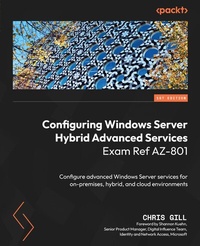
Configuring Windows Server Hybrid Advanced Services Exam Ref AZ-801
Description

Configuring Windows Server Hybrid Advanced Services Exam Ref AZ-801 helps you master various cloud and data center management concepts in detail, helping you grow your expertise in configuring and managing Windows Server in on-premises, hybrid, and cloud-based workloads. Throughout the book, you'll cover all the topics needed to pass the AZ-801 exam and use the skills you acquire to advance in your career. With this book, you'll learn how to secure your on-premises Windows Server resources and Azure IaaS workloads. First, you'll explore the potential vulnerabilities of your resources and learn how to fix or mitigate them. Next, you'll implement high availability Windows Server virtual machine workloads with Hyper-V Replica, Windows Server Failover Clustering, and Windows File Server. You'll implement disaster recovery and server migration of Windows Server in on-premises and hybrid environments. You'll also learn how to monitor and troubleshoot Windows Server environments. By the end of this book, you'll have gained the knowledge and skills required to ace the AZ-801 exam, and you'll have a handy, on-the-job desktop reference guide.
All prices
More details
Content
- Cover
- Title Page
- Copyright abd Credits
- Foreword
- Contributors
- Table of Contents
- Preface
- Part 1: Exam Overview and the Current State of On-Premises, Hybrid, and Cloud Workflows
- Chapter 1: Exam Overview and the Current State of Cloud Workloads
- Technical requirements and lab setup
- Preparing for a Microsoft exam
- Step 1 - Reviewing the exam skills outline
- Step 2 - Review the skills measured and practice to improve your skills
- Step 3 - Identify additional learning materials
- Exam format and exam demo experience
- Resources available and utilizing Microsoft Learn for supplemental experience
- Where and when to take the exam
- Creating a Microsoft 365 trial subscription and free Azure account
- Setting up a lab environment using Hyper-V
- Exam objectives
- Who should take the AZ-801 exam?
- The current state of on-premises, hybrid, and cloud workflows (and how they can work together to deliver for you and your business needs)
- Identifying current hybrid cloud trends
- Defining on-premises infrastructure
- Defining hybrid infrastructure
- Defining cloud-native infrastructure
- On-premises versus hybrid versus cloud-native - is there a one size fits all?
- Summary
- Part 2: Secure Windows Server On-Premises and Hybrid Infrastructures
- Chapter 2: Securing the Windows Server Operating System
- Technical requirements and lab setup
- Installing a new Windows Server 2022 domain controller
- Installing a new Windows Server 2022 file server
- Configuring and managing exploit protection
- What is exploit protection?
- How does exploit protection work?
- Exploit protection mitigations
- Using exploit protection Audit mode
- Enabling exploit protection using the Windows Security app
- Enabling exploit protection using Microsoft Endpoint Manager
- Enabling exploit protection using Group Policy
- Enabling exploit protection using PowerShell
- Configuring and managing WDAC
- Enabling WDAC using Microsoft Endpoint Manager
- Configuring and managing Microsoft Defender for Endpoint
- Licensing, software, and hardware requirements for Microsoft Defender for Endpoint
- Onboarding devices to Microsoft Defender for Endpoint
- Offboarding devices from Microsoft Defender for Endpoint
- Configuring and managing Windows Defender Credential Guard
- Requirements for enabling Windows Defender Credential Guard
- Enabling Windows Defender Credential Guard using the hardware readiness tool
- Enabling Windows Defender Credential Guard using Group Policy
- Configuring Microsoft Defender SmartScreen
- Configuring Microsoft Defender SmartScreen on an individual device
- Configuring Microsoft Defender SmartScreen using Intune
- Additional notes on Microsoft Defender SmartScreen
- Implementing operating system security by using Group Policy
- Summary
- Chapter 3: Securing a Hybrid Active Directory (AD) Infrastructure
- Technical requirements and lab setup
- Establishing a custom domain name
- Synchronizing on-premises AD with Azure AD
- Configuring self-service password reset (SSPR)
- Configuring and managing password policies
- Enabling password block lists
- Configuring and managing account and user security
- Managing protected users
- Configuring account security
- Managing account security on a Read-Only Domain Controller (RODC)
- Securing domain controllers
- Hardening domain controllers
- Restricting access to domain controllers
- Configuring authentication policies silos
- Managing AD built-in groups and delegation
- Managing AD built-in administrative groups
- Managing AD delegation of privileges
- Implementing and managing Microsoft Defender for Identity
- Microsoft Defender for Identity prerequisites
- Installation and management process overview
- Summary
- Chapter 4: Identifying and Remediating Windows Server Security Issues Using Azure Services
- Technical requirements and lab setup
- Introduction to hybrid security using Microsoft Sentinel and Microsoft Defender for Cloud
- Establishing a Data Collection Rule for Azure Monitor Agent
- Installing the Azure Arc Connected Machine Agent
- Monitoring on-premises servers and Azure IaaS VMs using Microsoft Sentinel
- Identifying and remediating security issues for on-premises servers and Azure-hosted VMs with MDC
- Summary
- Chapter 5: Secure Windows Server Networking
- Technical requirements and lab setup
- Introduction to Windows Defender Firewall
- Managing Windows Defender Firewall
- Implementing domain isolation
- Implementing connection security rules
- Summary
- Chapter 6: Secure Windows Server Storage
- Introduction to NSGs
- Introduction to ASGs
- Overview of Azure service tags
- Overview of the Azure Storage firewall
- Technical requirements and lab setup
- Managing BitLocker
- BitLocker general system requirements
- BitLocker basic setup
- Managing and recovering encrypted volumes
- Enabling storage encryption by using ADE
- Managing Disk Encryption keys for IaaS VMs
- Summary
- Part 3: Implement and Manage Windows Server High Availability
- Chapter 7: Implementing a Windows Server Failover Cluster
- Overview of Windows Server Failover Clustering
- What is WSFC?
- What workloads can WSFC be used for?
- What is the difference between a Failover Cluster and a hyper-converged cluster?
- Technical requirements and lab setup
- Introduction to Windows Admin Center
- Creating and managing a Windows Server Failover Cluster
- Configuring network settings for Failover Clustering
- Configuring Windows Server Failover Cluster storage options
- Configuring cluster workload options
- Configuring Stretch Clusters
- Configuring Scale-Out File Server
- Configuring Cluster Sets
- Summary
- Chapter 8: Managing Failover Clustering
- Technical requirements and lab setup
- Managing failover clusters using Windows Admin Center
- Implementing cluster-aware updating
- Introduction to cluster-aware updating for Windows Server failover clusters
- Installing Windows updates on cluster nodes
- Recovering a failed cluster node
- Upgrading a node to Windows Server 2022
- Failing over workloads between nodes
- Summary
- Chapter 9: Implementing and Managing Storage Spaces Direct
- Technical requirements and lab setup
- Introduction to Storage Spaces Direct (S2D)
- Uses for S2D
- Prerequisites for S2D
- Deployment modes for S2D
- Managing S2D
- Implementing networking for S2D
- Deploying S2D on Windows Server
- Upgrading an S2D cluster node
- S2D upgrade options
- Prerequisites and general limitations
- Summary
- Part 4: Implement Disaster Recovery
- Chapter 10: Managing Backup and Recovery for Windows Server
- Technical requirements and lab setup
- Cost management review
- Using Azure Backup Server to manage, back up, and recover files
- Installing and managing Azure Backup Server
- Backing up and recovering files and folders using Azure Backup Server
- Using Azure Recovery Services vault to manage, back up, and restore files and folders
- Creating a backup policy for an Azure Recovery Services vault
- Managing backups in an Azure Recovery Services vault
- Configuring backups for Azure Virtual Machines using the built-in backup agent
- Recovering a VM using temporary snapshots
- Restoring or recovering VMs to existing or new Azure Virtual Machines
- Summary
- Chapter 11: Implementing Disaster Recovery Using Azure Site Recovery
- Technical requirements and lab setup
- Introduction to Azure Site Recovery
- Configuring Azure Site Recovery networking
- Configuring Azure Site Recovery for on-premises VMs
- Configuring a recovery plan
- Configuring Azure Site Recovery policies
- Configuring Azure Site Recovery for Azure Virtual Machines
- Implementing VM replication to a secondary data center or Azure region
- Summary
- Chapter 12: Protecting Virtual Machines by Using Hyper-V Replicas
- Technical requirements and lab setup
- Introduction to Hyper-V Replica
- Configuring Hyper-V hosts for replication
- Configuring VM replication
- Managing Hyper-V replica servers
- Performing a VM failover
- Summary
- Part 5: Migrate Servers and Workloads
- Chapter 13: Migrating On-Premises Storage to On-Premises Servers or Azure
- Technical requirements and lab setup
- Introduction to Storage Migration Service
- Transferring data and sharing configuration
- Cutting over to a new server by using Storage Migration Service
- Using Storage Migration Service to migrate to Azure Virtual Machines
- Migrating to Azure File shares
- Summary
- Chapter 14: Migrating On-Premises Servers to Azure
- Technical requirements and lab setup
- Introduction to Azure Migrate
- Migrating using Azure Migrate tools
- Deploying and configure the Azure Migrate appliance
- Migrating VM workloads to Azure IaaS
- Migrating physical workloads to Azure IaaS
- Summary
- Chapter 15: Migrating Workloads from Previous Versions to Windows Server 2022
- Technical requirements and lab setup
- General recommendations for migrating Windows Server workloads
- Migrate Internet Information Services (IIS)
- Migrating Hyper-V hosts
- Migrating RDS host servers
- Migrating DHCP servers
- Migrating print servers
- Summary
- Chapter 16: Migrating IIS Workloads to Azure
- Technical requirements and lab setup
- Migrating IIS workloads to Azure Web Apps
- Migrating IIS workloads to containers
- Summary
- Chapter 17: Migrating an Active Directory Domain Services (AD DS) Infrastructure to Windows Server 2022 AD DS
- Technical requirements and lab setup
- Upgrading an existing forest
- Migrating AD DS objects, users, groups, and Group Policy objects using the Active Directory Migration Tool
- Migrating to a new Active Directory forest
- Summary
- Part 6: Monitor and Troubleshoot Windows Server Environments
- Chapter 18: Monitoring Windows Server Using Windows Server Tools and Azure Services
- Technical requirements and lab setup
- Configuring monitoring and alerting for Windows Server
- Monitoring Windows Server using Performance Monitor
- Creating and configuring Data Collector Sets
- Monitoring servers and configuring alerts using Windows Admin Center
- Monitoring servers using System Insights
- Managing Windows Server event logs
- Deploying Azure Monitor Agents
- Collecting performance counters for Azure
- Creating Azure Monitor alerts
- Monitoring Azure Virtual Machines using the Azure Diagnostics extension
- Monitoring Azure Virtual Machines performance using VM Insights
- Summary
- Chapter 19: Troubleshooting Windows Server On-Premises and Hybrid Networking
- Technical requirements and lab setup
- Troubleshooting hybrid network connectivity
- Network health and metrics
- Network Watcher
- Troubleshooting on-premises connectivity
- Summary
- Chapter 20: Troubleshooting Windows Server Virtual Machines in Azure
- Technical requirements and lab setup
- Troubleshooting deployment failures
- Troubleshooting booting failures
- Reviewing Boot diagnostics
- Working with Azure Serial Console
- Troubleshooting VM performance issues
- Troubleshooting VM extension issues
- Troubleshooting disk encryption issues
- Troubleshooting storage
- Troubleshooting VM connection issues
- Summary
- Chapter 21: Troubleshooting Active Directory
- Technical requirements and lab setup
- Restoring objects from AD Recycle Bin
- Recovering an AD database using DSRM
- Recovering SYSVOL
- Troubleshooting AD replication
- Troubleshooting hybrid authentication issues
- Troubleshooting on-premises AD
- Summary
- Chapter 22: Final Assessment and Mock Exam/Questions
- Mock exam practice questions
- Mock exam practice answers
- Lab environment housekeeping
- To completely remove all local Hyper-V virtual machines
- To completely remove all Azure resources for your AZ801 exam tenant
- Summary
- Index
- Other Books You May Enjoy
