

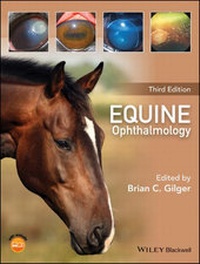
Equine Ophthalmology
3rd Edition
Published on 31. October 2016
680 pages
978-1-119-04785-8 (ISBN)
Description

Now available in a fully updated third edition, Equine Ophthalmology is the most comprehensive and current clinical resource for the diagnosis and treatment of ophthalmic disease in horses.
* Provides complete, authoritative information on the diagnosis and treatment of ophthalmic disease in horses
* Fully updated with improved figures, the latest research, and new chapters on advanced diagnostics, foal ophthalmology, neuro-ophthalmology, national and international regulations, and an expanded chapter on inherited ocular disease
* Features contributions from an international group of equine experts, under the editorship of a leading equine veterinary specialist
* Offers comprehensive coverage of clinical and reference information ideal for specialists, general equine practitioners, and veterinary students alike
* Includes access to a companion website with expanded content and figures
Reviews / Votes
"The third edition of Equine Ophthalmology is an excellent resource for both general equine practitioners and veterinary ophthalmologists. The content is organized in a concise but thorough format. The book provides information regarding the equipment necessary for a complete ophthalmic examination and practical advice for both medical and surgical management of various ophthalmic diseases. The images of various ophthalmic diseases, along with charts and tables summarizing treatments, will aid equine practitioners in providing excellent ophthalmic care to their patients. I have used the previous versions of this book for several years, and I highly recommend this edition for anyone wanting to expand their knowledge of equine ophthalmology" (Reviewed by Meredith L. Voyles, DVM, MS, DACVO, Veterinary Ophthalmology Services, Nashville, Tenn 15th June 2017 AVMA)More details
Other editions
Additional editions
Brian C. Gilger
Equine Ophthalmology
Book
12/2016
3rd Edition
Wiley
Unfortunately, price unknown
Article exhausted; check for reprint
Person
Brian C. Gilger, DVM, MS, DACVO, is the head of the equine ophthalmology service at North Carolina State University in Raleigh, North Carolina, USA.
Content
List of contributors, iv
Preface to the third edition, vi
About the companion website, vii
1 Equine ocular examination basic techniques, 1
Riccardo Stoppini and Brian C. Gilger
2 Advanced ophthalmic imaging in the horse, 40
Eric C. Ledbetter and Ruth A. Van Hatten
3 Practical field ophthalmology, 72
Ann E. Dwyer
4 Ophthalmic diseases of foals, 112
Marta Leiva and Teresa Peña
5 Diseases and surgery of the globe and orbit, 151
Claudia Hartley and Rachael A. Grundon
6 Diseases of the adnexa and nasolacrimal system, 197
Elizabeth A. Giuliano
7 Diseases of the cornea, 252
Dennis E. Brooks, Andrew Matthews, and Alison B. Clode
8 Diseases of the uvea, uveitis, and recurrent uveitis, 369
Brian C. Gilger and Steven R. Hollingsworth
9 Diseases and surgery of the lens, 416
Richard J. McMullen Jr and Brian C. Gilger
10 Glaucoma, 453
David A. Wilkie, Anne J. Gemensky?]Metzler, Mary Lassaline, and Dennis E. Brooks
11 Diseases of the equine vitreous and retina, 469
Rachel A. Allbaugh, Wendy M. Townsend, and David A. Wilkie
12 Equine vision, 508
Paul E. Miller and Christopher J. Murphy
13 Inherited ocular disorders, 545
Lynne Sheila Sandmeyer and Rebecca Bellone
14 Equine neuro?]ophthalmology, 567
Elsa Beltran, Kaspar Matiasek, and Claudia Hartley
15 Ocular manifestations of systemic disease, 591
Jennifer L. Davis
16 National and international regulations on ophthalmic disease and medications, 624
Mary Lassaline
17 Management of blind horses, 629
Ann E. Dwyer
Index, 649
