

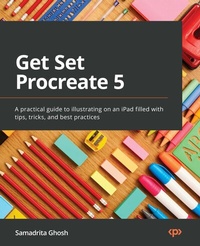
Get Set Procreate 5
A practical guide to illustrating on an iPad filled with tips, tricks, and best practices
Published on 23. September 2024
592 pages
978-1-80056-361-2 (ISBN)
Description

No detailed description available for "Get Set Procreate 5".
All prices
More details
Edition
Digital original
Language
English
Place of publication
Birmingham
United Kingdom
Target group
Professional and scholarly
US School Grade: College Graduate Student
Edition type
Digital original
Product notice
Reflowable
File size
93,02 MB
ISBN-13
978-1-80056-361-2 (9781800563612)
Copyright in bibliographic data and cover images is held by Nielsen Book Services Limited or by the publishers or by their respective licensors: all rights reserved.
Schweitzer Classification
Other editions
Additional editions
Samadrita Ghosh
Get Set Procreate 5
A practical guide to illustrating on an iPad filled with tips, tricks, and best practices
Book
06/2022
Packt Publishing
€130.70
Shipment within 3-4 weeks
Person
Ghosh Samadrita :
Samadrita Ghosh is a self employed artist based in India. She has been working in the industry as an animator, illustrator and pre-production artist since 2016, and has worked on several projects for diverse clients. In 2020, she graduated with a Bachelor's in Design from Indian Institute of Technology, Guwahati, and is now pursuing an independent career in illustration. She has been using Procreate to illustrate professionally for over 2 years.
Samadrita Ghosh is a self employed artist based in India. She has been working in the industry as an animator, illustrator and pre-production artist since 2016, and has worked on several projects for diverse clients. In 2020, she graduated with a Bachelor's in Design from Indian Institute of Technology, Guwahati, and is now pursuing an independent career in illustration. She has been using Procreate to illustrate professionally for over 2 years.
Content
Table of Contents
The Gallery - Organizing Your Files
Getting Started - Setting Up a Canvas
Understanding Your Workspace
Using the Actions Menu
Selecting and Transforming
Using Gestures and Shortcuts
Organizing Your Layers
Painting Tools and the Brush Library - Using and Organizing Brushes
Brush Studio Settings - Editing and Combining Brushes
Using Colour Tools
Adjustments - Applying Image Effects
Using Assisted Drawing Tools
Using Animation Assist for 2D Animation
Sketchbooking with Page Assist
Painting on 3D Models
Rendering Objects Using Blend Modes
The Gallery - Organizing Your Files
Getting Started - Setting Up a Canvas
Understanding Your Workspace
Using the Actions Menu
Selecting and Transforming
Using Gestures and Shortcuts
Organizing Your Layers
Painting Tools and the Brush Library - Using and Organizing Brushes
Brush Studio Settings - Editing and Combining Brushes
Using Colour Tools
Adjustments - Applying Image Effects
Using Assisted Drawing Tools
Using Animation Assist for 2D Animation
Sketchbooking with Page Assist
Painting on 3D Models
Rendering Objects Using Blend Modes
