

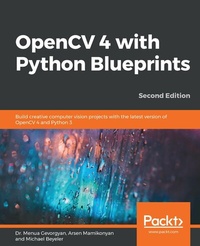
OpenCV 4 with Python Blueprints
Build creative computer vision projects with the latest version of OpenCV 4 and Python 3
2nd Edition
Published on 20. March 2020
366 pages
978-1-78961-763-4 (ISBN)
Description

Get to grips with traditional computer vision algorithms and deep learning approaches, and build real-world applications with OpenCV and other machine learning frameworks
Key Features
Understand how to capture high-quality image data, detect and track objects, and process the actions of animals or humans
Implement your learning in different areas of computer vision
Explore advanced concepts in OpenCV such as machine learning, artificial neural network, and augmented reality
Book DescriptionOpenCV is a native cross-platform C++ library for computer vision, machine learning, and image processing. It is increasingly being adopted in Python for development. This book will get you hands-on with a wide range of intermediate to advanced projects using the latest version of the framework and language, OpenCV 4 and Python 3.8, instead of only covering the core concepts of OpenCV in theoretical lessons. This updated second edition will guide you through working on independent hands-on projects that focus on essential OpenCV concepts such as image processing, object detection, image manipulation, object tracking, and 3D scene reconstruction, in addition to statistical learning and neural networks. You'll begin with concepts such as image filters, Kinect depth sensor, and feature matching. As you advance, you'll not only get hands-on with reconstructing and visualizing a scene in 3D but also learn to track visually salient objects. The book will help you further build on your skills by demonstrating how to recognize traffic signs and emotions on faces. Later, you'll understand how to align images, and detect and track objects using neural networks. By the end of this OpenCV Python book, you'll have gained hands-on experience and become proficient at developing advanced computer vision apps according to specific business needs.What you will learn
Generate real-time visual effects using filters and image manipulation techniques such as dodging and burning
Recognize hand gestures in real-time and perform hand-shape analysis based on the output of a Microsoft Kinect sensor
Learn feature extraction and feature matching to track arbitrary objects of interest
Reconstruct a 3D real-world scene using 2D camera motion and camera reprojection techniques
Detect faces using a cascade classifier and identify emotions in human faces using multilayer perceptrons
Classify, localize, and detect objects with deep neural networks
Who this book is forThis book is for intermediate-level OpenCV users who are looking to enhance their skills by developing advanced applications. Familiarity with OpenCV concepts and Python libraries, and basic knowledge of the Python programming language are assumed.
Key Features
Understand how to capture high-quality image data, detect and track objects, and process the actions of animals or humans
Implement your learning in different areas of computer vision
Explore advanced concepts in OpenCV such as machine learning, artificial neural network, and augmented reality
Book DescriptionOpenCV is a native cross-platform C++ library for computer vision, machine learning, and image processing. It is increasingly being adopted in Python for development. This book will get you hands-on with a wide range of intermediate to advanced projects using the latest version of the framework and language, OpenCV 4 and Python 3.8, instead of only covering the core concepts of OpenCV in theoretical lessons. This updated second edition will guide you through working on independent hands-on projects that focus on essential OpenCV concepts such as image processing, object detection, image manipulation, object tracking, and 3D scene reconstruction, in addition to statistical learning and neural networks. You'll begin with concepts such as image filters, Kinect depth sensor, and feature matching. As you advance, you'll not only get hands-on with reconstructing and visualizing a scene in 3D but also learn to track visually salient objects. The book will help you further build on your skills by demonstrating how to recognize traffic signs and emotions on faces. Later, you'll understand how to align images, and detect and track objects using neural networks. By the end of this OpenCV Python book, you'll have gained hands-on experience and become proficient at developing advanced computer vision apps according to specific business needs.What you will learn
Generate real-time visual effects using filters and image manipulation techniques such as dodging and burning
Recognize hand gestures in real-time and perform hand-shape analysis based on the output of a Microsoft Kinect sensor
Learn feature extraction and feature matching to track arbitrary objects of interest
Reconstruct a 3D real-world scene using 2D camera motion and camera reprojection techniques
Detect faces using a cascade classifier and identify emotions in human faces using multilayer perceptrons
Classify, localize, and detect objects with deep neural networks
Who this book is forThis book is for intermediate-level OpenCV users who are looking to enhance their skills by developing advanced applications. Familiarity with OpenCV concepts and Python libraries, and basic knowledge of the Python programming language are assumed.
More details
Edition
2nd Revised edition
Language
English
Place of publication
Birmingham
United Kingdom
Target group
Professional and scholarly
US School Grade: College Graduate Student
Edition type
Revised edition
File size
35,66 MB
ISBN-13
978-1-78961-763-4 (9781789617634)
Copyright in bibliographic data and cover images is held by Nielsen Book Services Limited or by the publishers or by their respective licensors: all rights reserved.
Schweitzer Classification
Other editions
Additional editions
Dr. Menua Gevorgyan Gevorgyan | Michael Beyeler (USD) | Arsen Mamikonyan
OpenCV 4 with Python Blueprints
Build creative computer vision projects with the latest version of OpenCV 4 and Python 3
Book
03/2020
2nd Edition
Packt Publishing
€56.60
Shipment within 3-4 weeks
Persons
Dr. Menua Gevorgyan is an experienced researcher with a demonstrated history of working in the information technology and services industry. He is skilled in computer vision, deep learning, machine learning, and data science as well as having a lot of experience with OpenCV and Python programming. He is interested in machine perception and machine understanding problems, and wonders if it is possible to make a machine perceive the world as a human does. Michael Beyeler is a postdoctoral fellow in neuroengineering and data science at the University of Washington, where he is working on computational models of bionic vision in order to improve the perceptual experience of blind patients implanted with a retinal prosthesis (bionic eye).His work lies at the intersection of neuroscience, computer engineering, computer vision, and machine learning. He is also an active contributor to several open source software projects, and has professional programming experience in Python, C/C++, CUDA, MATLAB, and Android. Michael received a PhD in computer science from the University of California, Irvine, and an MSc in biomedical engineering and a BSc in electrical engineering from ETH Zurich, Switzerland. Arsen Mamikonyan is an experienced machine learning specialist with demonstrated work experience in Silicon Valley and London, and teaching experience at the American University of Armenia. He is skilled in applied machine learning and data science and has built real-life applications using Python and OpenCV, among others. He holds a master's degree in engineering (MEng) with a concentration on artificial intelligence from the Massachusetts Institute of Technology. Michael Beyeler is a postdoctoral fellow in neuroengineering and data science at the University of Washington, where he is working on computational models of bionic vision in order to improve the perceptual experience of blind patients implanted with a retinal prosthesis (bionic eye).His work lies at the intersection of neuroscience, computer engineering, computer vision, and machine learning. He is also an active contributor to several open source software projects, and has professional programming experience in Python, C/C++, CUDA, MATLAB, and Android. Michael received a PhD in computer science from the University of California, Irvine, and an MSc in biomedical engineering and a BSc in electrical engineering from ETH Zurich, Switzerland.
Content
Table of Contents
Fun with Filters
Hand Gesture Recognition Using a Kinect Depth Sensor
Finding Objects via Feature Matching and Perspective Transforms
3D Scene Reconstruction Using Structure from Motion
Using Computational Photography with OpenCV
Tracking Visually Salient Objects
Learning to Recognize Traffic Signs
Learning to Recognize Facial Emotions
Learning to Classify and Localize Objects
Learning to Detect and Track Objects
Appendix A: Profiling and Accelerating Your Apps
Appendix B: Setting Up Docker Container
Fun with Filters
Hand Gesture Recognition Using a Kinect Depth Sensor
Finding Objects via Feature Matching and Perspective Transforms
3D Scene Reconstruction Using Structure from Motion
Using Computational Photography with OpenCV
Tracking Visually Salient Objects
Learning to Recognize Traffic Signs
Learning to Recognize Facial Emotions
Learning to Classify and Localize Objects
Learning to Detect and Track Objects
Appendix A: Profiling and Accelerating Your Apps
Appendix B: Setting Up Docker Container
