

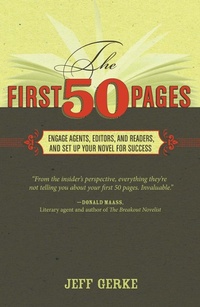
The First 50 Pages
Engage Agents, Editors and Readers, and Set Your Novel Up For Success
Published on 28. October 2011
240 pages
978-1-59963-287-2 (ISBN)
Description

Seeking writing success? Start at the beginning...
Whether you're looking to get published or just hoping to hook your reader, first impressions are vital. Compelling opening scenes are the key to catching an agent or editor's attention, and are crucial for keeping your reader engaged.
As a writer, what you do in your opening pages, and how you do it, is a matter that cannot be left to chance. The First 50 Pages is here to help you craft a strong beginning right from the start. You'll learn how to:
• introduce your main character
• establish your story world
• set up the plot's conflict
• begin your hero's inner journey
• write an amazing opening line and terrific first page
• and more
This helpful guide walks you through the tasks your first 50 pages must accomplish in order to avoid leaving readers disoriented, frustrated, or bored. Don't let your reader put your book down before ever seeing its beauty. Let The First 50 Pages show you how to begin your novel with the skill and intentionality that will land you a book deal, and keep readers' eyes glued to the page.
Whether you're looking to get published or just hoping to hook your reader, first impressions are vital. Compelling opening scenes are the key to catching an agent or editor's attention, and are crucial for keeping your reader engaged.
As a writer, what you do in your opening pages, and how you do it, is a matter that cannot be left to chance. The First 50 Pages is here to help you craft a strong beginning right from the start. You'll learn how to:
• introduce your main character
• establish your story world
• set up the plot's conflict
• begin your hero's inner journey
• write an amazing opening line and terrific first page
• and more
This helpful guide walks you through the tasks your first 50 pages must accomplish in order to avoid leaving readers disoriented, frustrated, or bored. Don't let your reader put your book down before ever seeing its beauty. Let The First 50 Pages show you how to begin your novel with the skill and intentionality that will land you a book deal, and keep readers' eyes glued to the page.
More details
Other editions
Additional editions
Book
11/2011
Writer's Digest Books
€24.70
Article exhausted; check different version
Person
Jeff Gerke (www.marcherlordpress.com and www.wherethemapends.com) is an author of fiction and nonfiction including such books as the Operation: Firebrand novels. He has worked as an editor for numerous publications and is the founder of Marcher Lord Press, an indie publishing company dedicated to producing the finest in Christian science-fiction, fantasy, and other genres. He is also the author of Plot Versus Character, also from Writer's Digest Books. He lives in Colorado Springs, Colorado.
