

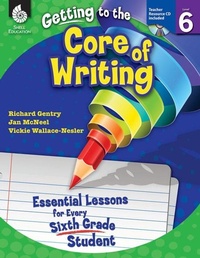
Getting to the Core of Writing
Essential Lessons for Every Sixth Grade Student
Published on 1. October 2012
296 pages
978-1-4258-9507-5 (ISBN)
Description

Inspire students to develop as writers in the sixth grade classroom with these engaging and creative writing lessons. This classroom-tested resource shows positive results in students'' writing and simplifies the planning of writing instruction. It contains detailed information on how to establish and manage daily Writer''s Workshop and includes consistent, structured instruction to encourage students to actively participate in the writing process. Specific lessons to help students develop the traits of quality writing are also included. This resource develops college and career readiness skills and is aligned to today''s standards.
More details
Series
Language
English
Place of publication
Huntington Beach
United States
Target group
Primary & secondary/elementary & high school
US School Grade: From Sixth Grade to Sixth Grade, Interest Age: From 10 to 14 years
File size
20,71 MB
ISBN-13
978-1-4258-9507-5 (9781425895075)
Copyright in bibliographic data and cover images is held by Nielsen Book Services Limited or by the publishers or by their respective licensors: all rights reserved.
Schweitzer Classification
Other editions
Additional editions
Richard Gentry | Jan McNeel | Vickie Wallace-Nesler
Getting to the Core of Writing
Essential Lessons for Every Sixth Grade Student
Book
10/2012
Shell Educational Publishing
€52.19
Article exhausted; check different version
Content
- Cover
- Credits
- Page 3 - Table of Contents
- Page 4 - Table of Contents
- Page 5 - Introduction
- Page 5 - The Importance of Writing
- Page 6 - Traits of Quality Writing
- Page 7 - The Reading and Writing Connection
- Page 10 - The Purpose of Assessment
- Page 11 - How to Use This Book
- Page 11 - Planning Writing Instruction
- Page 14 - Components of Writer's Workshop
- Page 15 - Implementing the Lessons
- Page 18 - Implementing Writer's Workshop
- Page 19 - The Writing Conference
- Page 21 - The Writer's Notebook
- Page 23 - Top 10 Tips for Creating Successful Writers
- Page 24 - Correlation to Standards
- Page 31 - Acknowledgments
- Page 32 - About the Authors
- Page 33 - Managing Writer's Workshop
- Page 35 - Lesson 1: Components of Writer's Workshop
- Page 38 - Lesson 2: Our Group Meeting
- Page 41 - Lesson 3: The Writing Folder
- Page 50 - Lesson 4: The Writer's Notebook
- Page 52 - Lesson 5: Organizing the Writer's Notebook
- Page 58 - Lesson 6: Sharing
- Page 62 - Lesson 7: Turn and Talk
- Page 65 - Lesson 8: Guidelines for Writer'sWorkshop
- Page 68 - Lesson 9: Teacher and PeerConferences
- Page 71 - Lesson 10: The Five-Step Writing Process
- Page 75 - Ideas
- Page 77 - Lesson 1: My Top Ten Ideas
- Page 80 - Lesson 2: Stinky Tennis Shoes Trip
- Page 83 - Lesson 3: Idea Cache
- Page 86 - Lesson 4: Ideas from A to Z
- Page 89 - Lesson 5: I Saw It in a Book
- Page 92 - Lesson 6: My Declarations
- Page 95 - Lesson 7: It's My Choice
- Page 98 - Lesson 8: I Question, Question,Question
- Page 101 - Sentence Fluency
- Page 103 - Lesson 1: Playing with SentencePatterns
- Page 107 - Lesson 2: Double Trouble withCompound Elements
- Page 110 - Lesson 3: The Long and Short of It
- Page 113 - Lesson 4: Sentence Stretch and Scramble
- Page 116 - Lesson 5: SOS! Semicolons Offer Styel
- Page 119 - Lesson 6: Adding Details
- Page 122 - Lesson 7: Let's Make It Clear!
- Page 125 - Organization
- Page 127 - Lesson 1: Playing with Poetry
- Page 130 - Lesson 2: The Stacker Paragraph
- Page 134 - Lesson 3: Prewriting with the Knuckle Planner
- Page 137 - Lesson 4: Drafting with the Knuckle Planner
- Page 140 - Lesson 5: Reeling In and Wrapping Up
- Page 143 - Lesson 6: It's Newsworthy
- Page 147 - Lesson 7: It's All About Me!
- Page 150 - Lesson 8: Organizing Thinking for Expository Writing
- Page 153 - Lesson 9: Researching from A to D
- Page 157 - Lesson 10: A Poetry Collage
- Page 167 - Word Choice
- Page 169 - Lesson 1: Simple to Sophisticated Synonyms
- Page 174 - Lesson 2: Using Your Senses to Show, Don't Tell
- Page 177 - Lesson 3: Shifting Ideas withTransition Signals
- Page 182 - Lesson 4: Building Vocabulary Webs
- Page 185 - Lesson 5: Just a Figure of Speech
- Page 190 - Lesson 6: The Power of Connotation
- Page 195 - Lesson 7: Exploring Etymology
- Page 199 - Voice
- Page 201 - Lesson 1: I Know How You Feel
- Page 204 - Lesson 2: Voice Reflections
- Page 207 - Lesson 3: The Voice of R.A.F.T
- Page 210 - Lesson 4: If I Were A.
- Page 213 - Lesson 5: A Writer's Toolbox for Voice
- Page 217 - Conventions
- Page 219 - Lesson 1: Commonly Misspelled Words
- Page 224 - Lesson 2: Punctuation Partners
- Page 227 - Lesson 3: The Sensational Six
- Page 231 - Lesson 4: Boot Camp Caps Chant
- Page 234 - Lesson 5: Presenting SOP Pronouns
- Page 237 - Lesson 6: The CUPS Challenge
- Page 241 - Lesson 7: What's the Difference?
- Page 244 - Lesson 8: Time to Edit!
- Page 248 - Appendix A: Conferring Resources
- Page 256 - Appendix B: Assessment Resources
- Page 268 - Appendix C: Mentor Text List
- Page 280 - Appendix D: Additional Resources
- Page 285 - Appendix E: References
- Page 288 - Appendix F: Contents of the Teacher Resource CD
- Thank You Page
