

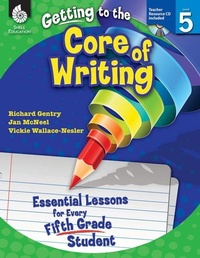
Getting to the Core of Writing
Essential Lessons for Every Fifth Grade Student
Published on 1. June 2012
288 pages
978-1-4258-9506-8 (ISBN)
Description

Inspire students to develop as writers in the fifth grade classroom with these engaging and creative writing lessons. This classroom-tested resource shows positive results in students'' writing and simplifies the planning of writing instruction. It contains detailed information on how to establish and manage daily Writer''s Workshop and includes consistent, structured instruction to encourage students to actively participate in the writing process. Specific lessons to help students develop the traits of quality writing are also included. This resource develops college and career readiness skills and is aligned to today''s standards.
More details
Series
Language
English
Place of publication
Huntington Beach
United States
Target group
Primary & secondary/elementary & high school
US School Grade: From Fifth Grade to Fifth Grade, Interest Age: From 9 to 13 years
File size
28,56 MB
ISBN-13
978-1-4258-9506-8 (9781425895068)
Copyright in bibliographic data and cover images is held by Nielsen Book Services Limited or by the publishers or by their respective licensors: all rights reserved.
Schweitzer Classification
Other editions
Additional editions
Richard Gentry | Jan McNeel | Vickie Wallace-Nesler
Getting to the Core of Writing
Essential Lessons for Every Fifth Grade Student
Book
06/2012
Shell Educational Publishing
€52.19
Article exhausted; check different version
Content
- Cover
- Credits
- Page 3 - Table of Contents
- Page 4 - Table of Contents
- Page 5 - Introduction
- Page 5 - The Importance of Writing
- Page 6 - Traits of Quality Writing
- Page 7 - The Reading and Writing Connection
- Page 10 - The Purpose of Assessment
- Page 11 - How to Use This Book
- Page 11 - Planning Writing Instruction
- Page 14 - Components of Writer's Workshop
- Page 15 - Implementing the Lessons
- Page 18 - Implementing Writer's Workshop
- Page 19 - The Writing Conference
- Page 21 - The Writer's Notebook
- Page 23 - Top 10 Tips for Creating Successful Writers
- Page 24 - Correlation to Standards
- Page 31 - Acknowledgments
- Page 32 - About the Authors
- Page 33 - Managing Writer's Workshop
- Page 35 - Lesson 1: Components of Writer's Workshop
- Page 38 - Lesson 2: Our Group Meeting
- Page 41 - Lesson 3: The Writing Folder
- Page 50 - Lesson 4: The Writer's Notebook
- Page 52 - Lesson 5: Organizing the Writer's Notebook
- Page 58 - Lesson 6: Sharing
- Page 62 - Lesson 7: Turn and Talk
- Page 65 - Lesson 8: Guidelines for Writer's Workshop
- Page 68 - Lesson 9: Teacher and Peer Conferences
- Page 71 - Lesson 10: The Five-Step Writing Process
- Page 75 - Ideas
- Page 77 - Lesson 1: Things All Around Us
- Page 81 - Lesson 2: Exploring an Author's Craft
- Page 84 - Lesson 3: My Treasure List
- Page 87 - Lesson 4: Interesting People and Characters
- Page 90 - Lesson 5: The Way I See It
- Page 93 - Lesson 6: Write It
- Page 96 - Lesson 7: I Can
- Page 99 - Sentence Fluency
- Page 101 - Lesson 1: Top Ten and Above
- Page 104 - Lesson 2: A Sentence Expedition
- Page 107 - Lesson 3: Pumping Up Sentences
- Page 110 - Lesson 4: Sentence Switcharoo
- Page 113 - Lesson 5: Sentence Inventors
- Page 119 - Lesson 6: It Is Not All That Complex
- Page 122 - Lesson 7: High Five Sentences
- Page 129 - Organization
- Page 131 - Lesson 1: Creating a Bio Poem
- Page 134 - Lesson 2: A Whopping Paragraph
- Page 137 - Lesson 3: The Story Coaster
- Page 140 - Lesson 4: Plot It! Sketch It! Write It!
- Page 143 - Lesson 5: Hooks from Books
- Page 146 - Lesson 6: Taking a Stand
- Page 153 - Lesson 7: Taking a Stand Part 2
- Page 157 - Lesson 8: Letters to Request,Thank, and Invite
- Page 161 - Lesson 9: Precise Procedures
- Page 164 - Lesson 10: Researching from A to D
- Page 168 - Lesson 11: Haiku-Myku!
- Page 171 - Word Choice
- Page 173 - Lesson 1: Go Figure!
- Page 178 - Lesson 2: Sounds Abound
- Page 181 - Lesson 3: Writing Road Signs
- Page 184 - Lesson 4: It's the Way It's Said!
- Page 187 - Lesson 5: Splendid Synonyms and Amazing Antonyms
- Page 190 - Lesson 6: Focusing on the Five Senses
- Page 193 - Lesson 7: Be Explicit and Notice Nouns
- Page 197 - Lesson 8: Acting on Adverbs
- Page 205 - Voice
- Page 207 - Lesson 1: Writing with PEP!
- Page 210 - Lesson 2: What's My Voice?
- Page 213 - Lesson 3: A Purposeful Voice
- Page 216 - Lesson 4: The Color of My Voice
- Page 219 - Conventions
- Page 221 - Lesson 1: Simple to Complex Capitals
- Page 224 - Lesson 2: The Super Six
- Page 227 - Lesson 3: Commas: A Cause for a Pause
- Page 230 - Lesson 4: Editing with A+ PLUS
- Page 234 - Lesson 5: Playing with Punctuation
- Page 237 - Lesson 6: Reviser's Checklist
- Page 240 - Lesson 7: Tune into Editing
- Page 243 - Appendix A: Conferring Resources
- Page 251 - Appendix B: Assessment Resources
- Page 263 - Appendix C: Mentor Text List
- Page 275 - Appendix D: Additional Resources
- Page 280 - Appendix E: References
- Page 284 - Appendix F: Contents of the Teacher Resource CD
- Thank You Page
