

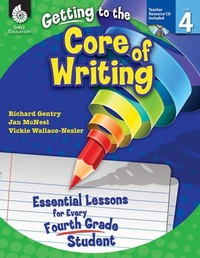
Getting to the Core of Writing
Essential Lessons for Every Fourth Grade Student
Published on 1. June 2012
296 pages
978-1-4258-9505-1 (ISBN)
Description

Inspire students to develop as writers in the fourth grade classroom with these engaging and creative writing lessons. This classroom-tested resource shows positive results in students'' writing and simplifies the planning of writing instruction. It contains detailed information on how to establish and manage daily Writer''s Workshop and includes consistent, structured instruction to encourage students to actively participate in the writing process. Specific lessons to help students develop the traits of quality writing are also included. This resource develops college and career readiness skills and is aligned to today''s standards.
More details
Series
Language
English
Place of publication
Huntington Beach
United States
Target group
Primary & secondary/elementary & high school
US School Grade: From Fourth Grade to Fourth Grade, Interest Age: From 8 to 12 years
File size
35,51 MB
ISBN-13
978-1-4258-9505-1 (9781425895051)
Copyright in bibliographic data and cover images is held by Nielsen Book Services Limited or by the publishers or by their respective licensors: all rights reserved.
Schweitzer Classification
Other editions
Additional editions
Richard Gentry | Jan McNeel | Vickie Wallace-Nesler
Getting to the Core of Writing
Essential Lessons for Every Fourth Grade Student
Book
06/2012
Shell Educational Publishing
€52.19
Article exhausted; check different version
Content
- Cover
- Credits
- Page 3 - Table of Contents
- Page 4 - Table of contents (cont.)
- Page 5 - Introduction
- Page 5 - The Importance of Writing
- Page 6 - Traits of Quality Writing
- Page 7 - The Reading and Writing Connection
- Page 10 - The Purpose of Assessment
- Page 11 - How to Use This Book
- Page 11 - Planning Writing Instruction
- Page 14 - Components of Writer's Workshop
- Page 15 - Implementing the Lessons
- Page 18 - Implementing Writer's Workshop
- Page 19 - The Writing Conference
- Page 21 - The Writer's Notebook
- Page 23 - Top 10 Tips for Creating Successful Writers
- Page 24 - Correlation to Standards
- Page 31 - Acknowledgments
- Page 32 - About the Authors
- Page 33 - Managing Writer's Workshop
- Page 35 - Lesson 1: Components of Writer's Workshop
- Page 38 - Lesson 2: Our Group Meeting
- Page 41 - Lesson 3: The Writing Folder
- Page 50 - Lesson 4: The Writer's Notebook
- Page 52 - Lesson 5: Organizing the Writer's Notebook
- Page 58 - Lesson 6: Sharing
- Page 62 - Lesson 7: Turn and Talk
- Page 65 - Lesson 8: Guidelines forWriter's Workshop
- Page 68 - Lesson 9: Teacher and Peer Conferences
- Page 71 - Lesson 10: The Five-StepWriting Process
- Page 75 - Ideas
- Page 77 - Lesson 1: My Authority List
- Page 80 - Lesson 2: Authors as Mentors
- Page 83 - Lesson 3: Interesting Places
- Page 86 - Lesson 4: The Best Times!The Worst Times!
- Page 89 - Lesson 5: Brainstorming Boxes
- Page 92 - Lesson 6: What Should We Write?
- Page 95 - Lesson 7: Pocket of Picture Topics
- Page 98 - Lesson 8: I Wonder List
- Page 101 - Sentence Fluency
- Page 103 - Lesson 1: Circle and Count
- Page 106 - Lesson 2: Subject + Predicate =Sentence
- Page 110 - Lesson 3: Sentence Search
- Page 117 - Lesson 4: Appositive Action
- Page 121 - Lesson 5: Compound Sentences
- Page 126 - Lesson 6: Writing ComplexSentences
- Page 131 - Lesson 7: Stepping Up Sentences
- Page 134 - Lesson 8: Building TriangleSentences
- Page 137 - Organization
- Page 139 - Lesson 1: Creating Cinquains
- Page 142 - Lesson 2: Powerful Paragraphs
- Page 145 - Lesson 3: Narrative Notes
- Page 148 - Lesson 4: Build-a-Character
- Page 151 - Lesson 5: Story Building Blocks
- Page 154 - Lesson 6: It's a Bear Beginning
- Page 158 - Lesson 7: Don't You Agree?
- Page 161 - Lesson 8: It's Your Business
- Page 165 - Lesson 9: How-To Writing
- Page 168 - Lesson 10: Composition Planner
- Page 172 - Lesson 11: A Cache of Poetry
- Page 175 - Word Choice
- Page 177 - Lesson 1: Stupendous Similes
- Page 180 - Lesson 2: Be a Word Wizard
- Page 183 - Lesson 3: Connecting Ideas
- Page 187 - Lesson 4: Put "Said" to Bed
- Page 190 - Lesson 5: COW to WOW
- Page 193 - Lesson 6: Auspicious Adjectives
- Page 196 - Lesson 7: Be Explicitly Specific
- Page 199 - Lesson 8: Adverb Alert
- Page 203 - Lesson 9: Alliteration Action
- Page 207 - Voice
- Page 209 - Lesson 1: Show Me Your Voice
- Page 215 - Lesson 2: What's My Voice?
- Page 217 - Lesson 3: The Voices on the Bus
- Page 220 - Lesson 4: Various Voices
- Page 223 - Conventions
- Page 225 - Lesson 1: Capital Creations
- Page 228 - Lesson 2: Super Spellers
- Page 231 - Lesson 3: Common Comma Conventions
- Page 235 - Lesson 4: The Color of CUPS
- Page 239 - Lesson 5: Dandy Dialogue
- Page 242 - Lesson 6: Show Me Editing
- Page 245 - Lesson 7: Traits Team Checklist
- Page 248 - Lesson 8: Digging into Editing
- Page 253 - Appendices
- Page 253 - Appendix A: Conferring Resources
- Page 261 - Appendix B: Assessment Resources
- Page 273 - Appendix C: Mentor Text List
- Page 282 - Appendix D: Additional Resources
- Page 287 - Appendix E: References
- Page 290 - Appendix F: Contents of the TeacherResource CD
- Thank You Page
