

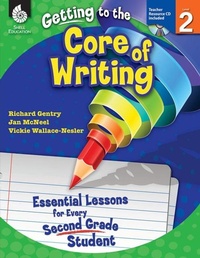
Getting to the Core of Writing
Essential Lessons for Every Second Grade Student
Published on 1. June 2012
272 pages
978-1-4258-9503-7 (ISBN)
Description

Inspire students to develop as writers in the second grade classroom with these engaging and creative writing lessons. This classroom-tested resource shows positive results in students'' writing and simplifies the planning of writing instruction. It contains detailed information on how to establish and manage daily Writer''s Workshop and includes consistent, structured instruction to encourage students to actively participate in the writing process. Specific lessons to help students develop the traits of quality writing are also included. This resource develops college and career readiness skills and is aligned to today''s standards.
More details
Series
Language
English
Place of publication
Huntington Beach
United States
Target group
Primary & secondary/elementary & high school
US School Grade: From Second Grade to Second Grade, Interest Age: From 6 to 10 years
File size
24,50 MB
ISBN-13
978-1-4258-9503-7 (9781425895037)
Copyright in bibliographic data and cover images is held by Nielsen Book Services Limited or by the publishers or by their respective licensors: all rights reserved.
Schweitzer Classification
Other editions
Additional editions
Richard Gentry | Jan McNeel | Vickie Wallace-Nesler
Getting to the Core of Writing
Essential Lessons for Every Second Grade Student
Book
06/2012
Shell Educational Publishing
€52.19
Article exhausted; check different version
Content
- Cover
- Credits
- Page 3 - Table of Contents
- Page 4 - Table of Contents (cont.)
- Page 5 - Introduction
- Page 5 - The Importance of Writing
- Page 6 - Traits of Quality Writing
- Page 7 - The Reading and Writing Connection
- Page 8 - Phases of Writing
- Page 10 - The Purpose of Assessment
- Page 11 - How to Use This Book
- Page 11 - Planning Writing Instruction
- Page 14 - Components of Writer's Workshop
- Page 15 - Implementing the Lessons
- Page 18 - Implementing Writer's Workshop
- Page 19 - The Writing Conference
- Page 21 - Top 10 Tips for Creating Successful Writers
- Page 22 - Correlation to Standards
- Page 27 - Acknowledgments
- Page 28 - About the Authors
- Page 29 - Managing Writer's Workshop
- Page 31 - Lesson 1: My Writing Folder
- Page 33 - Lesson 2: Looks Like, Sounds Like,Feels Like
- Page 36 - Lesson 3: Guidelines for Writer'sWorkshop
- Page 39 - Lesson 4: Posture and Pencil Grip
- Page 41 - Lesson 5: Two-Inch Voices
- Page 43 - Lesson 6: Turn and Talk
- Page 46 - Lesson 7: Sharing
- Page 49 - Lesson 8: Understanding the Writing Process
- Page 53 - Ideas
- Page 55 - Lesson 1: Ideas Thinking Chart
- Page 58 - Lesson 2: My Ponder Pocket
- Page 61 - Lesson 3: Getting Ideas from Literature
- Page 63 - Lesson 4: Important People in My Life
- Page 66 - Lesson 5: Important Places
- Page 69 - Lesson 6: My Heart Treasures
- Page 72 - Lesson 7: Amazing Animals
- Page 77 - Lesson 8: Things I Know List
- Page 81 - Sentence Fluency
- Page 83 - Lesson 1: Super Sentence Stems
- Page 87 - Lesson 2: Growing Sentences
- Page 89 - Lesson 3: Parts of a Sentence
- Page 94 - Lesson 4: What's Missing?
- Page 97 - Lesson 5: When and Where?
- Page 99 - Lesson 6: Rubber Band Sentences
- Page 102 - Lesson 7: And Then
- Page 104 - Lesson 8: Fun with Sentence Variety
- Page 107 - Lesson 9: Writing Detective: Sentences
- Page 111 - Organization
- Page 113 - Lesson 1: Poetry-Simple Acrostic
- Page 115 - Lesson 2: Poetry-Triante
- Page 118 - Lesson 3: Making Alphabet Books
- Page 120 - Lesson 4: My Hand Plan
- Page 126 - Lesson 5: Now, That's a Story!
- Page 131 - Lesson 6: Brilliant Beginnings
- Page 133 - Lesson 7: Excellent Endings
- Page 136 - Lesson 8: Telling, Sketching, and Writing Narrative Text
- Page 141 - Lesson 9: Writing a Letter
- Page 145 - Lesson 10: Addressing an Envelope
- Pge 147 - Lesson 11: Informative:My 1-2-3 Report
- Page 151 - Lesson 12: I Know How To
- Page 155 - Word Choice
- Page 157 - Lesson 1: Using High Frequency Words
- Page 161 - Lesson 2: Using Our Senses
- Page 165 - Lesson 3: More Action Words
- Page 168 - Lesson 4: Word Power
- Page 170 - Lesson 5: A Rainbow of Words
- Page 173 - Lesson 6: Sounds All Around fromA to Z
- Page 183 - Lesson 7: Awesome Adjectives
- Page 185 - Lesson 8: Sparkling Synonym Stars
- Page 188 - Lesson 9: Transition Words
- Page 193 - Lesson 10: Lucky Me Similes
- Page 197 - Voice
- Page 199 - Lesson 1: More Than Happy, Sad,and Mad
- Page 202 - Lesson 2: Voice Times Two
- Page 205 - Conventions
- Page 207 - Lesson 1: Using Our Sound Charts
- Page 217 - Lesson 2: Count and Spell
- Page 220 - Lesson 3: Capital Rap
- Page 223 - Lesson 4: Rockin' Editors
- Page 226 - Lesson 5: My Editing Tools
- Page 229 - Lesson 6: Proper Punctuation
- Page 231- Lesson 7: Editing with CUPS
- Page 234 - Appendices
- Page 234 - Appendix A: Conferring Resources
- Page 242 - Appendix B: Assessment Resources
- Page 250 - Appendix C: Mentor Text List
- Page 257 - Appendix D: Additional Resources
- Page 266 - Appendix E: References
- Page 269 - Appendix F: Contents of the Teacher Resource CD
- Thank You Page
