

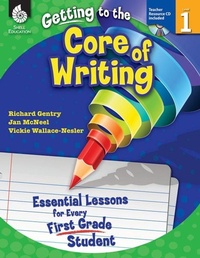
Getting to the Core of Writing
Essential Lessons for Every First Grade Student
Published on 1. June 2012
288 pages
978-1-4258-9502-0 (ISBN)
Description

Inspire students to develop as writers in the first grade classroom with these engaging and creative writing lessons. This classroom-tested resource shows positive results in students'' writing and simplifies the planning of writing instruction. It contains detailed information on how to establish and manage daily Writer''s Workshop and includes consistent, structured instruction to encourage students to actively participate in the writing process. Specific lessons to help students develop the traits of quality writing are also included. This resource develops college and career readiness skills and is aligned to today''s standards.
More details
Series
Language
English
Place of publication
Huntington Beach
United States
Target group
Primary & secondary/elementary & high school
US School Grade: From First Grade to First Grade, Interest Age: From 5 to 9 years
File size
24,83 MB
ISBN-13
978-1-4258-9502-0 (9781425895020)
Copyright in bibliographic data and cover images is held by Nielsen Book Services Limited or by the publishers or by their respective licensors: all rights reserved.
Schweitzer Classification
Other editions
Additional editions
Richard Gentry | Jan McNeel | Vickie Wallace-Nesler
Getting to the Core of Writing
Essential Lessons for Every First Grade Student
Book
06/2012
Shell Educational Publishing
€52.19
Article exhausted; check different version
Content
- Cover
- Credits
- Page 3 - Table of Contents
- Page 4 - Table of Contents (cont.)
- Page 5 - Introduction
- Page 5 - The Importance of Writing
- Page 6 - Traits of Quality Writing
- Page 7 - The Reading and Writing Connection
- Page 8 - Phases of Writing
- Page 10 - The Purpose of Assessment
- Page 11 - How to Use This Book
- Page 11 - Planning Writing Instruction
- Page 14 - Components of Writer's Workshop
- Page 15 - Implementing the Lessons
- Page 18 - Implementing Writer's Workshop
- Page 19 - The Writing Conference
- Page 21 - Top 10 Tips for Creating Successful Writers
- Page 22 - Correlation to Standards
- Page 27 - Acknowledgments
- Page 28 - About the Authors
- Page 29 - Managing Writer's Workshop
- Page 31 - Lesson 1: My Writing Folder
- Page 35 - Lesson 2: Looks Like, Sounds Like, Feels Like
- Page 38 - Lesson 3: Guidelines for Writer's Workshop
- Page 41 - Lesson 4: Two-Inch Voices
- Page 43 - Lesson 5: Turn and Talk
- Page 46 - Lesson 6: Posture and Pencil Grip
- Page 48 - Lesson 7: Sharing
- Page 51 - Print Concepts
- Page 53 - Lesson 1: Connecting Sounds to Names
- Page 55 - Lesson 2: Where to Start! Left to Right and Return Sweep
- Page 57 - Lesson 3: Directionality and Lowercase Letter
- Page 61 - Lesson 4: Spacing
- Page 63 - Ideas
- Page 65 - Lesson 1: Ideas Thinking Chart
- Page 67 - Lesson 2: My Idea Bank
- Page 70 - Lesson 3: Getting Ideas from Literature
- Page 72 - Lesson 4: Kings and Queens of Writing
- Page 74 - Lesson 5: My Expert List
- Page 77 - Lesson 6: Places I Love
- Page 80 - Lesson 7: People I Love
- Page 83 - Sentence Fluency
- Page 85 - Lesson 1: Using Sentence Stems
- Page 88 - Lesson 2: Popcorn Sentences
- Page 90 - Lesson 3: Super Sentence Stems
- Page 93 - Lesson 4: Building Sentences 1-Subjects
- Page 101 - Lesson 5: Building Sentences 2-Predicates
- Page 110 - Lesson 6: Building Sentences 3-Details
- Page 112 - Lesson 7: Crawlin' Phrases
- Page 116 - Lesson 8: The Sentence Game
- Page 122 - Lesson 9: And Then
- Page 124 - Lesson 10: Writing Detectives: Sentences
- Page 129 - Organization
- Page 131 - Lesson 1: Matching Text to Picture
- Page 134 - Lesson 2: Making Alphabet Books
- Page 136 - Lesson 3: My First Book
- Page 138 - Lesson 4: Hand Plan
- Page 143 - Lesson 5: Telling, Sketching, and Writing Informative Text
- Page 145 - Lesson 6: Telling, Sketching, and Writing Narrative Text
- Page 148 - Lesson 7: Using Speech Bubbles
- Page 150 - Lesson 8: Writing a Letter
- Page 153 - Lesson 9: Addressing an Envelope
- Page 155 - Lesson 10: I Know How To
- Page 158 - Lesson 11: Poetry: Simple Acrostic
- Page 160 - Lesson 12: Poetry: Five Ws Poem
- Page 163 - Word Choice
- Page 165 - Lesson 1: Using High Frequency Words
- Page 169 - Lesson 2: Using Words to Paint a Picture
- Page 173 - Lesson 3: More Than Big and Little
- Page 176 - Lesson 4: I Say It with My Senses
- Page 182 - Lesson 5: Awesome Adjectives
- Page 184 - Lesson 6: Show Me: Using Action Words
- Page 187 - Lesson 7: Amazing Words
- Page 190 - Lesson 8: Transition Words
- Page 195 - Lesson 9: Sounds All Around from A to Z
- Page 205 - Voice
- Page 207 - Lesson 1: More Than Happy, Sad,and Mad
- Page 210 - Lesson 2: Voice Times Two
- Page 213 - Conventions
- Page 215 - Lesson 1: Using the Alphabet Chart
- Page 218 - Lesson 2: The Capital Rap
- Page 221 - Lesson 3: Using the Vowel Chart
- Page 226 - Lesson 4: Hear It! Say It! Sound Boxes
- Page 230 - Lesson 5: Movin' to Edit
- Page 233 - Lesson 6: Using the Digraphsand Blends Chart
- Page 237 - Lesson 7: My Writing Checklist
- Page 240 - Lesson 8: Perfect Punctuation
- Page 243 - Lesson 9: My Editing Guide
- Page 246 - Appendices
- Page 246 - Appendix A: Conferring Resources
- Page 254 - Appendix B: Assessment Resources
- Page 262 - Appendix C: Mentor Text List
- Page 270 - Appendix D: Additional Resources
- Page 279 - Appendix E: References
- Page 282 - Appendix F: Contents of the Teacher Resource CD
- Thank You Page
