

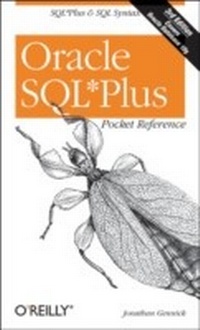
Oracle SQL*Plus Pocket Reference
A Guide to SQL*Plus Syntax
1st Edition
Published on 11. November 2004
154 pages
978-0-596-52890-4 (ISBN)
Description

The Oracle SQLPlus Pocket Reference is a must-have for anyone working with Oracle databases, especially those looking to maximize the effectiveness of SQLPlus. As Oracle's long-standing interactive query tool, SQLPlus is available at every Oracle site, from the largest data warehouse to the smallest single-user system. Despite its wide use, however, SQLPlus is still often not completely understood or fully utilized.Database administrators and developers alike will therefore find the Oracle SQLPlus Pocket Reference to be extremely beneficial. In addition to summarizing all of the SQLPlus syntax and format options, including new Oracle Database 10g features, this handy, on-the-job guide specifically shows readers how to:Differentiate between SQL and SQLPlusInteract with SQLPlus from both the command line and the web browserSelect, insert, update, and delete dataFormat both text and HTML reports with SQLPlusSpecify SQLPlus commands and format elementsTune SQL queriesThe new third edition of this book has been updated for Oracle Database 10g to include information on both SQLPlus and SQL. New SQL information includes the SELECT statement's new MODEL clause, flashback queries, partition outer joins, and DBMS_XPLAN.With its quick-reference format and compact size, the Oracle SQLPlus Pocket Reference follows in the long line of successful "e;pocket references"e; offered by O'Reilly. It also serves as the ideal companion to O'Reilly's larger, more comprehensive book on SQLPlus, the bestselling Oracle SQLPlus: The Definitive Guide.Author Jonathan Gennick is an editor for O'Reilly specializing in database and programming titles, having amassed some 17 years of programming and database management experience.
More details
Other editions
Additional editions
Jonathan Gennick
Oracle SQL*Plus Pocket Reference
Book
12/2004
3rd Edition
O'Reilly
€14.50
Shipment within 10-20 days
Content
- Intro
- Contents
- Oracle SQL*Plus Pocket Reference
- Introduction
- Acknowledgments
- Conventions
- Command-Line SQL*Plus
- Starting SQL*Plus
- Syntax for the sqlplus command
- Entering Commands
- Entering SQL*Plus commands
- Entering SQL statements
- Entering PL/SQL blocks
- Strings in SQL*Plus Commands
- Specifying Filenames
- Naming Variables
- Browser-Based SQL*Plus
- Starting and Stopping iSQL*Plus
- Connecting to iSQL*Plus
- Connecting to a Database
- Connecting as SYSDBA
- Creating SYSDBA Users
- Entering and Executing Commands
- Getting Output as Plain Text
- Executing Scripts
- Disconnecting from iSQL*Plus
- Selecting Data
- The SELECT Statement
- Selecting columns from a table
- Ordering query results
- Restricting query results
- Using column aliases
- Factoring out subqueries
- Nulls
- Using the NVL function
- Using the COALESCE function
- CASE Expressions
- Simple CASE expressions
- Searched CASE expressions
- Table Joins (Oracle8i and Earlier)
- Inner and outer joins
- Table Joins (Oracle9i and Higher)
- Sample tables
- Inner joins
- Join order
- Left and right outer joins
- Full outer joins
- Specifying join conditions
- Partition Outer Joins
- Summary Queries
- Using aggregate functions
- Using GROUP BY
- Restricting summarized results
- Using ALL and DISTINCT
- Unions
- Partition Operations
- Flashback Queries
- Modeling Data
- MODEL Clause Syntax
- MODEL Clause Functions
- MODEL Clause Example
- Inserting Data
- Inserting One Row
- Inserting the Results of a Query
- Multitable Inserts (Oracle9i and Higher)
- Updating Data
- Simple Updates
- Noncorrelated Subqueries in the SET Clause
- Correlated Subqueries in the SET Clause
- Deleting Data
- Simple Deletes
- Deleting All Rows (TRUNCATE)
- Deleting Duplicate Rows
- Merging Data (Oracle9i and Higher)
- Transaction Management
- SET TRANSACTION
- SAVEPOINT
- COMMIT
- ROLLBACK
- Formatting Text Reports
- Column Headings
- Column Formats
- Page Width and Length
- Page Headers and Footers
- Defining a title
- Getting the date into a title
- Page Breaks
- Report Breaks
- The BREAK command
- The COMPUTE command
- Formatting HTML Reports
- The Concatenation Approach
- Generating Full Pages
- Controlling page format
- Controlling column format
- Tuning SQL
- Creating the Plan Table
- Explaining a Query
- EXPLAIN PLAN syntax
- EXPLAIN PLAN example
- Using DBMS_XPLAN
- Querying the Plan Table
- Using Optimizer Hints
- Hint query blocks
- Optimizer goal hints
- Access method hints
- Join order hints
- Join operation hints
- Query transformation hints
- Miscellaneous hints
- SQL*Plus Format Elements
- Formatting Numbers
- Formatting Character Strings
- Formatting Dates
- SQL*Plus Command Reference
- Comment Delimiters (/*...*/)
- Double Hyphen ( -- )
- At Sign (@)
- Double At Sign (@@)
- Forward Slash (/)
- ACCEPT
- APPEND
- ARCHIVE LOG
- ATTRIBUTE
- BREAK
- BTITLE
- CHANGE
- CLEAR
- COLUMN
- COMPUTE
- CONNECT
- COPY
- DEFINE
- DEL
- DESCRIBE
- DISCONNECT
- EDIT
- EXECUTE
- EXIT
- GET
- HELP
- HOST
- INPUT
- LIST
- PASSWORD
- PAUSE
- PROMPT
- QUIT
- RECOVER
- REMARK
- REPFOOTER
- REPHEADER
- RUN
- SAVE
- SET
- SHOW
- SHUTDOWN
- SPOOL
- START
- STARTUP
- STORE
- TIMING
- TTITLE
- UNDEFINE
- VARIABLE
- WHENEVER
- Index
