

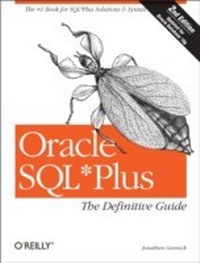
Oracle SQL*Plus: The Definitive Guide
The Definitive Guide
1st Edition
Published on 16. November 2004
584 pages
978-0-596-55261-9 (ISBN)
Description

Despite its wide availability and usage, few developers and DBAs have mastered the true power of Oracle SQLPlus. This bestselling book--now updated for Oracle 10g--is the only in-depth guide to this interactive query tool for writing SQL scripts. It's an essential resource for any Oracle user.The new second edition of Oracle SQLPlus: The Definitive Guide clearly describes how to perform, step-by-step, all of the tasks that Oracle developers and DBAs want to perform with SQLPlus--and maybe some you didn't realize you could perform.With Oracle SQLPlus: The Definitive Guide, you'll expertly:write and execute script filesgenerate ad hoc reportsextract data from the databasequery the data dictionary tablescustomize an SQLPlus environmentand much moreIt also includes a handy quick reference to all of its syntax options and an often-requested chapter on SQL itself, along with a clear, concise, and complete introduction.This book is truly the definitive guide to SQLPlus. It's an indispensable resource for those who are new to SQL*Plus, a task-oriented learning tool for those who are already using it, and an immediately useful quick reference for every user. If you want to leverage the full power and flexibility of this popular Oracle tool, you'll need this book.
More details
Other editions
Additional editions
Book
12/2004
2nd Edition
O'Reilly
€37.50
Article not available at the moment
Content
- Intro
- Oracle SQL*Plus: The Definitive Guide, 2nd Edition
- SPECIAL OFFER: Upgrade this ebook with O'Reilly
- A Note Regarding Supplemental Files
- Preface
- Why I Wrote This Book
- Objectives of This Book
- What's New in the Second Edition?
- Which Platform and Version?
- Structure of This Book
- Obtaining the Scripts and Sample Data
- What About Those Names?
- Conventions Used in This Book
- Using Code Examples
- Comments and Questions
- Acknowledgments from the First Edition
- Second Edition Acknowledgments
- 1. Introduction to SQL*Plus
- 1.1. What Is SQL*Plus?
- 1.1.1. Uses for SQL*Plus
- 1.1.2. SQL*Plus's Relation to SQL, PL/SQL, and the Oracle Database
- 1.2. History of SQL*Plus
- 1.3. Why Master SQL*Plus?
- 1.4. Creating and Loading the Sample Tables
- 1.4.1. The Data Model
- 1.4.2. The Tables
- 1.4.2.1. EMPLOYEE table
- 1.4.2.2. PROJECT table
- 1.4.2.3. PROJECT_HOURS table
- 1.4.3. The Data
- 1.4.3.1. EMPLOYEE table
- 1.4.3.2. PROJECT table
- 1.4.3.3. PROJECT_HOURS table
- 1.4.4. Loading the Sample Data
- 1.4.4.1. Step 1: Download and unzip the script files
- 1.4.4.2. Step 2: Start SQL*Plus
- 1.4.4.3. Step 3: Log into your Oracle database
- 1.4.4.4. Step 4: Run the bld_db.sql script file
- 2. Command-Line SQL*Plus
- 2.1. Starting Command-Line SQL*Plus
- 2.1.1. Connecting to a Default Database
- 2.1.2. Connecting to a Remote Database
- 2.1.3. Specifying Login Details on the Command Line
- 2.2. Starting Windows SQL*Plus
- 2.3. Some Basic SQL*Plus Commands
- 2.3.1. EXIT
- 2.3.2. PASSWORD
- 2.3.3. HELP
- 2.3.4. DESCRIBE
- 2.3.5. CONNECT
- 2.3.6. DISCONNECT
- 2.3.7. HOST
- 2.4. Running SQL Queries
- 2.5. Working with PL/SQL
- 2.5.1. What Is a PL/SQL Block?
- 2.5.2. Executing a PL/SQL Block
- 2.5.2.1. Where's the output?
- 2.5.2.2. Rules for entering PL/SQL blocks
- 2.5.3. Executing a Single PL/SQL Statement
- 2.6. The SQL Buffer
- 2.7. Line Editing
- 2.7.1. The Current Line
- 2.7.2. Line-Editing Commands
- 2.7.2.1. Getting a statement into the buffer
- 2.7.2.2. LIST
- 2.7.2.3. APPEND
- 2.7.2.4. CHANGE
- 2.7.2.5. DEL
- 2.7.2.6. INPUT
- 2.7.2.7. Retyping a line
- 2.8. Executing the Statement in the Buffer
- 2.8.1. If Your Statement Has an Error
- 2.8.2. Doing It Again
- 2.9. Saving and Retrieving the Buffer
- 2.9.1. SAVE
- 2.9.2. GET
- 2.10. The EDIT Command
- 2.10.1. Choosing Your Editor
- 2.10.2. Invoking the Editor
- 2.10.3. Beware Editing Conflicts!
- 2.10.4. Formatting Your Command
- 2.10.5. Getting Back to SQL*Plus
- 2.11. Executing a Script
- 2.12. The Working Directory
- 3. Browser-Based SQL*Plus
- 3.1. Starting iSQL*Plus
- 3.1.1. Starting the iSQL*Plus Server
- 3.1.2. Using a Supported Browser
- 3.1.3. Connecting to a Database
- 3.1.4. Connecting as an Administrator
- 3.1.4.1. Creating iSQL*Plus DBA users
- 3.1.4.2. Authenticating to iSQL*Plus as a DBA
- 3.1.5. Ending a Session
- 3.2. Executing SQL*Plus Commands
- 3.3. Running SQL Queries
- 3.3.1. Paging Through Results
- 3.3.2. Getting Output as Plain Text
- 3.4. Working with PL/SQL
- 3.5. Executing Scripts
- 3.5.1. Using the @ Command
- 3.5.2. Using the Load Script Button
- 3.6. iSQL*Plus Command History
- 4. A Lightning SQL Tutorial
- 4.1. Data Manipulation Statements
- 4.1.1. Inserting Data into a Table
- 4.1.2. Retrieving Data from a Table
- 4.1.2.1. Multiple conditions
- 4.1.2.2. Negating conditions
- 4.1.2.3. Table aliases
- 4.1.2.4. Column aliases
- 4.1.3. Updating Data with New Values
- 4.1.4. Deleting Data from a Table
- 4.1.5. Merging Data into a Table
- 4.2. Transactions
- 4.2.1. Protecting Data Integrity
- 4.2.2. Backing Out of Unwanted Changes
- 4.2.3. You're Always Using Transactions
- 4.2.4. Understanding Transaction Types
- 4.3. The Concept of Null
- 4.3.1. Detecting Nulls
- 4.3.2. Nulls in Expressions
- 4.4. Table Joins
- 4.4.1. Inner Joins
- 4.4.2. Outer Joins
- 4.4.3. Full Outer Joins
- 4.5. Sorting Query Results
- 4.6. Grouping and Summarizing
- 4.6.1. The GROUP BY Clause
- 4.6.2. The HAVING Clause
- 4.7. Subqueries
- 4.7.1. Treating Rowsets as Tables
- 4.7.2. Testing for Representation
- 4.7.3. Generating Data for INSERTs and UPDATEs
- 4.8. Unions
- 4.9. To Learn More
- 5. Generating Reports with SQL*Plus
- 5.1. Following a Methodology
- 5.2. Saving Your Work
- 5.3. Designing a Simple Report
- 5.3.1. Step 1: Formulate the Query
- 5.3.2. Step 2: Format the Columns
- 5.3.2.1. Column headings
- 5.3.2.2. Numeric display formats
- 5.3.2.3. Text display formats
- 5.3.2.4. Report output after formatting the columns
- 5.3.3. Step 3: Add Page Headers and Footers
- 5.3.3.1. The top title
- 5.3.3.2. The bottom title
- 5.3.3.3. Setting the line width
- 5.3.3.4. Report output with page titles
- 5.3.4. Step 4: Format the Page
- 5.3.4.1. How many lines on a page?
- 5.3.4.2. Setting the pagesize
- 5.3.4.3. Setting the page advance
- 5.3.5. Step 5: Print It
- 5.3.5.1. Spooling to a file
- 5.3.5.2. The final script
- 5.3.5.3. Executing the report
- 5.3.5.4. Printing the file
- 5.4. Master/Detail Reports
- 5.4.1. Suppressing Duplicate Column Values
- 5.4.2. Page and Line Breaks
- 5.4.2.1. Adding a page break
- 5.4.2.2. Adding a line break
- 5.4.2.3. Report output with page and line breaks
- 5.4.3. Master/Detail Formatting
- 5.4.3.1. Retrieve the employee information into substitution variables
- 5.4.3.2. Modify the page heading to print the employee name and ID
- 5.4.3.3. Revisit the report width and the width of the remaining fields
- 5.4.3.4. Printing data in a page footer
- 6. Creating HTML Reports
- 6.1. Getting the Data into an HTML Table
- 6.2. Generating the Entire Page
- 6.2.1. Using SQL*Plus's Default Formatting
- 6.2.2. Taking Control of the Page Format
- 6.3. Another Approach to Headers
- 6.4. Master/Detail Reports in HTML
- 7. Advanced Reports
- 7.1. Totals and Subtotals
- 7.1.1. Printing Subtotals
- 7.1.2. Printing Grand Totals
- 7.1.2.1. Grand totals and pagination
- 7.1.2.2. Grand totals and the final detail record
- 7.1.2.3. Grand totals and the lack of a label
- 7.2. Getting the Current Date into a Header
- 7.2.1. Getting the Date from Oracle
- 7.2.2. Formatting the Date
- 7.3. Report Headers and Footers
- 7.4. Formatting Object Columns
- 7.5. Summary Reports
- 7.6. Taking Advantage of Unions
- 7.6.1. A Typical Union Example
- 7.6.2. The UNION Query
- 7.6.3. The Final Report
- 8. Writing SQL*Plus Scripts
- 8.1. Why Write Scripts?
- 8.2. Using Substitution Variables
- 8.2.1. What Is a Substitution Variable?
- 8.2.2. Using Single-Ampersand Variables
- 8.2.2.1. The report for one specific employee
- 8.2.2.2. Generalizing the report with substitution variables
- 8.2.2.3. Running the report
- 8.2.2.4. When TERMOUT is off
- 8.2.3. Using Double-Ampersand Variables
- 8.2.3.1. An example that prompts twice for the same value
- 8.2.3.2. A modified example that prompts once
- 8.2.3.3. A final caveat
- 8.3. Prompting for Values
- 8.3.1. The ACCEPT Command
- 8.3.2. The PROMPT Command
- 8.3.2.1. Using PROMPT to summarize the script
- 8.3.2.2. Using PROMPT to explain the output
- 8.4. Cleaning Up the Display
- 8.4.1. Turning Off Verification
- 8.4.2. Turning Off Feedback
- 8.4.3. Turning Off Command Echoing
- 8.4.4. Turning Off All Terminal Output
- 8.5. Executing a Script
- 8.5.1. Invoking a Script from the Command Line
- 8.5.2. Accessing Command-Line Arguments
- 8.5.3. Specifying a Search Path for Scripts
- 8.5.4. Placing SQL*Plus Commands into a Shell Script
- 8.5.5. Creating a Windows Shortcut
- 8.5.5.1. Starting the SQL*Plus executable
- 8.5.5.2. Creating the shortcut
- 8.5.6. Executing a Script Over the Internet
- 8.6. Controlling Variable Substitution
- 8.6.1. The Escape Character
- 8.6.1.1. Enabling the escape feature
- 8.6.1.2. Escaping an ampersand
- 8.6.1.3. Changing the escape character
- 8.6.2. The Concatenation Character
- 8.6.2.1. Turning off the concatenation feature
- 8.6.2.2. Changing the concatenation character
- 8.6.3. Enabling and Disabling Substitution
- 8.6.4. Changing the Substitution Variable Prefix Character
- 8.7. Commenting Your Scripts
- 8.7.1. The REMARK Command
- 8.7.2. The /* and */ Delimiters
- 8.7.3. Double Hyphens (- -)
- 8.7.4. Substitution Within Comments
- 8.8. Resetting Your SQL*Plus Environment
- 8.9. Scripting Issues with iSQL*Plus
- 9. Extracting and Loading Data
- 9.1. Types of Output Files
- 9.1.1. Delimited Files
- 9.1.2. Fixed-Width Files
- 9.1.3. DML Files
- 9.1.4. DDL Files
- 9.2. Limitations of SQL*Plus
- 9.3. Extracting the Data
- 9.3.1. Formulate the Query
- 9.3.2. Format the Data
- 9.3.2.1. Comma-delimited
- 9.3.2.2. Fixed-width
- 9.3.2.3. DML
- 9.3.2.4. DDL
- 9.3.3. Spool the Extract to a File
- 9.3.4. Make Your Extract Script User-Friendly
- 9.4. An Excel-Specific HTML Hack
- 9.5. Reloading the Data
- 9.5.1. Executing DDL and DML
- 9.5.2. Running SQL*Loader
- 9.5.2.1. The control file
- 9.5.2.2. Building a control file for comma-delimited data
- 9.5.2.3. Building a control file for fixed-width data
- 9.5.2.4. Loading the data
- 9.5.3. Using an External Table
- 9.5.3.1. Creating a directory
- 9.5.3.2. Creating an external table
- 9.5.3.3. Loading the data
- 10. Exploring Your Database
- 10.1. The DESCRIBE Command
- 10.1.1. Describing a Table
- 10.1.2. Describing Stored Functions and Procedures
- 10.1.3. Describing Packages and Object Types
- 10.1.4. Why DESCRIBE Is Not Enough
- 10.2. Oracle's Data Dictionary Views
- 10.2.1. What Is the Data Dictionary?
- 10.2.2. The View Types: user, all, and dba
- 10.3. Tables
- 10.3.1. Listing Tables You Own
- 10.3.1.1. The recycle bin
- 10.3.1.2. Tables owned by other users
- 10.3.1.3. External tables
- 10.3.1.4. Object tables
- 10.3.1.5. A combined list of tables
- 10.3.2. Listing Column Definitions for a Table
- 10.4. Table Constraints
- 10.4.1. Check Constraints
- 10.4.2. Primary Key and Unique Constraints
- 10.4.3. Foreign Key Constraints
- 10.5. Indexes
- 10.6. Triggers
- 10.7. Synonyms
- 10.8. Table Security
- 10.9. Scripting the Data Dictionary
- 10.9.1. Running the Script
- 10.9.2. When the Parameter Is Omitted
- 10.9.3. Separating Owner and Table Names
- 10.9.4. Generating the Index Headings
- 10.10. Using SQL to Write SQL
- 10.11. The Master Key
- 11. Advanced Scripting
- 11.1. Bind Variables
- 11.1.1. Declaring Bind Variables
- 11.1.2. Using Bind Variables and Substitution Variables Together
- 11.1.2.1. From substitution to bind
- 11.1.2.2. From bind to substitution
- 11.1.3. Displaying the Contents of a Bind Variable
- 11.1.3.1. Using the PRINT command
- 11.1.3.2. PRINTing CLOB variables
- 11.1.3.3. PRINTing REFCURSOR variables
- 11.1.3.4. SELECTing a bind variable
- 11.1.4. When and How to Use Bind Variables
- 11.1.4.1. Calling PL/SQL procedures and functions from SQL*Plus
- 11.1.4.2. Using REFCURSOR variables
- 11.1.4.3. Testing application queries
- 11.2. Branching in SQL*Plus
- 11.2.1. Simulating Branching by Adjusting the WHERE Clause
- 11.2.2. Simulate Branching by Using REFCURSOR Variables
- 11.2.3. Branching Using a Multilevel File Structure
- 11.2.4. Using SQL to Write SQL
- 11.2.5. Using PL/SQL
- 11.2.6. Using an Operating-System Scripting Language
- 11.3. Looping in SQL*Plus
- 11.3.1. Recursive Execution
- 11.3.2. Looping Within PL/SQL
- 11.4. Validating and Parsing User Input
- 11.4.1. Validating Input with ACCEPT
- 11.4.1.1. ACCEPTing numeric values
- 11.4.1.2. ACCEPTing date values
- 11.4.2. Validating Input with SQL
- 11.4.3. Parsing Input with SQL
- 11.5. Error Handling
- 11.5.1. The WHENEVER Command
- 11.5.1.1. WHENEVER SQLERROR
- 11.5.1.2. Capturing SQL*Plus return codes
- 11.5.1.3. PL/SQL errors and WHENEVER
- 11.5.1.4. WHENEVER OSERROR
- 11.6. Returning Values to Unix
- 12. Tuning and Timing
- 12.1. Using SQL*Plus Timers
- 12.1.1. The SET TIMING Command
- 12.1.2. The TIMING Command
- 12.1.2.1. Starting and stopping a timer
- 12.1.2.2. Displaying the value of a timer
- 12.1.2.3. Nesting timers
- 12.1.2.4. Finding out how many timers you have going
- 12.1.2.5. Stopping all timers
- 12.2. Using EXPLAIN PLAN
- 12.2.1. Creating the Plan Table
- 12.2.2. Explaining a Query
- 12.2.3. Interpreting the Results
- 12.2.3.1. Using DBMS_XPLAN to display an execution plan
- 12.2.3.2. Using a SELECT statement to display an execution plan
- 12.2.3.3. Making sense of the results
- 12.3. Using AUTOTRACE
- 12.3.1. Granting Access to the Performance Views
- 12.3.2. Executing a Query with AUTOTRACE On
- 12.3.2.1. Showing statistics and the plan
- 12.3.2.2. Showing only the plan
- 12.3.2.3. Suppressing the query output
- 12.3.2.4. Turning AUTOTRACE off
- 12.4. Improving on EXPLAIN PLAN Results
- 12.4.1. Knowing Good Results from Bad
- 12.4.2. Creating Indexes
- 12.4.3. Rewriting the Query
- 12.4.4. Using Hints
- 12.4.4.1. Syntax for a hint
- 12.4.4.2. Specifying table and index names
- 12.4.4.3. Hint conflicts and applicability
- 12.4.4.4. Hint query blocks
- 12.4.5. Oracle's Hint Syntax
- 12.4.5.1. Optimizer goal hints
- 12.4.5.2. Access method hints
- 12.4.5.3. Query transformation hints
- 12.4.5.4. Join order hints
- 12.4.5.5. Join operation hints
- 12.4.5.6. Parallel execution hints
- 12.4.5.7. Other hints
- 12.5. Where to Find More Tuning Information
- 13. The Product User Profile
- 13.1. What Is the Product User Profile?
- 13.1.1. Why Does the Product User Profile Exist?
- 13.1.2. The product_profile Table
- 13.1.3. How the Product User Profile Works
- 13.1.4. Product User Profile Limitations
- 13.1.4.1. Issues related to PL/SQL
- 13.1.4.2. Issues related to roles
- 13.2. Using the Product User Profile
- 13.2.1. Creating the Profile Table
- 13.2.2. Limiting Access to Commands and Statements
- 13.2.2.1. Commands and statements that can be disabled
- 13.2.2.2. Disabling a command or statement
- 13.2.2.3. Re-enabling a command or statement
- 13.2.3. Limiting Access to Roles
- 13.2.3.1. Disabling a role
- 13.2.3.2. Re-enabling a role
- 13.2.4. Reporting on the Product User Profile
- 13.2.4.1. Listing all restrictions
- 13.2.4.2. Listing restrictions for a particular user
- 14. Customizing Your SQL*Plus Environment
- 14.1. SQL*Plus Settings You Can Control
- 14.2. The Site and User Profiles
- 14.2.1. Customizing the SQL*Plus Prompt
- 14.2.2. Choosing an Editor
- 14.3. Environment Variables That Affect SQL*Plus
- 14.3.1. Specifying a Search Path for Scripts
- 14.3.2. Designating a Default Net Service Name
- 14.3.3. Controlling Language and Character Set
- 14.4. Windows GUI SQL*Plus
- 14.5. iSQL*Plus User Preferences
- A. SQL*Plus Command Reference
- A.1. The Command to Invoke SQL*Plus
- A.2. Commands You Can Issue Within SQL*Plus
- Comment Delimiters (/* . . . */)
- Double Hyphen (- -)
- At Sign (@)
- Double At Sign (@@)
- Forward Slash (/)
- ACCEPT
- APPEND
- ARCHIVE LOG
- ATTRIBUTE
- BREAK
- BTITLE
- CHANGE
- CLEAR
- COLUMN
- COMPUTE
- CONNECT
- COPY
- DEFINE
- DEL
- DESCRIBE
- DISCONNECT
- EDIT
- EXECUTE
- EXIT
- GET
- HELP
- HOST
- INPUT
- LIST
- PASSWORD
- PAUSE
- PROMPT
- QUIT
- RECOVER
- REMARK
- REPFOOTER
- REPHEADER
- RUN
- SAVE
- SET APPINFO
- SET ARRAYSIZE
- SET AUTOCOMMIT
- SET AUTOPRINT
- SET AUTORECOVERY
- SET AUTOTRACE
- SET BLOCKTERMINATOR
- SET BUFFER
- SET CLOSECURSOR
- SET CMDSEP
- SET COLSEP
- SET COMPATIBILITY
- SET CONCAT
- SET COPYCOMMIT
- SET COPYTYPECHECK
- SET DEFINE
- SET DESCRIBE
- SET DOCUMENT
- SET ECHO
- SET EDITFILE
- SET EMBEDDED
- SET ESCAPE
- SET FEEDBACK
- SET FLAGGER
- SET FLUSH
- SET HEADING
- SET HEADSEP
- SET INSTANCE
- SET LINESIZE
- SET LOBOFFSET
- SET LOGSOURCE
- SET LONG
- SET LONGCHUNKSIZE
- SET MARKUP
- SET MAXDATA
- SET NEWPAGE
- SET NULL
- SET NUMFORMAT
- SET NUMWIDTH
- SET PAGESIZE
- SET PAUSE
- SET RECSEP
- SET RECSEPCHAR
- SET SCAN
- SET SERVEROUTPUT
- SET SHIFTINOUT
- SET SHOWMODE
- SET SPACE
- SET SQLBLANKLINES
- SQLCASE
- SET SQLCONTINUE
- SET SQLNUMBER
- SET SQLPLUSCOMPATIBILITY
- SET SQLPREFIX
- SET SQLPROMPT
- SET SQLTERMINATOR
- SET SUFFIX
- SET TAB
- SET TERMOUT
- SET TIME
- SET TIMING
- SET TRIMOUT
- SET TRIMSPOOL
- SET TRUNCATE
- SET UNDERLINE
- SET VERIFY
- SET WRAP
- SHOW
- SHUTDOWN
- SPOOL
- START
- STARTUP
- STORE
- TIMING
- TTITLE
- UNDEFINE
- VARIABLE
- WHENEVER
- B. SQL*Plus Format Elements
- B.1. Formatting Numbers
- B.2. Formatting Character Strings
- B.3. Formatting Dates
- About the Author
- Colophon
- SPECIAL OFFER: Upgrade this ebook with O'Reilly
