

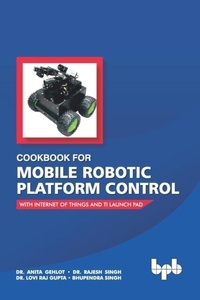
Cookbook for Mobile Robotic Platform Control
With Internet of Things And Ti Launch Pad
1st Edition
Published on 15. January 2019
256 pages
978-93-88511-69-8 (ISBN)
Description

No detailed description available for "Cookbook for Mobile Robotic Platform Control".
More details
Other editions
Additional editions
Lovi, Bhupendra Dr. Anita, Rajesh
Cookbook for Mobile Robotic Platform Control
Book
06/2019
BPB Publications
€44.75
Article exhausted; check different version
Content
- Cover
- Cook Book for Mobile Robotic Platform Control with Internet of Things and Ti Launch Pad
- Copyright
- Acknowledgements
- Preface
- Biography of Authors
- Table of Contents
- 1. Introduction
- 1.1 Introduction to IoT
- 1.2 Industry Revolution
- 1.3 IoT Protocols
- 1.4 IoT Components
- 1.5 IoT Architecture
- 1.6 Communication Models
- 1.6.1 Request-Response Communication Model
- 1.6.2 Publish-Subscribe Communication Model
- 1.6.3 Push-Pull Communication Model
- 1.7 Communication API
- 1.7.1 REST Based Communication API
- 1.7.2 WebSocket Based Communication API
- 1.8 IoT System Levels
- 1.8.1 Level-1
- 1.8.2 Level-2
- 1.8.3 Level-3
- 1.8.4 Level-4
- 1.8.5 Level-5
- 1.8.6 Level-6
- 1.9 IoT Applications
- 1.9.1 Transport/Logistics
- 1.9.2 Smart Home
- 1.9.3 Smart Cities
- 1.9.4 Smart Factory
- 1.9.5 Retail
- 1.9.6 E-Health
- 1.9.7 Railroads
- 1.9.8 Automotive Sector
- 1.9.9 Manufacturing
- 1.9.10 Wearables
- 1.9.11 Agriculture
- 1.9.12 Energy Management
- 1.9.13 Industrial Automation
- 1.9.14 Smart Grid
- 1.9.15 Smart Supply Chain
- 1.9.16 Smart Farming
- 1.9.17 Industrial Internet
- 1.9.18 Connected Car
- 1.9.19 Connected Health
- 1.9.20 Poultry
- 1.9.21 Smart Environment
- 1.9.22 Security and Emergency
- 1.9.23 Smart Animal Farming
- 1.1.24 Smart Water
- 1.10 Servers
- 1.10.1 KAA
- 1.10.2 Carriots
- 1.10.3 Temboo
- 1.10.4 SeeControl IoT
- 1.10.5 SensorCloud
- 1.10.6 Etherios
- 1.10.7 Xively
- 1.10.8 Ayla's IoT Cloud Fabric
- 1.10.9 thethings.io
- 1.10.10 Exosite
- 1.10.11 Arrayent Connect TM
- 1.10.12 OpenRemote
- 1.10.13 Arkessa
- 1.10.14 Oracle IoT cloud
- 1.10.15 Nimbits
- 1.10.16 ThingWorx
- 1.10.17 InfoBright
- 1.10.18 Jasper Control Center
- 1.10.19 Echelon
- 1.10.20 AerCloud
- 1.10.21 ThingSpeak
- 1.10.22 Plotly
- 1.10.23 GroveStreams
- 1.10.24 Microsoft research Lab of Things
- 1.10.25 IBM IoT
- 1.10.26 Blynk
- 1.10.27 Cayenne App
- 1.10.28 Virtuino App
- 1.11 IoT System Design
- 1.12 Introduction to the Arduino
- 1.13 Introduction to the NodeMCU
- 1.14 Introduction to GPRS
- 2. Components of a Robotic Platform
- 2.1 Types of Robots
- 2.1.1 Ground Robot
- 2.1.2 Aerial Robot
- 2.1.3 Underwater Robot
- 2.1.4 Arms and Gripper Type Robots
- 2.1.5 Miscellaneous and Hybrid Combination Robots
- 2.2 Actuators
- 2.2.1 Rotational Actuators
- 2.2.2 Linear Actuator
- 2.3 Selection of an Actuator
- 2.4 Motor Controller
- 2.5 Selection of a Motor Controller
- 2.6 Motor Controller Circuits
- 2.6.1 Motor Driver Using a Bipolar Junction Transistor
- 2.6.2 Motor Driver Using a Metal Oxide Semiconductor Field Effect Transistor
- 2.6.3 H-Bridge Circuit
- 2.6.4 Motor Driver: IC ULN 2003/4/ULN2803/ L293D/L298
- 2.6.5 Motor Driver Using a Relay
- 2.7 Selection of the Microcontroller
- 2.8 Power Supply Design
- 2.8.1 +12V DC Power supply
- 2.8.2 +5V DC Power Supply From a +12V DC
- 2.9 Methods to Control a Robot
- 2.9.1 Tethered Controlled Robot
- 2.9.2 Wireless Controlled Robots
- 2.10 Autonomous Robot
- 2.11 Type of Sensors and their Selection
- 2.11.1 Push Button
- 2.11.2 Pressure Sensor
- 2.11.3 Ultrasonic Sensor
- 2.11.4 Infrared Sensor
- 2.11.5 Proximity and Touch Sensor
- 2.11.6 Laser Sensor
- 2.11.7 Bump Sensor
- 2.11.8 Metal Sensor
- 2.11.9 Fire Sensor
- 2.11.10 Passive Infrared Sensor
- 2.11.11 Potentiometer
- 2.11.12 Alcohol Sensor
- 2.11.13 Temperature Sensor
- 2.11.14 Gas Sensor
- 2.11.15 GPS
- 2.11.16 Gyroscope
- 2.11.17 Thermal Camera
- 2.11.18 Humidity Sensor
- 2.11.19 Magnetometers
- 2.11.20 Compass Sensor
- 2.11.21 Accelerometer
- 2.11.22 Load Cell
- 2.11.23 Fingerprint Sensor
- 2.11.24 Inertial Measurement Unit
- 2.11.25 Current and Voltage Sensor
- 2.11.26 Vibration Sensor
- 2.11.27 RFID
- 3. Interfacing of Ti launch Pad with Input/Output Devices
- 3.1 Interfacing of the Ti Launch Pad with a Digital Sensor
- 3.1.1 Circuit Diagram
- 3.1.2 Program Code
- 3.2 Interfacing the Ti Launch Pad with an Analog Sensor
- 3.2.1 Circuit Diagram
- 3.2.2 Program Code
- 3.3 Interfacing of the Ti Launch Pad with a Motor
- 3.3.1 Circuit Diagram
- 3.3.2 Program Code
- 4. Interfacing of NodeMCU with Input/Output Devices
- 4.1 Interfacing of the NodeMCU with a Digital Sensor
- 4.1.1 Circuit Diagram
- 4.1.2 Program Code
- 4.2 Interfacing of the NodeMCU with an Analog Sensor
- 4.2.1 Circuit Diagram
- 4.2.2 Program code
- 4.3 Interfacing of the NodeMCU with a Motor
- 4.3.1 Circuit Diagram
- 4.3.2 Program Code
- 5. Serial Communication between Ti Launch Pad and NodeMCU
- 5.1 Circuit diagram
- 5.2 Program Code
- 5.2.1 Program Code for a Ti Launch Pad
- 5.2.2 Program Code for a NodeMCU
- 6. Robot Control Using the Blynk App
- 6.1 Circuit Diagram
- 6.2 Program Code
- 6.3 BLYNK App
- 7. Robot Control Using the Virtuino App
- 7.1 Circuit Diagram
- 7.2 Program Code
- 7.3 Virtuino Application
- 8. Environment Monitoring Robot with BLYNK App
- 8.1 Circuit Diagram
- 8.2 Program Code
- 8.2.1 Program Code for a Ti Launch Pad
- 8.2.2 Program Code for a NodeMCU
- 8.3 BLYNK APP
- 9. Sensory Data Acquisition Robot Using a ThingSpeak Server
- 9.1 Circuit Diagram
- 9.2 Program Code
- 9.2.1 Program Code for a Ti Launch Pad
- 9.2.2 Program Code for a NodeMCU
- 9.3 Thingspeak Server
- 10. Robot Control with Cayenne App
- 10.1 Circuit Diagram
- 10.2 Program Code
- 10.2.1 Program Code for a Ti Launch Pad
- 10.2.2 Program Code for the NodeMCU
- 10.3 Cayenne App
- 11. Robot Control with Local Server and NodeMCU
- 11.1 Circuit Diagram
- 11.2 Program Code
- 11.3 Local Server
- 12. Robot Control with a Firebase Server
- 12.1 Circuit Diagram
- 12.2 Program Code
- 12.2.1 Program Code for the Ti LaunchPad
- 12.3 Firebase Server
- 13. XBee and Wi-Fi Modem Based Robot Control
- 13.1 Circuit Diagram
- 13.1.1 XBee module
- 13.1.2 Circuit Diagram of the Cloud Transmitter/Router
- 13.1.3 Circuit Diagram of the Receiver/Coordinator
- 13.2 Program Code
- 13.2.1 Program Code for the Remote Receiver
- 13.3 BLYNK App
- 14. Fire Fighting Robot
- 14.1 Circuit Diagram
- 14.2 Program Code
- 14.2.1 Program Code for the Ti Launch Pad
- 14.2.2 Program Code for the NodeMCU
- 14.3 BLYNK App
- 15. The Internet of Things Robotic Arm
- 15.1 Circuit Diagram
- 15.2 Program Code
- 15.3 BLYNK App
- 16. The Smart Orchard with a Robotic Arm Sprinkler
- 16.1 Circuit Diagram
- 16.2 Program Code
- 16.2.1 Program Code for the Ti Launch Pad
- 16.2.2 Program Code for the CAYENNE Application
- 16.3 Cayenne App
- 17. Smart Farming with the IoT
- 17.1 Circuit Diagram
- 17.2 Program Code
- 17.2.1 Program for the Ti Launch Pad
- 17.1.2 Program Code for the NodeMCU
- 17.3 BLYNK App
- Bibliography
