

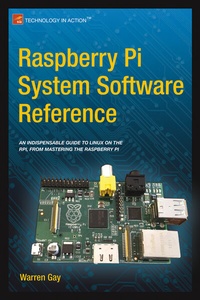
Raspberry Pi System Software Reference
Published on 24. November 2014
XV, 132 pages
978-1-4842-0796-3 (ISBN)
Description

Raspberry Pi is Linux, but it's a unique flavor of Linux, specifically for the ARM-based Pi. Raspberry Pi Software Reference guides you through the boot process, including options for tweaking HDMI, memory, and other boot options. You'll learn the details of run levels and creating new services, and how to use the custom command vcgencmd for doing things like reporting temperature, clock speeds, and voltage. And while there are cross-compilers available for some flavors of Linux, one of the most important things you'll get from Raspberry Pi Software Reference is how to build your own Raspberry Pi cross-compiler on your Mac OSX, Linux, or Windows computer.
More details
Other editions
Additional editions
Warren Gay
Raspberry Pi System Software Reference
Book
11/2014
APress
€29.95
Shipment within 15-20 days
Person
Warren Gay has been an electronics enthusiast since childhood and often dragged discarded TV sets home after school. In high school he learned to program the IBM-1130 and then pursued a career in software development at Ryerson Polytechnical, in Toronto. Since then he has worked professionally for over 30 years, mainly in C/C++, under Unix and Linux. Meanwhile, the love of electronics has never faded since the early creation of his home-brewed Intel 8008 system in the 70's to the present day projects employing the Raspberry Pi. Warren also holds an advanced amateur radio license and was able to work the Mir space station (U2MIR) using packet radio in August 1991.He's authored other books including Sams Teach Yourself Linux in 24 Hours, Linux Socket Programming by Example, and Advanced Unix Programming.
Content
- Intro
- Contents at a Glance
- Contents
- About the Author
- About the Technical Reviewer
- Acknowledgments
- Introduction
- Chapter 1: Preparation
- Static IP Address
- Using SSH
- VNC
- Display Number
- Geometry
- Depth
- Pixel Format
- Password Setup
- Server Startup
- VNC Viewers
- Stopping VNC Server
- Prototype Station
- Adafruit Pi Cobbler
- Gertboard
- Bare Metal
- Chapter 2: Boot
- Booting ARM Linux
- Boot Sequence
- Boot Files
- config.txt
- Composite Video Settings
- Standard Definition Video
- Composite Aspect Ratio
- Color Burst
- High-Definition Video
- HDMI Safe Mode
- HDMI Force Hot-Plug
- HDMI Ignore Hot-Plug
- HDMI Drive
- HDMI Ignore EDID
- HDMI EDID File
- HDMI Force EDID Audio
- Avoid EDID Fuzzy Match
- HDMI Group
- HDMI Mode
- HDMI Boost
- HDMI Ignore CEC Init
- HDMI Ignore CEC
- Overscan Video
- Disable Overscan
- Overscan Left, Right, Top, and Bottom
- Frame Buffer Settings
- Frame Buffer Width
- Frame Buffer Height
- Frame Buffer Depth
- Frame Buffer Ignore Alpha
- General Video Options
- Licensed Codecs
- Testing
- Memory
- Disable GPU L2 Cache
- GPU Memory (All)
- GPU Memory (256)
- GPU Memory (512)
- Boot Options
- Disable Command-Line Tags
- Command Line
- Kernel
- Kernel Address
- RAM File System File
- RAM File System Address
- Init RAM File System
- Device Tree Address
- Init UART Baud
- Init UART Clock
- Init EMMC Clock
- Boot Delay
- Avoid Safe Mode
- Overclocking
- Warranty and Overclocking
- Force Turbo Mode
- Initial Turbo
- Temperature Limit
- ARM CPU Frequency
- Minimum ARM CPU Frequency
- GPU Frequency
- Core Frequency
- Minimum Core Frequency
- H.264 Frequency
- ISP Frequency
- V3D Frequency
- SDRAM Frequency
- Minimum SDRAM Frequency
- Avoid PWM PLL
- Voltage Settings
- Current Limit Override
- Over Voltage
- Over Voltage Minimum
- Over Voltage SDRAM
- SDRAM Controller Voltage
- SDRAM I/O Voltage
- SDRAM Physical Voltage
- cmdline.txt
- Serial console =
- Virtual console =
- kgdboc=
- root=
- rootfstype=
- elevator=
- rootwait=
- nfsroot=
- ip=
- Emergency Kernel
- Chapter 3: Initialization
- Run Levels
- /etc/inittab
- inittab Action initdefault
- General Startup Sequence
- Step 4: sysinit
- Step 5: boot/bootwait
- Step 6: runlevel
- inittab Action wait
- inittab Action once
- inittab Action respawn
- Changing Run Levels
- telinit
- Change of Run Level
- Single-User Mode
- Halt and Reboot
- Creating a New Service
- Chapter 4: vcgencmd
- vcgencmd Commands
- Option measure_clock
- Option measure_volts
- Option measure_temp
- Option codec_enabled
- Option version
- Option get_lcd_info
- Option get_config
- Chapter 5: Linux Console
- Available Consoles
- Serial Console
- Chapter 6: Cross-Compiling
- Terminology
- Operating System
- Host, Guest, Build, and Target
- Platform Limitations
- Without VirtualBox (Native)
- Using VirtualBox (Ubuntu/Linux)
- Planning Your Cross-Development Environment
- Building the Cross-Compiler
- Download crosstool-NG
- Staging Directory
- Unpack the Tarball
- Create /opt/x-tools
- Install Package Dependencies
- Configure crosstools-NG
- make crosstool-ng
- make install
- PATH
- Cross-Compiler Configuration
- Paths and Misc Options
- Target Options
- Operating System
- Binary Utilities
- C Compiler
- Save Configuration
- Build Cross-Compiler
- Troubleshooting
- Chapter 7: Cross-Compiling the Kernel
- Image Tool s
- Download Kernel
- Edit Makefile
- make mrproper
- Kernel Config
- make menuconfi g
- make
- Prepare Kernel Image
- Install Kernel Image
- Boot Failure
- Modules
- Firmware
- VirtualBox Mount of SD Card
- Appendix A: Glossary
- Appendix B: Power Standards
- Appendix C: Raspbian apt Commands
- List Available Packages
- List Installed Packages
- List Files for Package
- Perform Package Search
- Install a Package
- Remove a Package
- Install Updates
- Upgrade
- Obtain Kernel Sources
- Appendix D: ARM Compile Options
- Appendix E: Mac OS X Tips
- Index
