

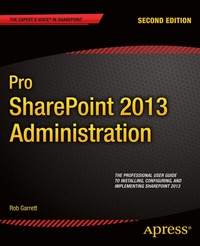
Pro SharePoint 2013 Administration
Description

Pro SharePoint 2013 Administration is a practical guide to SharePoint 2013 for intermediate to advanced SharePoint administrators and power users, covering the out-of-the-box feature set and capabilities of Microsoft's collaboration and business productivity platform.
SharePoint 2013 is an incredibly complex product, with many moving parts, new features, best practices, and "gotchas." Author Rob Garrett distills SharePoint's portfolio of features, capabilities, and utilities into an in-depth professional guide-with no fluff and copious advice-that is designed from scratch to be the manual Microsoft never wrote.
Starting with a detailed deployment and initial configuration walkthrough, the book covers all major feature areas, including document management, social computing, metadata management, and administration. You'll also learn about planning for capacity, backup administration and disaster recovery, business intelligence, monitoring, and more. Unlike other books, Pro SharePoint 2013 Administration covers all elements of the product, but has a specific emphasis on features new and enhanced in the 2013 release.
Pro SharePoint 2013 Administration is the only book you'll need as you set out to deploy and administer SharePoint 2013.
More details
Other editions
Additional editions
Person
Content
- SharePoint 2013 Overview and New Features
- New Installation and Configuration
- Working with PowerShell
- Upgrading from SharePoint 2010
- Health, Monitoring & Disaster Recovery
- Users, Profiles, and Social Networking
- Security and Policy
- Claims-Based and Federated Authentication
- Content Model and Managed Metadata
- Publishing and Web Content Management
- Documents and Records Management
- Business Intelligence
- Business Connectivity Services
- Microsoft Office Integration and Office Web Applications
- SharePoint Search
- SharePoint Designer and Branding
