

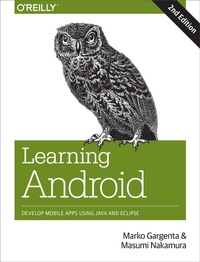
Learning Android
Develop Mobile Apps Using Java and Eclipse
Published on 9. January 2014
286 pages
978-1-4493-3626-4 (ISBN)
Description

Want to build apps for Android devices? This book is the perfect way to master the fundamentals. Written by experts who have taught this mobile platform to hundreds of developers in large organizations and startups alike, this gentle introduction shows experienced object-oriented programmers how to use Android's basic building blocks to create user interfaces, store data, connect to the network, and more.
Throughout the book, you'll build a Twitter-like application, adding new features with each chapter. You'll also create your own toolbox of code patterns to help you program any type of Android application with ease.
- Become familiar with the Android platform and how it fits into the mobile ecosystem
- Dive into the Android stack, including its application framework and the APK application package
- Learn Android's building blocks: Activities, Intents, Services, Content Providers, and Broadcast Receivers
- Create basic Android user interfaces and organize UI elements in Views and Layouts
- Build a service that uses a background process to update data in your application
More details
Other editions
Additional editions
Book
02/2014
2nd Edition
O'Reilly
€33.00
Shipment within 10-20 days
Content
- Cover
- Copyright
- Table of Contents
- Preface
- What's Inside
- Conventions Used in This Book
- Using Code Examples
- Safari® Books Online
- How to Contact Us
- Acknowledgments
- Marko Gargenta
- Masumi Nakamura
- Chapter 1. Android Overview
- Android Overview
- Comprehensive
- Open Source Platform
- Designed for Mobile Devices
- History
- Google's Motivation
- Android Compatibility
- Open Handset Alliance
- Android Versions
- Android Flavors
- Android Open Source Project
- Manufacturer Add-Ons
- Summary
- Chapter 2. Java Review
- Comments
- Data Types: Primitives and Objects
- Modifiers
- Arrays
- Operators
- Control Flow Statements
- Error/Exception Handling
- Complex Example
- Interfaces and Inheritance
- Collections
- Generics
- Threads
- Summary
- Chapter 3. The Stack
- Stack Overview
- Linux
- Android != Linux
- Native Layer
- HAL
- Native Libraries
- Native Daemons
- Native Tools
- Dalvik
- Android and Java
- Application Framework
- Applications
- Android Application Package (APK)
- Application Signing
- Application Distribution
- Summary
- Chapter 4. Installing and Beginning Use of Android Tools
- Installing Java Development Kit
- Installing the Android SDK
- Setting Up a PATH to Tools
- Installing Eclipse
- Eclipse Workspace
- Setting Up Android Development Tools
- Hello World!
- Creating a New Project
- Anatomy of an Android Project
- Android Manifest File
- String Resources
- Layout XML Code
- Drawable Resources
- The R File
- Java Source Code
- Building the Project
- Android Emulator
- An Emulator Versus a Physical Phone
- Summary
- Chapter 5. Main Building Blocks
- A Real-World Example
- Activities
- Activity Life Cycle
- Intents
- Services
- Content Providers
- Broadcast Receivers
- Application Context
- Summary
- Chapter 6. Yamba Project Overview
- The Yamba Application
- Design Philosophy
- Project Design
- Part 1: Android User Interface
- Part 2: Intents, ActionBar, and More
- Part 3: Android Services
- Part 4: Content Providers
- Part 5: Lists and Adapters
- Part 6: Broadcast Receivers
- Part 7: App Widgets
- Part 8: Networking and the Web (HTTP)
- Part 9: Live Wallpaper and Handlers
- Summary
- Chapter 7. Android User Interface
- Two Ways to Create a User Interface
- Declarative User Interface
- Programmatic User Interface
- The Best of Both Worlds
- Views and Layouts
- LinearLayout
- TableLayout
- FrameLayout
- RelativeLayout
- Starting the Yamba Project
- The StatusActivity Layout
- Important Widget Properties
- Strings Resource
- The StatusActivity Java Class
- Inflating XML to Java
- Initializing Objects
- Handling User Events
- Logging Messages in Android
- LogCat
- Compiling Code and Building Your Projects: Saving Files
- Adding the Twitter API Library
- Updating the Manifest File for Internet Permission
- Threading in Android
- Single Thread
- Multithreaded Execution
- AsyncTask
- Other UI Events
- Alternative Resources
- Summary
- Chapter 8. Fragments
- Fragment Example
- Fragment Life Cyle
- Dynamically Adding Fragments
- Summary
- Chapter 9. Intents, Action Bar, and More
- Preferences
- Preference Resource
- SettingsActivity
- Update the Manifest File
- The Action Bar
- Creating a Blank Main Activity
- The Menu Resource
- Android System Resources
- Loading the Menu
- Updating MainActivity to Handle Menu Events
- Shared Preferences and Updating Status Fragment
- The Filesystem Explained
- Exploring the Filesystem
- Filesystem Partitions
- System Partition
- SDCard Partition
- The User Data Partition
- Filesystem Security
- Summary
- Chapter 10. Services
- Our Example Service: RefreshService
- Creating the RefreshService Java Class
- Introducing IntentService
- Update the Manifest File
- Add Menu Items
- Update the Options Menu Handling
- Testing the Service
- Pulling Data from Yamba
- Testing the Service
- Summary
- Chapter 11. Content Providers
- Databases on Android
- About SQLite
- DbHelper
- The Database Schema and Its Creation
- Four Major Operations
- Cursors
- Status Contract Class
- Update RefreshService
- Testing the Service
- Content Providers
- Creating a Content Provider
- Defining the URI
- Getting the Data Type
- Inserting Data
- Updating Data
- Deleting Data
- Querying Data
- Updating the Android Manifest File
- Updating RefreshService
- Summary
- Chapter 12. Lists and Adapters
- MainActivity
- Basic MainActivity
- Timeline Fragment
- Creating a List Item Layout
- About Adapters
- Loading the Data
- Custom Logic via ViewBinder
- Details View
- Details Fragment
- Details Activity
- Register with the Manifest File
- Main Activity, Landscape View
- Updating TimelineFragment
- Summary
- Chapter 13. Broadcast Receivers
- About Broadcast Receivers
- BootReceiver
- Registering the BootReceiver with the Android Manifest File
- Testing the Boot Receiver
- Alarms and System Services
- Broadcasting Intents
- Notification Receiver
- Summary
- Chapter 14. App Widgets
- Using Content Providers Through Widgets
- Implementing the YambaWidget Class
- Creating the XML Layout
- Creating the AppWidgetProviderInfo File
- Updating the Manifest File
- Testing the Widget
- Summary
- Chapter 15. Networking and Web Overview
- Quick Example
- Networking Basics
- HTTP API
- Apache HTTP Client
- HttpUrlConnection
- Networking in the Background using AsyncTask and AsyncTaskLoader
- Summary
- Chapter 16. Interaction and Animation: Live Wallpaper and Handlers
- Live Wallpaper
- Handler
- Summary
- Index
- About the Authors
