

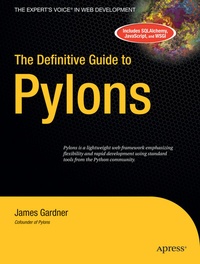
The Definitive Guide to Pylons
Published on 25. January 2009
568 pages
978-1-4302-0534-0 (ISBN)
Description

Spurred by the enormous popularity of Ruby on Rails, web frameworks have revolutionized the way developers of all programming languages tackle the often complex task of web application development. Some of the most exciting activity in this area can be seen in the Python community, one of the wildly popular frameworks to enter the fray being Pylons (http://www.PylonsHQ.com). Co-founder and lead developer
James Gardner
brings you a comprehensive introduction to Pylons, the web framework that uses the best of Ruby, Python, and Perl and the emerging WSGI standard to provide structure and flexibility. With expert guidance from the author, you'll learn how to create your own Pylons-driven web site using SQLAlchemy and FormEncode and attain the mastery of advanced Pylons features, such as internationalization and localization, packaging and deployment.
More details
Other editions
Additional editions
Person
James Gardner is an Oxford University graduate in physics, cofounder of the Pylons web framework, and founder of 3aims Ltd, a knowledge interaction technology consultancy based in London. The majority of his professional experience has been in the development and support of research and development systems for three different National Health Service organizations in the United Kingdom, and he also coded the popular "What Should I Read Next?" book recommendation service. James has been writing computer programs since he was a small boy. When he first got his hands on a Sinclair ZX Spectrum, he was very proud to show his grandmother the flashing colored shapes he had managed to get to appear on a black background on the TV. The excitement and satisfaction of being able to create something extraordinary from a series of carefully ordered characters in a file and a little bit of logical thinking has never left him. James is heavily involved in open-source software, and in addition to his involvement in Pylons, he wrote the Python web modules AuthKit and FormBuild and has a keen interest in authentication and single sign-on systems such as OpenID. He is an advocate of building web applications with the Web Server Gateway Interface APIs that you'll learn about in his book, The Definitive Guide to Pylons. While not traveling to London or Oxford, James enjoys nothing more than discussing ideas with challenging and like-minded individuals or sitting down with a cup of tea, a pile of blank paper, a pen, and an Internet connection to think about better ways to solve complex problems using web technology. In his spare time, James enjoys everything to do with the outdoors from cycling to climbing and from astronomy to scuba diving. In fact, he recently went on a dive trip to the Farne Islands off the coast of Northumbria in the United Kingdom, where he thoroughly enjoyed having his equipment nibbled by inquisitive seals. James is lucky enough to have traveled widely and enjoys meeting new people and learning about the different ways people see the world. James' company's web site is at 3aims.com, and he maintains a personal blog documenting his experiments with Python and Linux, amongst other things, at JimmyG.org.
Content
Getting Started.- Introducing Pylons.- Installing Pylons.- Exploring Pylons.- Tracking Down and Handling Problems.- Using View Templates.- Working with Forms and Validators.- Introducing the Model and SQLAlchemy.- Starting the SimpleSite Tutorial.- Advanced Pylons.- URLs, Routing, and Dispatch.- Unicode.- Internationalization and Localization.- Testing.- Documentation.- SimpleSite Tutorial Part 2.- CSS, JavaScript, and Ajax.- Expert Pylons.- The Web Server Gateway Interface (WSGI).- Pylons' Internal Architecture.- Authentication and Authorization.- SimpleSite Tutorial Part 3.- Logging.- Deployment.
What's Coming Up (S. 10-11)
Over the next 20 chapters, you'll learn everything you need to know to create a simple web site with a navigation hierarchy, editable sections and pages, a comment system, and tags support. The application will serve as a very good starting point for any Pylons-based web site you create. The book is divided into three parts: "Getting Started," "Advanced Pylons," and "Expert Pylons." In the first part, you'll learn the following:
How to install Pylons on Linux, Mac, or Windows in a way that doesn't interfere with other software on your system
How to use project templates to create customizable project skeletons to get you up and running quickly
The basics of HTTP and how Pylons' request and response objects make working with it much easier
The basics of the Pylons architecture and what each of the Pylons globals is for
How to use Pylons' industry-leading interactive debugger, as well as email reporting tools
How to create view templates with Mako including how to take advantage of features such as inheritance to apply consistent themes across multiple pages as well as how to use components to generate common structures such as navigational elements
How to create forms using the Pylons helpers and how to validate and repopulate them as necessary using FormEncode and HTML Fill
How to deal with file uploads and repeating validation structures involving one-to-many mappings in your model
The various software options for your model, whether it be an XML database, an Amazon S3 store, or a traditional relational database management system
How you can use SQLAlchemy to model your database, saving you time and effort At the end of Part 1, you'll also get started with the example application called SimpleSite so that you see how the techniques you've learned apply in a real application. Once you've mastered the basics, you'll move on to Part 2 to take a look at some of the more advanced features and techniques that can be used in Pylons applications.
These include the following:
How to use Routes to allow complex mappings between the URLs your application handles and the code that powers them as well as best practices for URL design and how URLs can be used as simple state stores
What Unicode is and how to use it throughout your Pylons application
How to write a Pylons application that supports multiple languages and displays non- Western characters such as Japanese or Arabic The YUI library and how it can be used to simplify your client-side CSS and layouts
The basics of the JavaScript language including the areas where it differs from Python
How to use Ajax and animation to improve your web applications
How to write effective unit and functional tests
How to use docstrings and reStructuredText to quickly and easily write good documentation for your Pylons project
Over the next 20 chapters, you'll learn everything you need to know to create a simple web site with a navigation hierarchy, editable sections and pages, a comment system, and tags support. The application will serve as a very good starting point for any Pylons-based web site you create. The book is divided into three parts: "Getting Started," "Advanced Pylons," and "Expert Pylons." In the first part, you'll learn the following:
How to install Pylons on Linux, Mac, or Windows in a way that doesn't interfere with other software on your system
How to use project templates to create customizable project skeletons to get you up and running quickly
The basics of HTTP and how Pylons' request and response objects make working with it much easier
The basics of the Pylons architecture and what each of the Pylons globals is for
How to use Pylons' industry-leading interactive debugger, as well as email reporting tools
How to create view templates with Mako including how to take advantage of features such as inheritance to apply consistent themes across multiple pages as well as how to use components to generate common structures such as navigational elements
How to create forms using the Pylons helpers and how to validate and repopulate them as necessary using FormEncode and HTML Fill
How to deal with file uploads and repeating validation structures involving one-to-many mappings in your model
The various software options for your model, whether it be an XML database, an Amazon S3 store, or a traditional relational database management system
How you can use SQLAlchemy to model your database, saving you time and effort At the end of Part 1, you'll also get started with the example application called SimpleSite so that you see how the techniques you've learned apply in a real application. Once you've mastered the basics, you'll move on to Part 2 to take a look at some of the more advanced features and techniques that can be used in Pylons applications.
These include the following:
How to use Routes to allow complex mappings between the URLs your application handles and the code that powers them as well as best practices for URL design and how URLs can be used as simple state stores
What Unicode is and how to use it throughout your Pylons application
How to write a Pylons application that supports multiple languages and displays non- Western characters such as Japanese or Arabic The YUI library and how it can be used to simplify your client-side CSS and layouts
The basics of the JavaScript language including the areas where it differs from Python
How to use Ajax and animation to improve your web applications
How to write effective unit and functional tests
How to use docstrings and reStructuredText to quickly and easily write good documentation for your Pylons project
Table of content (1) (JPG)
Table of content (2) (JPG)
Table of content (3) (JPG)
Table of content (4) (JPG)
Table of content (5) (JPG)
Table of content (6) (JPG)
Table of content (7) (JPG)
Table of content (8) (JPG)
Table of content (9) (JPG)
Table of content (10) (JPG)
Table of content (11) (JPG)
Table of content (12) (JPG)
Content (1) (JPG)
Content (2) (JPG)
Content (3) (JPG)
