

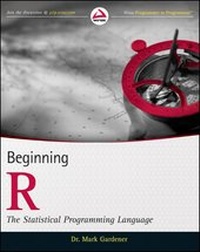
Beginning R
The Statistical Programming Language
Published on 22. May 2012
504 pages
978-1-118-22616-2 (ISBN)
Description

Conquer the complexities of this open source statisticallanguage
R is fast becoming the de facto standard for statisticalcomputing and analysis in science, business, engineering, andrelated fields. This book examines this complex language usingsimple statistical examples, showing how R operates in auser-friendly context. Both students and workers in fields thatrequire extensive statistical analysis will find this book helpfulas they learn to use R for simple summary statistics, hypothesistesting, creating graphs, regression, and much more. It coversformula notation, complex statistics, manipulating data andextracting components, and rudimentary programming.
* R, the open source statistical language increasingly used tohandle statistics and produces publication-quality graphs, isnotoriously complex
* This book makes R easier to understand through the use ofsimple statistical examples, teaching the necessary elements in thecontext in which R is actually used
* Covers getting started with R and using it for simple summarystatistics, hypothesis testing, and graphs
* Shows how to use R for formula notation, complex statistics,manipulating data, extracting components, and regression
* Provides beginning programming instruction for those who wantto write their own scripts
Beginning R offers anyone who needs to performstatistical analysis the information necessary to use R withconfidence.
More details
Other editions
Additional editions
Book
06/2012
Wrox Press
€34.00
Shipment within 15-20 days
Person
Dr. Mark Gardener is an ecologist, lecturer, and writer working in the UK. He is currently self-employed and runs courses in ecology, data analysis, and R for a variety of organizations.
Content
- Cover
- Title Page
- Copyright
- Contents
- Introduction
- Chapter 1 Introducing R: What It Is and How to Get It
- Getting the Hang of R
- The R Website
- Downloading and Installing R from CRAN
- Installing R on Your Windows Computer
- Installing R on Your Macintosh Computer
- Installing R on Your Linux Computer
- Running the R Program
- Finding Your Way with R
- Getting Help via the CRAN Website and the Internet
- The Help Command in R
- Help for Windows Users
- Help for Macintosh Users
- Help for Linux Users
- Help For All Users
- Anatomy of a Help Item in R
- Command Packages
- Standard Command Packages
- What Extra Packages Can Do for You
- How to Get Extra Packages of R Commands
- How to Install Extra Packages for Windows Users
- How to Install Extra Packages for Macintosh Users
- How to Install Extra Packages for Linux Users
- Running and Manipulating Packages
- Loading Packages
- Windows-Specific Package Commands
- Macintosh-Specific Package Commands
- Removing or Unloading Packages
- Summary
- Chapter 2 Starting Out: Becoming Familiar with R
- Some Simple Math
- Use R Like a Calculator
- Storing the Results of Calculations
- Reading and Getting Data into R
- Using the combine Command for Making Data
- Entering Numerical Items as Data
- Entering Text Items as Data
- Using the scan Command for Making Data
- Entering Text as Data
- Using the Clipboard to Make Data
- Reading a File of Data from a Disk
- Reading Bigger Data Files
- The read.csv() Command
- Alternative Commands for Reading Data in R
- Missing Values in Data Files
- Viewing Named Objects
- Viewing Previously Loaded Named-Objects
- Viewing All Objects
- Viewing Only Matching Names
- Removing Objects from R
- Types of Data Items
- Number Data
- Text Items
- Converting Between Number and Text Data
- The Structure of Data Items
- Vector Items
- Data Frames
- Matrix Objects
- List Objects
- Examining Data Structure
- Working with History Commands
- Using History Files
- Viewing the Previous Command History
- Saving and Recalling Lists of Commands
- Alternative History Commands in Macintosh OS
- Editing History Files
- Saving Your Work in R
- Saving the Workspace on Exit
- Saving Data Files to Disk
- Save Named Objects
- Save Everything
- Reading Data Files from Disk
- Saving Data to Disk as Text Files
- Writing Vector Objects to Disk
- Writing Matrix and Data Frame Objects to Disk
- Writing List Objects to Disk
- Converting List Objects to Data Frames
- Summary
- Chapter 3 Starting Out: Working With Objects
- Manipulating Objects
- Manipulating Vectors
- Selecting and Displaying Parts of a Vector
- Sorting and Rearranging a Vector
- Returning Logical Values from a Vector
- Manipulating Matrix and Data Frames
- Selecting and Displaying Parts of a Matrix or Data Frame
- Sorting and Rearranging a Matrix or Data Frame
- Manipulating Lists
- Viewing Objects within Objects
- Looking Inside Complicated Data Objects
- Opening Complicated Data Objects
- Quick Looks at Complicated Data Objects
- Viewing and Setting Names
- Rotating Data Tables
- Constructing Data Objects
- Making Lists
- Making Data Frames
- Making Matrix Objects
- Re-ordering Data Frames and Matrix Objects
- Forms of Data Objects: Testing and Converting
- Testing to See What Type of Object You Have
- Converting from One Object Form to Another
- Convert a Matrix to a Data Frame
- Convert a Data Frame into a Matrix
- Convert a Data Frame into a List
- Convert a Matrix into a List
- Convert a List to Something Else
- Summary
- Chapter 4 Data: Descriptive Statistics and Tabulation
- Summary Commands
- Summarizing Samples
- Summary Statistics for Vectors
- Summary Commands With Single Value Results
- Summary Commands With Multiple Results
- Cumulative Statistics
- Simple Cumulative Commands
- Complex Cumulative Commands
- Summary Statistics for Data Frames
- Generic Summary Commands for Data Frames
- Special Row and Column Summary Commands
- The apply() Command for Summaries on Rows or Columns
- Summary Statistics for Matrix Objects
- Summary Statistics for Lists
- Summary Tables
- Making Contingency Tables
- Creating Contingency Tables from Vectors
- Creating Contingency Tables from Complicated Data
- Creating Custom Contingency Tables
- Creating Contingency Tables from Matrix Objects
- Selecting Parts of a Table Object
- Converting an Object into a Table
- Testing for Table Objects
- Complex (Flat) Tables
- Making "Flat" Contingency Tables
- Making Selective "Flat" Contingency Tables
- Testing "Flat" Table Objects
- Summary Commands for Tables
- Cross Tabulation
- Testing Cross-Table (xtabs) Objects
- A Better Class Test
- Recreating Original Data from a Contingency Table
- Switching Class
- Summary
- Chapter 5 Data: Distribution
- Looking at the Distribution of Data
- Stem and Leaf Plot
- Histograms
- Density Function
- Using the Density Function to Draw a Graph
- Adding Density Lines to Existing Graphs
- Types of Data Distribution
- The Normal Distribution
- Other Distributions
- Random Number Generation and Control
- Random Numbers and Sampling
- The Shapiro-Wilk Test for Normality
- The Kolmogorov-Smirnov Test
- Quantile-Quantile Plots
- A Basic Normal Quantile-Quantile Plot
- Adding a Straight Line to a QQ Plot
- Plotting the Distribution of One Sample Against Another
- Summary
- Chapter 6 Simple Hypothesis Testing
- Using the Student's t-test
- Two-Sample t-Test with Unequal Variance
- Two-Sample t-Test with Equal Variance
- One-Sample t-Testing
- Using Directional Hypotheses
- Formula Syntax and Subsetting Samples in the t-Test
- The Wilcoxon U-Test (Mann-Whitney)
- Two-Sample U-Test
- One-Sample U-Test
- Using Directional Hypotheses
- Formula Syntax and Subsetting Samples in the U-test
- Paired t- and U-Tests
- Correlation and Covariance
- Simple Correlation
- Covariance
- Significance Testing in Correlation Tests
- Formula Syntax
- Tests for Association
- Multiple Categories: Chi-Squared Tests
- Monte Carlo Simulation
- Yates' Correction for 2 x 2 Tables
- Single Category: Goodness of Fit Tests
- Summary
- Chapter 7 Introduction to Graphical Analysis
- Box-whisker Plots
- Basic Boxplots
- Customizing Boxplots
- Horizontal Boxplots
- Scatter Plots
- Basic Scatter Plots
- Adding Axis Labels
- Plotting Symbols
- Setting Axis Limits
- Using Formula Syntax
- Adding Lines of Best-Fit to Scatter Plots
- Pairs Plots (Multiple Correlation Plots)
- Line Charts
- Line Charts Using Numeric Data
- Line Charts Using Categorical Data
- Pie Charts
- Cleveland Dot Charts
- Bar Charts
- Single-Category Bar Charts
- Multiple Category Bar Charts
- Stacked Bar Charts
- Grouped Bar Charts
- Horizontal Bars
- Bar Charts from Summary Data
- Copy Graphics to Other Applications
- Use Copy/Paste to Copy Graphs
- Save a Graphic to Disk
- Windows
- Macintosh
- Linux
- Summary
- Chapter 8 Formula Notation and Complex Statistics
- Examples of Using Formula Syntax for Basic Tests
- Formula Notation in Graphics
- Analysis of Variance (ANOVA)
- One-Way ANOVA
- Stacking the Data before Running Analysis of Variance
- Running aov() Commands
- Simple Post-hoc Testing
- Extracting Means from aov() Models
- Two-Way ANOVA
- More about Post-hoc Testing
- Graphical Summary of ANOVA
- Graphical Summary of Post-hoc Testing
- Extracting Means and Summary Statistics
- Model Tables
- Table Commands
- Interaction Plots
- More Complex ANOVA Models
- Other Options for aov()
- Replications and Balance
- Summary
- Chapter 9 Manipulating Data and Extracting Components
- Creating Data for Complex Analysis
- Data Frames
- Matrix Objects
- Creating and Setting Factor Data
- Making Replicate Treatment Factors
- Adding Rows or Columns
- Summarizing Data
- Simple Column and Row Summaries
- Complex Summary Functions
- The rowsum() Command
- The apply() Command
- Using tapply() to Summarize Using a Grouping Variable
- The aggregate() Command
- Summary
- Chapter 10 Regression (Linear Modeling)
- Simple Linear Regression
- Linear Model Results Objects
- Coefficients
- Fitted Values
- Residuals
- Formula
- Best-Fit Line
- Similarity between lm() and aov()
- Multiple Regression
- Formulae and Linear Models
- Model Building
- Adding Terms with Forward Stepwise Regression
- Removing Terms with Backwards Deletion
- Comparing Models
- Curvilinear Regression
- Logarithmic Regression
- Polynomial Regression
- Plotting Linear Models and Curve Fitting
- Best-Fit Lines
- Adding Line of Best-Fit with abline()
- Calculating Lines with fitted()
- Producing Smooth Curves using spline()
- Confidence Intervals on Fitted Lines
- Summarizing Regression Models
- Diagnostic Plots
- Summary of Fit
- Summary
- Chapter 11 More About Graphs
- Adding Elements to Existing Plots
- Error Bars
- Using the segments() Command for Error Bars
- Using the arrows() Command to Add Error Bars
- Adding Legends to Graphs
- Color Palettes
- Placing a Legend on an Existing Plot
- Adding Text to Graphs
- Making Superscript and Subscript Axis Titles
- Orienting the Axis Labels
- Making Extra Space in the Margin for Labels
- Setting Text and Label Sizes
- Adding Text to the Plot Area
- Adding Text in the Plot Margins
- Creating Mathematical Expressions
- Adding Points to an Existing Graph
- Adding Various Sorts of Lines to Graphs
- Adding Straight Lines as Gridlines or Best-Fit Lines
- Making Curved Lines to Add to Graphs
- Plotting Mathematical Expressions
- Adding Short Segments of Lines to an Existing Plot
- Adding Arrows to an Existing Graph
- Matrix Plots (Multiple Series on One Graph)
- Multiple Plots in One Window
- Splitting the Plot Window into Equal Sections
- Splitting the Plot Window into Unequal Sections
- Exporting Graphs
- Using Copy and Paste to Move a Graph
- Saving a Graph to a File
- Windows
- Macintosh
- Linux
- Using the Device Driver to Save a Graph to Disk
- PNG Device Driver
- PDF Device Driver
- Copying a Graph from Screen to Disk File
- Making a New Graph Directly to a Disk File
- Summary
- Chapter 12 Writing Your Own Scripts: Beginning to Program
- Copy and Paste Scripts
- Make Your Own Help File as Plaintext
- Using Annotations with the # Character
- Creating Simple Functions
- One-Line Functions
- Using Default Values in Functions
- Simple Customized Functions with Multiple Lines
- Storing Customized Functions
- Making Source Code
- Displaying the Results of Customized Functions and Scripts
- Displaying Messages as Part of Script Output
- Simple Screen Text
- Display a Message and Wait for User Intervention
- Summary
- Appendix: Answers to Exercises
- Index
- Advertisement Page
- EULA
