

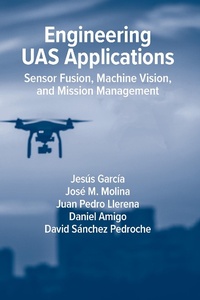
Engineering UAS Applications
Sensor Fusion, Machine Vision and Mission Management
Published on 31. July 2023
342 pages
978-1-63081-984-2 (ISBN)
Description

Unmanned aerial systems (UAS) have evolved rapidly in recent years thanks to advances in microelectromechanical components, navigation, perception, and artificial intelligence, allowing for a fast development of autonomy. This book presents general approaches to develop, test, and evaluate critical functions such as navigation, obstacle avoidance and perception, and the capacity to improve performance in real and simulated scenarios. It provides the practical knowledge to install, analyze and evaluate UAS solutions working in real systems; illustrates how to use and configure complete platforms and software tools; and reviews the main enabling technologies applied to develop UAS, possibilities and evaluation methodology. You will get the tools you need to evaluate navigation and obstacle avoidance functions, object detection, and planning and landing alternatives in simulated conditions. The book also provides helpful guidance on the integration of additional sensors (video, weather, meteorological) and communication networks to build IoT solutions. This is an important book for practitioners and researchers interested in integrating advanced techniques in the fields of AI, sensor fusion and mission management, and anyone interest in applying and testing advanced algorithms in UAS platforms.
More details
Other editions
Additional editions
Jesus Garcia | Jose Molina | Daniel Amigo
Engineering UAS Applications: Sensor Fusion, Machine Vision and Mission Management
Book
07/2023
Artech House Publishers
Unfortunately, price unknown
Available (delivery time upon request)
Content
- Intro
- Engineering UAS Applications: Sensor Fusion, Machine Vision,and Mission Management
- Contents
- Preface
- 1 Introduction and State of the Art
- 1.1 Introduction and Types of Unmanned Aerial Systems
- 1.2 Main Technologies Used in UAS
- 1.2.1 Navigation
- 1.2.2 Communications
- 1.2.3 Machine Vision
- 1.2.4 Coordination: Swarms of UAVs and Applications
- 1.2.5 Simulation
- 1.3 Summary and Structure of This Book
- References
- 2 Components of UAS
- 2.1 Introduction
- 2.2 Flight Controller
- 2.2.1 Logic Components
- 2.2.2 Physical Components
- 2.3 Communications
- 2.3.1 Radio Communication Technologies
- 2.3.2 Communication Protocols
- 2.3.3 UAV Messaging Protocols
- 2.4 Payload
- 2.4.1 Payload Types
- 2.4.2 Payload Positioning
- 2.5 Mission Management Units
- 2.5.1 Ground Station
- 2.5.2 Companion Computer
- 2.5.3 Control APIs
- 2.6 Obstacle Avoidance Use Case
- 2.6.1 Phase 1: Assembly of the Physical Components
- 2.6.2 Phase 2: Setting Up the Software
- 2.6.3 Phase 3: Mission Design from the Ground Station
- 2.6.4 Phase 4: Mission Start
- 2.6.5 Phase 5: Obstacle Detection and Avoidance
- References
- 4 Navigation Systems of UAS
- 4.1 Introduction
- 4.2 Reference Frame Systems
- 4.2.1 Global Frames (WGS84 and ECEF) and Local Frame at Tangent Point ENU and NED
- 4.2.2 Geodetic to ECEF Transformation
- 4.2.3 ECEF to Geodetic Transformation
- 4.2.4 ECEF to Local Cartesian (ENU and NED) Transformation
- 4.2.5 Local Cartesian (ENU or NED) to the ECEF Transformation
- 4.3 Attitude Mathematical Concepts
- 4.3.1 Attitude Representation
- 4.3.2 Attitude Kinematics
- 4.4 Fusion of the INS and GNSS
- 4.4.1 State Estimation
- 4.4.2 INS State Vector
- 4.4.3 GNSS State Vector
- 4.4.4 Fusion of the INS and GNSS
- 4.5 Application: Search for the Best Navigation Parameters
- 4.5.1 Fusion Quality Metrics
- 4.5.2 PX4 Navigation System
- 4.5.3 Search Best EKF Parameters
- References
- 3 Simulation of UAS
- 3.1 Introduction
- 3.2 From Development to Reality
- 3.2.1 Simulation Software
- 3.2.2 SITL
- 3.2.3 HITL
- 3.2.4 External HITL
- 3.2.5 Simulation in Hardware
- 3.2.6 Vehicle in the Loop
- 3.3 UAS Simulators
- 3.3.1 Current Simulators
- 3.3.2 Simulator Comparison
- 3.4 AirSim Simulation Examples
- 3.4.1 Framework Required Programs
- 3.4.2 Simulation Environment
- 3.4.3 AirSim Settings
- 3.4.4 SimpleFlight Simulation
- 3.4.5 Mission 1: Using SimpleFlight SITL
- 3.4.6 PX4 Simulation
- 3.4.7 Mission 2: Using PX4 SITL
- 3.4.8 Mission 3: Using PX4 HITL
- 3.4.9 Flight Analysis
- References
- 5 Machine Vision Systems of UAS
- 5.1 Introduction
- 5.2 Computer Vision System
- 5.2.1 Pinhole Camera
- 5.2.2 Camera Calibration
- 5.2.3 AirSim Camera Calibration
- 5.3 Image Stabilization
- 5.3.1 Mechanical Stabilization
- 5.3.2 Computational Stabilization
- 5.4 Object Detection
- 5.4.1 Problems of Object Detection
- 5.4.2 Evaluating Object Detection
- 5.4.3 Object Detection Example
- 5.5 Visual Object Tracking
- 5.5.1 VOT Algorithms
- 5.5.2 Drone VOT System in the AirSim Simulator
- References
- 6 Integration of External Systems
- 6.1 Introduction
- 6.2 Sense-and-Avoid Illustrative Example
- 6.2.1 Simulation Architecture
- 6.2.2 Software Modules
- 6.2.3 Detection System
- 6.2.4 Occupancy Map
- 6.2.5 Avoidance Strategy
- 6.2.6 Evaluation
- 6.2.7 Conclusions
- 6.3 Decentralized Drone Swarm Illustrative Example
- 6.3.1 Simulation Architecture
- 6.3.2 Software Modules
- 6.3.3 Swarm Generator
- 6.3.4 Communication Loop
- 6.3.5 Mission Vote System
- 6.3.6 Formation Generation Avoiding Collisions
- 6.3.7 Swarm Formation to Target
- 6.3.8 Mission Movement
- 6.3.9 Swarm Obstacle Avoidance
- 6.3.10 Mission Recalculation
- 6.3.11 Evaluation
- 6.3.12 Conclusions
- 6.4 Terrain Reconstruction Illustrative Example
- 6.4.1 Simulation Architecture
- 6.4.2 Software Modules
- 6.4.3 Multi-UAV Path Planning
- 6.4.4 UAV Mission
- 6.4.5 Real-Time Orthoimagery Generation
- 6.4.6 Evaluation
- 6.4.7 Conclusions
- References
- 7 Conclusions and Future Works
- Chapter 1: Introduction
- Chapter 2: Components of UAS
- Chapter 3: Simulation of UAS
- Chapter 4: Navigation Systems of UAS
- Chapter 5: Machine Vision Systems of the UAS
- Chapter 6: Illustrative Examples of UAS
- Acronyms and Abbreviations
- List of Symbols
- About the Authors
- Index
