

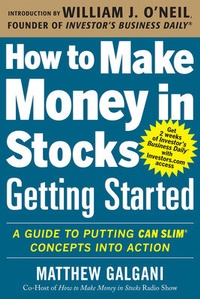
How to Make Money in Stocks Getting Started: A Guide to Putting CAN SLIM Concepts into Action
1st Edition
Published on 16. July 2013
334 pages
978-0-07-181012-8 (ISBN)
Available for download
Description

The #1 GROWTH STRATEGY for stock investing"To be a successful investor, start with the basics and stick to the rules. Matt's book shows you how to do that. It may be the missing link you've been looking for."
-William J. O'Neil, Investor's Business Daily Founder and Chairman"Getting Started takes the guesswork out of investing. Anyone can use these routines and checklists to become a successful investor."
-Amy Smith, How to Make Money in Stocks-Success StoriesThrough both bull and bear markets, Investor's Business Daily's CAN SLIM® Investment System has consistently been the #1 growth strategy, according to the American Association of Individual Investors. How to Make Money in Stocks-Getting Started shows you how to put the CAN SLIM System to work for you.Using an easy-to-follow game plan designed for busy people, you'll discover: - 2 simple rules to protect your money
- 3 critical factors to consider before you buy
- Buying & Selling Checklists to help you capture - and keep - solid gains
- Easy-to-follow routines
- How to spot-and deal with-major changes in market direction
- Action Steps and online videos to quickly start using what you learn
Getting Started is the latest addition to the bestselling How to Make Money in Stocks series launched by CAN SLIM creator and Investor's Business Daily founder William J. O'Neil. Millions of investors have used O'Neil's strategy to build financial peace of mind. Now it's your turn!So whether you're new to the stock market and a little nervous about jumping in-or if you've been investing for awhile, but aren't yet achieving the kind of results you want-How to Make Money in Stocks-Getting Started gives you a clear, step-by-step path to investing success.
-William J. O'Neil, Investor's Business Daily Founder and Chairman"Getting Started takes the guesswork out of investing. Anyone can use these routines and checklists to become a successful investor."
-Amy Smith, How to Make Money in Stocks-Success StoriesThrough both bull and bear markets, Investor's Business Daily's CAN SLIM® Investment System has consistently been the #1 growth strategy, according to the American Association of Individual Investors. How to Make Money in Stocks-Getting Started shows you how to put the CAN SLIM System to work for you.Using an easy-to-follow game plan designed for busy people, you'll discover: - 2 simple rules to protect your money
- 3 critical factors to consider before you buy
- Buying & Selling Checklists to help you capture - and keep - solid gains
- Easy-to-follow routines
- How to spot-and deal with-major changes in market direction
- Action Steps and online videos to quickly start using what you learn
Getting Started is the latest addition to the bestselling How to Make Money in Stocks series launched by CAN SLIM creator and Investor's Business Daily founder William J. O'Neil. Millions of investors have used O'Neil's strategy to build financial peace of mind. Now it's your turn!So whether you're new to the stock market and a little nervous about jumping in-or if you've been investing for awhile, but aren't yet achieving the kind of results you want-How to Make Money in Stocks-Getting Started gives you a clear, step-by-step path to investing success.
More details
Other editions
Additional editions
Matthew Galgani
How to Make Money in Stocks Getting Started: A Guide to Putting CAN SLIM Concepts into Action
Book
07/2013
McGraw-Hill Professional
€24.00
Shipment within 15-20 days
Content
- Cover
- How to Make Money in Stocks Getting Started: A GUIDE TO PUTTING CAN SLIM® CONCEPTS INTO ACTION
- Copyright Page
- CONTENTS
- FOREWORD
- INTRODUCTION
- CHAPTER 1 Start Here
- How to Protect Your Money
- The Basic Game Plan for Making Money in Stocks
- CHAPTER 2 The CAN SLIM® Investment System
- The 3 "Big Rocks" of CAN SLIM Investing
- CAN SLIM Case Studies
- CHAPTER 3 Buying Checklist
- Buying Checklist
- Does Your Stock Pass or Fail?
- Big Rock #1: Only Buy Stocks in a Market Uptrend. Take Defensive Action as a Downtrend Begins.
- Big Rock #2: Focus on Companies with Big Earnings Growth and a New, Innovative Product or Service
- Big Rock #3: Buy Stocks Being Heavily Bought by Institutional Investors. Avoid Those They're Heavily Selling.
- A Tale of 2 Stocks: Priceline.com vs. Expedia
- You Make the Call: Which Stock Looks Stronger?
- What if Your Stock Gets Both Pass and Fail Ratings?
- Be Cautious-but on the Hunt-During Earnings Season
- CHAPTER 4 Simple Routines for Finding Winning Stocks
- Want Good Results? Stick to a Good Routine!
- Simple Weekend Routine
- 10-Minute Daily Routine
- Busy During the Day? Set Automatic Trade Triggers
- Finding Winners Using the Simple Weekend Routine
- Take a Simple 2-Week Challenge
- CHAPTER 5 Selling Checklist
- Selling Checklist
- Want to Invest Well? Learn How to Sell Well!
- 8 "Secrets" of Successful Selling
- A Simple Selling Game Plan
- Offensive Selling to Lock in Your Profits
- Defensive Selling to Cut Short Any Losses and Protect Your Gains
- CHAPTER 6 Don't Invest Blindly: Use Charts to See the Best Time to Buy and Sell
- Why Use Charts?
- Chart-Reading 101
- What's in a Chart?
- What's the Trend?
- Always Check Price and Volume
- Is the Stock Finding Support or Hitting Resistance?
- 3 Telltale Patterns That Launch Big Moves
- Cup-with-Handle
- Double Bottom
- Flat Base
- Go Beyond Just the Shapes
- See a Pattern Here?
- Alternative Buy Points
- Using Charts to Go Through the Checklists
- Buying Checklist
- Selling Checklist
- CHAPTER 7 More Tips and Tools for Getting Started Right
- How Many Stocks Should You Own?
- How to Build and Maintain an Actionable Watch List
- How to Do a Profitable Post-Analysis
- Improve Your Results by Improving Your Records
- More Ways to Find Winning Stocks
- ACKNOWLEDGMENTS
- INDEX

